Christmas Photoshoot Ideas for Dogs Without Props
Updated 2026-09-16 · PiXmas Editorial Team
Quick answer: You can create festive dog photos without props by using natural light, a plain or seasonal backdrop like a window or tree line, and simple poses such as a sit-stay near string lights. For guaranteed results without wrangling a dog through a shoot, PiXmas turns one phone photo into an AI-generated Christmas portrait with holiday scenery already built in.
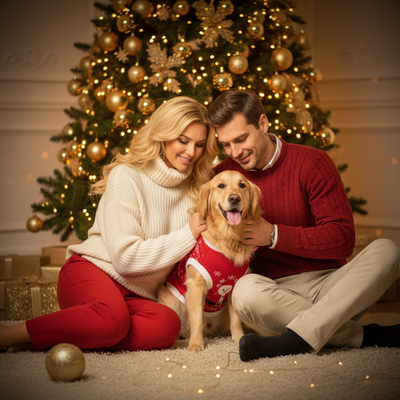
What makes a Christmas dog photo work without props?
Light and setting do most of the work.
A dog photographed near a frosted window, string lights, or a natural evergreen background already reads as festive.
You do not need a hat or sweater if the scene around the dog says winter.
Which backgrounds create a holiday feel naturally?
Look for warm indoor light against a dark room, since it mimics candlelight.
Outdoor snow, bare trees, or a porch with wreaths also works well.
Even a plain wall with a string of fairy lights out of focus behind the dog adds atmosphere.
What poses photograph well without accessories?
- Sit-stay facing a window for soft side light
- Head tilt toward a sound cue for alert ears
- Lying down with paws crossed near a tree or fireplace
- A slow walk toward camera for motion blur in the background
- Close-up on the face with catchlights from a lamp
How do you keep a dog calm during a prop-free shoot?
Short sessions work better than long ones.
Treats held near the lens keep attention forward, and a second person can hold a toy just out of frame.
Natural settings reduce stress compared to costumes, since there is nothing to tug or chew.
How can you get consistent festive photos without a full shoot?
Real photoshoots depend on weather, light, and a cooperative dog on the day.
PiXmas removes that dependency by generating the Christmas scene around a photo you already have.
Upload one clear phone photo of your dog and PiXmas applies AI-generated Christmas backgrounds, lighting, and styling from over 800 style options.
The dog's face and expression stay accurate while the festive setting is built entirely by the app.
This works from the PiXmas web app on any phone browser, including Android, with a native Android app coming soon.
Limitations
Live prop-free shoots capture real motion and true environment, which some owners prefer for authenticity.
AI results from PiXmas depend on a clear, well-lit source photo, and very blurry or dark originals produce weaker output.
Neither approach replaces a professional pet photographer for large framed prints meant for gallery walls.
DIY shoot vs AI Christmas portraits: how do they compare?
| Factor | Prop-Free DIY Shoot | PiXmas AI Photos |
|---|---|---|
| Time needed | 30 to 60 minutes plus editing | Under 5 minutes |
| Dog cooperation required | High | None after one photo is taken |
| Weather dependent | Yes for outdoor light | No |
| Style variety | Limited to your locations | 800+ AI styles |
| Consistency across shots | Varies by session | Consistent AI rendering |
Prop-free Christmas dog photos rely on good light and simple poses, but results vary by session and cooperation. PiXmas offers a faster, consistent alternative by turning one phone photo into a finished AI Christmas portrait.
Frequently asked questions
How do I photograph my dog for Christmas without buying props?
Use existing light sources like string lights or a frosted window, place your dog in a plain or naturally festive spot such as near a tree, and keep the pose simple like a sit-stay or head tilt facing the light source.
Is a natural prop-free shoot better than an AI Christmas photo?
Natural shoots capture real motion and setting, which some owners prefer. PiXmas is faster and more consistent, especially for dogs that will not sit through a full session.
Will the AI change how my dog actually looks?
No. PiXmas keeps your dog's real face and features while generating the Christmas background, lighting, and styling around the original photo, so the result still looks like your dog.
What are some easy Christmas photoshoot ideas at home?
Easy at-home Christmas photo ideas include decorating the tree, reading holiday books, baking cookies, wrapping gifts, wearing pajamas, or posing beside a window with warm lights. Choose an activity your family already enjoys so expressions feel natural. A simple background and one recognizable holiday element usually look better than a crowded set.
How can I protect my family’s privacy when sharing Christmas photos?
Share only images and details that everyone pictured is comfortable making visible. Avoid showing addresses, school names, house numbers, travel plans, shipping labels, or documents in the background. Review audience settings, remove location metadata when appropriate, and send private galleries or printed cards instead of posting publicly when children or home interiors are identifiable.
What can I use as a Christmas photo backdrop at home?
A plain wall, curtain, bedspread, fireplace, decorated tree, porch, or neatly made bed can work as a Christmas photo backdrop. Add only a few intentional elements, such as greenery, wrapped boxes, paper stars, or a textured blanket. Check the frame for cords, outlets, clutter, and objects that appear to grow from someone’s head.