Christmas Photoshoot Ideas for Maternity (Phone Only)
Updated 2026-09-16 · PiXmas Editorial Team
Quick answer: The best phone-only maternity Christmas photoshoot ideas use natural light, a plain wall or window, and simple props like string lights, a knit sweater, or a small tree. Side profile poses show the bump clearly. For extra festive backdrops and Santa-style scenes without a studio, PiXmas turns one phone photo into AI Christmas portraits and wallpapers in minutes.
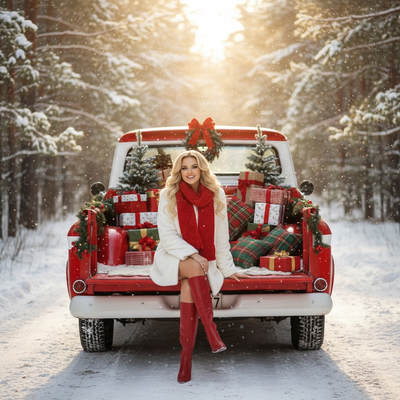
A maternity Christmas photoshoot does not need a studio, a photographer, or a big budget. One phone and a few household props can produce warm, shareable holiday photos in under an hour.
What Maternity Christmas Photo Ideas Work Best With Just a Phone?
Side-profile shots near a window highlight the bump and use free natural light.
A cozy sweater paired with a small string-light backdrop works in almost any living room.
Hands forming a heart or holding an ornament over the belly adds a simple, personal touch.
Outdoor shots near a decorated porch or a neighborhood tree lot give a candid, less staged feel.
How Do You Pose for a Maternity Christmas Photo At Home?
- Stand near a window during soft daylight, roughly an hour after sunrise or before sunset.
- Turn your body to a side angle so the bump silhouette is visible.
- Rest one or both hands gently on the belly, relaxed rather than stiff.
- Keep the background simple, a plain wall, curtain, or lights strung loosely behind you.
- Take several shots at slightly different angles so you can pick the sharpest one later.
What Props Make Maternity Christmas Photos Feel Festive?
String lights, a small artificial tree, oversized ornaments, and a knit stocking cap are inexpensive and reusable.
A plain red or green sweater photographs better than busy patterns, which can distract from the bump shape.
Chalkboard signs with a due date or baby name add a personal detail without extra cost.
Phone-Only DIY vs Professional Shoot vs AI-Enhanced Photos?
| Method | Typical Cost | Time Needed | Style Variety | Editing Required |
|---|---|---|---|---|
| Phone-only DIY shoot | Free to low cost | 30 to 60 minutes | Limited to your location and props | Basic filters or none |
| Professional maternity photographer | High | Scheduling plus a 1 to 2 hour session | Wide, depends on photographer style | Handled by the photographer |
| PiXmas AI from one phone photo | Low, single fee | A few minutes | 800+ Christmas styles and Santa scenes | Done automatically by the app |
How Does PiXmas Turn One Maternity Photo Into Christmas Portraits?
Upload one clear phone photo of your bump or full body to the PiXmas app or web version.
The AI generates Christmas portraits, Santa-style scenes, and festive wallpapers using that single image as reference.
PiXmas works as a native iOS app and as a web version usable on Android browsers, with a native Android app coming.
This route is useful when weather, time, or energy levels make an in-person shoot impractical during pregnancy.
Limitations
Phone-only shoots depend heavily on lighting, so cloudy days can produce flatter photos than expected.
AI-generated portraits from PiXmas are stylized interpretations of your photo, not literal replicas, so small details like exact fabric texture may shift.
Very low-quality or blurry source photos can reduce the sharpness of the final AI images.
A phone, natural light, and simple props can produce solid maternity Christmas photos at home, and PiXmas adds an easy way to turn one of those photos into AI Christmas portraits and Santa-style scenes without booking a studio.
Frequently asked questions
Do I need professional lighting for a maternity Christmas photoshoot?
No. Natural window light in the morning or late afternoon usually works better than harsh flash. Position yourself facing the light source and avoid direct midday sun, which can create strong shadows across the bump.
What should I wear for phone-only maternity Christmas photos?
Solid colors like deep red, forest green, or cream photograph more cleanly than busy patterns. A fitted sweater or wrap dress shows the bump shape clearly and pairs well with simple string-light backdrops.
How many photos should I take during a phone maternity shoot?
Aim for 15 to 20 shots across a few poses and angles. Having several options makes it easier to pick a sharp, well-lit photo, which also produces better results if you later upload one to PiXmas for AI styling.
What if my phone photos look flat or dull?
Simple edits like adjusting brightness and warmth in your phone's built-in editor can help. For a more dramatic festive look, uploading the photo to PiXmas adds Christmas styling and scene changes without manual editing skills.
Are outdoor maternity Christmas photos a good phone-only option?
Yes, if the weather cooperates. Decorated porches, tree lots, or snowy backdrops add festive context for free. Overcast days actually diffuse light evenly, which is often flattering for outdoor maternity photos.