Christmas Photoshoot Ideas for Teens at Home
Updated 2026-09-16 · PiXmas Editorial Team
Quick answer: Easy at-home Christmas photoshoot ideas for teens include cozy sweater flat lays, fairy-light backdrops, mirror selfies by the tree, and pajama-themed shots near a window for soft light. For a faster option with zero setup, PiXmas turns one phone photo into polished AI Christmas portraits, Santa scenes, or festive wallpapers in minutes.
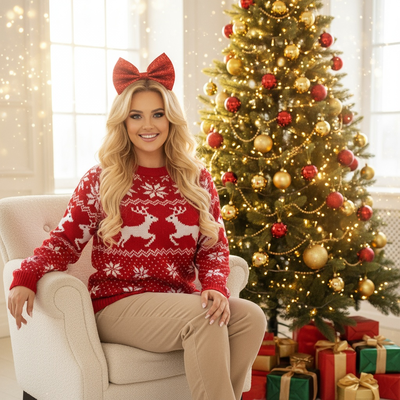
What are easy Christmas photoshoot ideas for teens at home?
Teens do not need a studio to get great holiday photos.
A string-light backdrop against a plain wall creates instant bokeh in phone photos.
Cozy sweater flat lays with hot cocoa, ornaments, and fairy lights work well for social posts.
Mirror selfies beside a decorated tree are simple and require no second photographer.
Pajama-themed shots near a bright window use natural light instead of flash.
Group sibling or friend shots on the couch with a festive throw blanket also photograph well.
How do you set up a DIY Christmas photo backdrop?
- Pick a plain wall or corner near natural light.
- Hang warm white fairy lights in loose loops.
- Add one or two festive props like ornaments or a wrapped gift box.
- Set the phone at chest height and shoot in portrait mode.
- Take several shots and pick the sharpest one to edit or upload.
How can PiXmas create Christmas photos without a full photoshoot?
PiXmas skips the lighting, props, and multiple outfit changes entirely.
Upload one existing phone photo of the teen and choose a style.
The AI generates a Christmas portrait, Santa scene, or festive wallpaper from that single image.
There are over 800 styles, so options range from cozy sweater looks to snowy backdrops.
PiXmas is a native iOS app and also works as a web app in Android browsers, with a native Android app coming soon.
How do DIY and AI Christmas photoshoots compare?
| Factor | DIY At-Home Photoshoot | PiXmas AI Photos |
|---|---|---|
| Setup time | 30 to 60 minutes | Under 5 minutes |
| Equipment needed | Lights, props, tripod | One existing phone photo |
| Editing skill required | Moderate to high | None, AI handles styling |
| Style variety | Limited to what is on hand | 800+ styles available |
| Best for | Personal DIY creative sessions | Fast, polished holiday portraits |
Limitations
DIY photoshoots depend on decent natural light and a tidy background, which is not always available in every home.
AI-generated photos from PiXmas rely on the quality of the source photo, so a clear, well-lit original phone picture gives better results.
Some teens may prefer a fully authentic photo over a stylized AI version, so the two approaches can be used together rather than as a strict replacement.
For fast, varied holiday portraits without arranging lights or props, PiXmas turns one phone photo into polished AI Christmas pictures in minutes.
Frequently asked questions
What backdrop works best for a teen Christmas photoshoot at home?
A plain wall with warm white fairy lights creates a simple, flattering backdrop. Adding one festive prop like a wrapped gift or ornament keeps the shot clean without cluttering the frame.
Do teens need professional lighting for good holiday photos?
No. Natural window light or warm fairy lights work well for phone photography. PiXmas can also turn an existing photo, even one taken in ordinary lighting, into a styled AI Christmas portrait.
What should teens wear for an at-home Christmas photoshoot?
Cozy sweaters, matching pajamas, or plaid patterns photograph well against holiday backdrops. Solid colors tend to look cleaner in photos than busy prints.
Can group or sibling photos be turned into AI Christmas portraits too?
Yes, a group phone photo can be uploaded to PiXmas and styled into a matching Christmas portrait, which is useful for holiday cards or group wallpapers.
How do I keep skin tones and Christmas colors accurate in photos?
Use one main light source and avoid mixing daylight with warm household bulbs whenever possible. Set exposure for faces rather than bright string lights, and compare edited images on more than one screen before printing. Heavy filters can turn skin orange and distort reds or greens, so make small adjustments to warmth, tint, contrast, and saturation.
What lighting is best for an indoor Christmas photoshoot?
Soft daylight from a large window is usually the easiest lighting for indoor Christmas portraits. Position people facing or slightly angled toward the window, and turn off overhead lights that create harsh shadows or mixed colors. Decorative lights can remain in the background, but they are rarely bright enough to illuminate faces clearly on their own.