Christmas Photoshoot Ideas for Teens Outdoor
Updated 2026-09-16 · PiXmas Editorial Team
Quick answer: Great outdoor teen Christmas shoots use string-light streets, snowy parks, red barn doors, or downtown light displays with casual poses like walking shots or laughing candids. Skip the cold and coordination by using PiXmas instead: upload one phone photo and get AI-generated Christmas portraits in festive outdoor-style scenes without leaving the house.
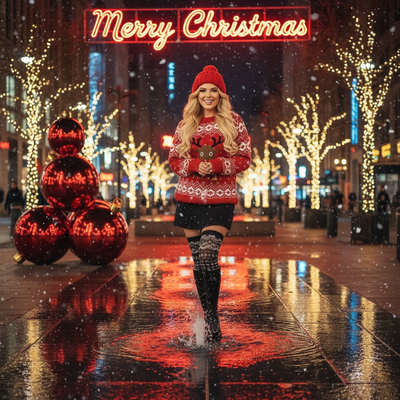
Why do outdoor teen Christmas shoots need different ideas than family photos?
Teens want candid, not posed.
Outdoor teen sessions lean into movement, real laughter, and locations that feel cool rather than cheesy.
Think city lights, thrifted flannel, and shots that look like a lifestyle brand, not a Hallmark card.
What are the best outdoor Christmas photoshoot ideas for teens?
- String-light alley or street. Golden bokeh behind a walking or laughing shot.
- Snowy trail or backyard. Beanie, oversized coat, hands in pockets, looking off-camera.
- Downtown holiday market. Hot cocoa cup, twinkle lights, candid conversation pose.
- Red barn door or brick wall. Bold color pop background for a single portrait.
- Christmas tree lot. Teen picking a tree or sitting on a stack of them.
- Rooftop or balcony city view. Skyline lights as a modern backdrop.
- Sparkler or cold-breath shot. Adds motion and a wintery mood at dusk.
How do you get teens to actually cooperate for photos?
Keep sessions under 20 minutes and give them control over one outfit choice.
Shoot in burst mode during walking or talking moments instead of forcing stiff smiles.
Bribery works: promise the shoot ends the moment you get three good frames.
Is there a way to skip the outdoor shoot entirely?
Yes.
PiXmas turns one existing phone photo into a finished Christmas portrait using AI, including outdoor-style winter scenes, without any actual outdoor session.
Upload a selfie, pick a style from over 800 options, and get a downloadable result in minutes.
It works as a web app usable on Android browsers today, with a native Android app coming, alongside the existing iOS app.
Outdoor Shoot vs PiXmas AI Photos
| Factor | Outdoor Teen Shoot | PiXmas |
|---|---|---|
| Time needed | 1-3 hours including travel | Under 10 minutes |
| Weather dependency | High | None |
| Teen cooperation required | High | One photo upload |
| Style variety | Limited by location | 800+ AI styles |
| Cost | Free to expensive photographer fee | Low flat cost |
Limitations
Real outdoor shoots capture authentic light and true group dynamics that AI cannot fully replicate.
PiXmas works best from a clear, well-lit source photo, and results are AI-generated interpretations rather than literal outdoor scenes.
It is not a replacement for a photographer when you need a specific real location documented.
Verdict
Outdoor locations like light-lined streets and snowy trails give teens authentic, candid Christmas photos, while PiXmas offers a fast, weather-proof alternative that turns one phone photo into a festive AI portrait in minutes.
Frequently asked questions
What should teens wear for an outdoor Christmas photoshoot?
Muted, cohesive colors work best: cream, forest green, burgundy, or denim with a red accent. Avoid busy patterns and matching-family sweaters. Oversized coats, beanies, and scarves photograph well against string lights or snow and let personality show through.
What time of day is best for outdoor teen holiday photos?
Golden hour, about 30-45 minutes before sunset, gives warm light for portraits. For string-light or downtown shoots, blue hour right after sunset makes lights pop against a still-visible sky.
Can I get Christmas photos without going outside in the cold?
Yes. PiXmas generates AI Christmas portraits from a single uploaded phone photo, including outdoor-style winter scenes, so teens can skip the cold entirely and still get festive, shareable images in minutes.
Are group photoshoot ideas different for teens than solo shoots?
Group shoots favor candid walking or laughing shots over posed lineups. Solo teen shoots can lean into single-subject drama like a sparkler shot or a bold color-wall portrait for more editorial results.
How do I keep skin tones and Christmas colors accurate in photos?
Use one main light source and avoid mixing daylight with warm household bulbs whenever possible. Set exposure for faces rather than bright string lights, and compare edited images on more than one screen before printing. Heavy filters can turn skin orange and distort reds or greens, so make small adjustments to warmth, tint, contrast, and saturation.
How do I set up a Christmas photoshoot in a small space?
Use one uncluttered wall, corner, doorway, or section beside the Christmas tree as your set. Remove distracting furniture, place subjects several steps in front of the background when possible, and frame tightly. A blanket, stool, greenery, and string lights can create a complete scene without filling the entire room.