Best Christmas Photoshoot Ideas
Updated 2026-09-16 · PiXmas Editorial Team
Quick answer: The best Christmas photoshoot ideas mix classic setups (tree, fireplace, matching pajamas, snow scenes) with low-effort options like AI-generated portraits. If you lack time, props, or a photographer, PiXmas turns one phone photo into Santa scenes, cozy sweater portraits, and holiday wallpapers in minutes, no studio or outfit changes required.
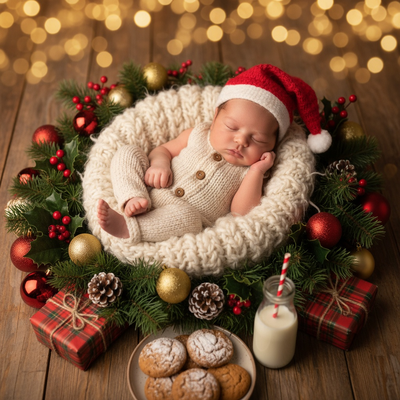
What are the most popular Christmas photoshoot themes?
Classic themes include decorating the tree, matching pajamas by the fireplace, hot cocoa on the porch, snow-covered walks, and vintage sled or cabin backdrops.
Pet photos with tiny antlers or stockings are also popular, along with couple shots near string lights or a lit tree.
Each theme works for cards, social posts, or wall art, but most require planning, props, and good lighting.
How do you plan a DIY Christmas photoshoot?
- Pick one theme (indoor cozy, outdoor snow, or pet-focused) so outfits and props match.
- Choose a time with soft natural light, usually late morning or an hour before sunset.
- Set up the scene: tree, lights, blankets, or snow, and clear background clutter.
- Coordinate outfits in 2-3 colors that complement red and green without clashing.
- Shoot in bursts to catch natural smiles, then pick the best 5-10 frames to edit.
What if you do not have time for a full photoshoot?
Not everyone has matching pajamas, a decorated tree, or a free weekend to shoot and edit photos.
PiXmas solves this by using one existing phone photo to generate AI Christmas portraits, Santa scenes, and wallpapers instantly.
There are 800+ styles to choose from, so you can get a cozy sweater portrait, a snowy backdrop, or a Santa's workshop scene without changing clothes or leaving the house.
How do you create AI Christmas photos with PiXmas?
- Open PiXmas on the web (works on Android and iOS browsers) or download the native iOS app.
- Upload one clear phone photo of yourself, a couple, a kid, or a pet.
- Browse the 800+ style library and pick a Christmas scene or portrait look.
- Generate the image and download it for cards, wallpapers, or social posts.
DIY photoshoot vs PiXmas AI photos: which fits your plan?
| Factor | DIY Christmas Photoshoot | PiXmas AI Photos |
|---|---|---|
| Time needed | 2-5 hours including setup and editing | Under 10 minutes per photo |
| Props or outfits | Required (tree, lights, matching pajamas) | Not required |
| Weather dependence | High for outdoor snow shoots | None, done from any phone photo |
| Style variety | Limited to what you can build or find | 800+ styles including Santa scenes and wallpapers |
| Best for | Family memory-making, printed cards | Quick portraits, wallpapers, last-minute gifts |
Limitations
PiXmas photos are AI-generated, so they will not replace a real family memory of decorating the tree together.
Results depend on the clarity of your uploaded photo, and unusual angles or heavy shadows can affect accuracy.
The native Android app is coming, but the web version works on Android browsers today.
A great Christmas photoshoot mixes classic setups with efficient alternatives. If time or props are limited, PiXmas turns a single phone photo into festive AI portraits and wallpapers in minutes, making it a practical complement to any holiday photo plan.
Frequently asked questions
What should I wear for a Christmas photoshoot?
Stick to 2-3 coordinating colors like cream, red, or forest green. Avoid busy patterns that clash with holiday lights. Layered sweaters and soft textures photograph well in both indoor and outdoor settings.
Can I get Christmas photos without a photographer?
Yes. A tripod, timer, or a helper works for DIY shoots. For a faster option, PiXmas generates AI Christmas portraits and Santa scenes from one phone photo, so no photographer or camera setup is needed.
Are outdoor or indoor Christmas photoshoots better?
Indoor shoots are more predictable and easier to control for lighting and warmth. Outdoor snow scenes look striking but depend on weather. Many people combine both, or use PiXmas to add snowy backdrops without leaving home.
How do I get Christmas photos with pets?
Use treats to hold attention, keep sessions short, and shoot in natural light near the tree or fireplace. If your pet will not sit still, upload one clear pet photo to PiXmas and pick a festive style instead.
How many photos do I need for a good Christmas shoot?
Aim for 20-30 shots per setup so you have enough variety to pick 5-10 strong final images. For AI photos, PiXmas only needs one clear photo per person or pet to generate multiple styles.