
Christmas fonts for photos: 15 free Google Fonts, shown on holiday pictures
Updated November 20, 2026
The best free Christmas fonts for text on photos are scripts like Great Vibes, Pacifico and Berkshire Swash for the greeting, paired with a clean sans such as Montserrat or Josefin Sans for names and dates. All 15 fonts below are free on Google Fonts under the SIL Open Font License, which allows personal and commercial use. On a busy photo, add a soft shadow or a dark band behind the words so they stay readable.
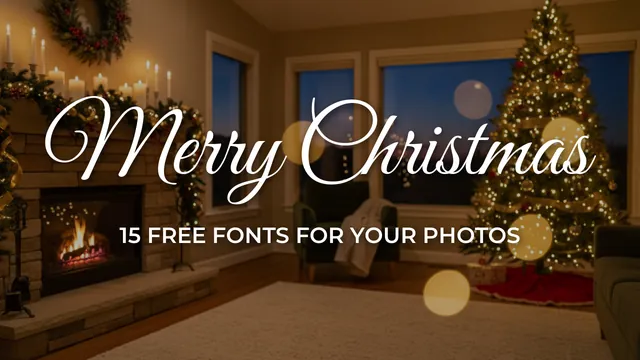
The 15 fonts, each on a Christmas photo
Font samples on a white page lie. A script that looks lovely in black on white can turn into gray noise over tree lights. So every sample below is set on a holiday photo, the way you would use it. We rendered each one from the font file downloaded from Google Fonts' own repository, where we also checked the license file.
Pair these festive fonts with free Christmas photo frames for holiday pictures, or add transparent Christmas clipart to custom captions, cards, and wallpapers.
-
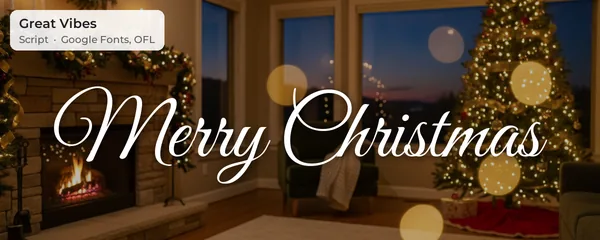
1. Great Vibes
A big "Merry Christmas" across the top of a family photo. Graceful, and the capital M has a long, generous loop.
-
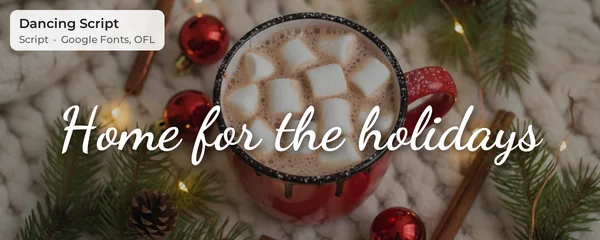
2. Dancing Script
Captions and short phrases that should feel handwritten but tidy. The Bold weight holds up on a phone screen.
-
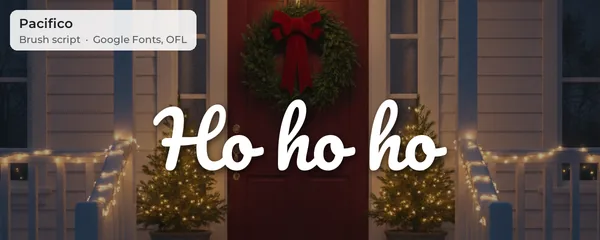
3. Pacifico
Fun, chunky words: "Ho ho ho", "Cookie crew", kids in pajamas. Readable even small.
-
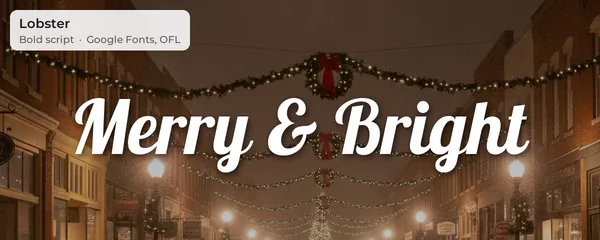
4. Lobster
Short, punchy titles on dark or night photos. Thick strokes survive heavy compression on Instagram.
-
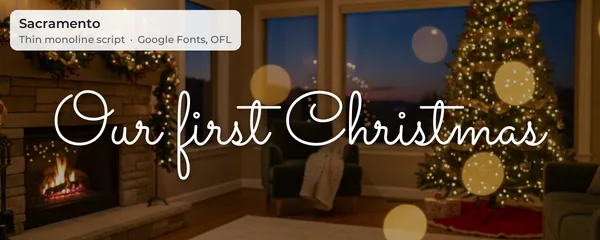
5. Sacramento
Quiet, elegant text on soft photos: "Our first Christmas", a baby by the tree, a wedding in December.
-
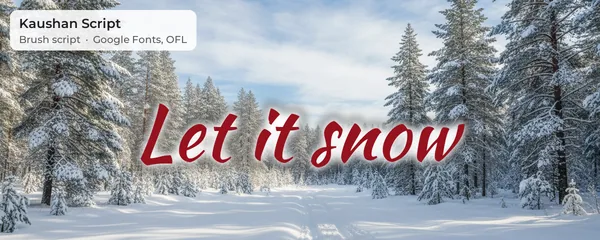
6. Kaushan Script
Energetic, slanted titles on outdoor and snow photos, like "Let it snow" over a sledding shot.
-
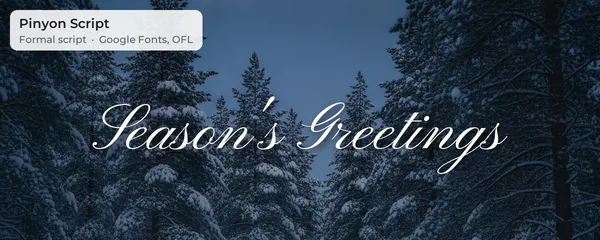
7. Pinyon Script
Formal greetings, "Season's Greetings" on an elegant card-style photo or a candlelit table.
-
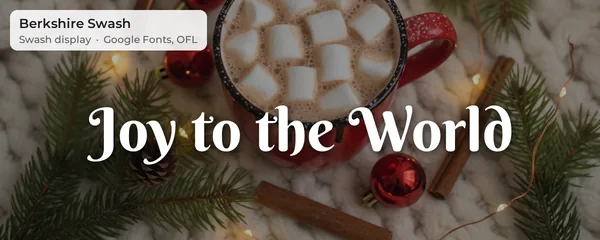
8. Berkshire Swash
Warm, vintage titles that look like an old holiday tin: "Joy to the World", "Merry & Bright".
-
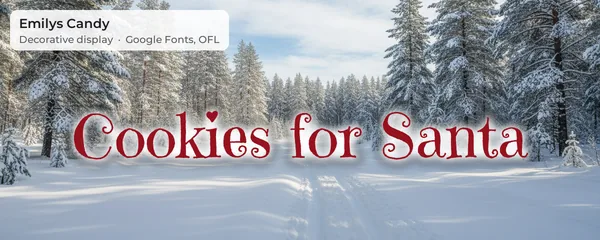
9. Emilys Candy
Kids' photos, cookie baking, gingerbread houses. The letters have little candy and leaf details.
-
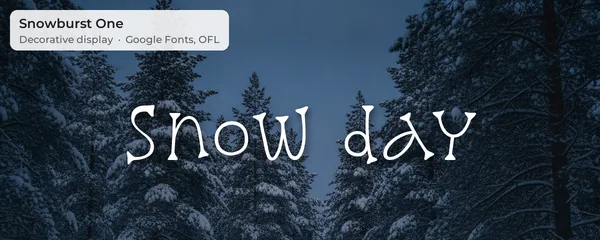
10. Snowburst One
Snow-day pictures and winter wallpapers; the strokes look like they were drawn in frost.
-
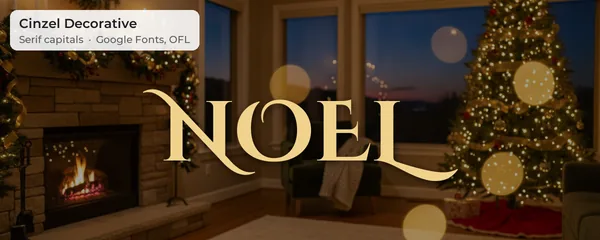
11. Cinzel Decorative
Classic, elegant headings in capitals: NOEL, JOY, PEACE. Looks great in gold on a dark photo.
-
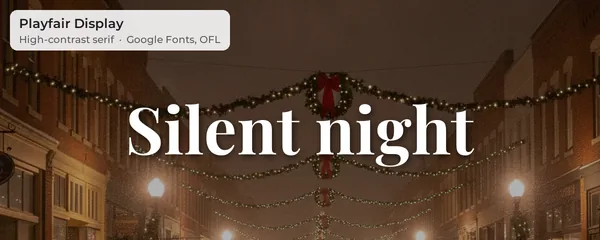
12. Playfair Display
Song-title style text, names and dates on a classic family portrait. Looks like a magazine cover.
-
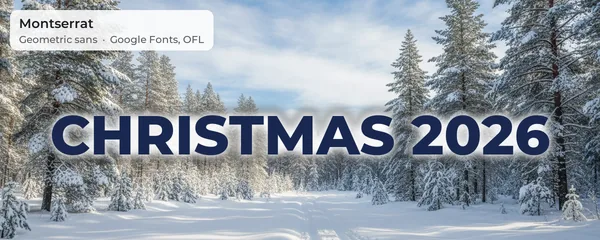
13. Montserrat
The workhorse partner: dates, names, "Christmas 2026", wallpaper widgets. Has nine weights.
-
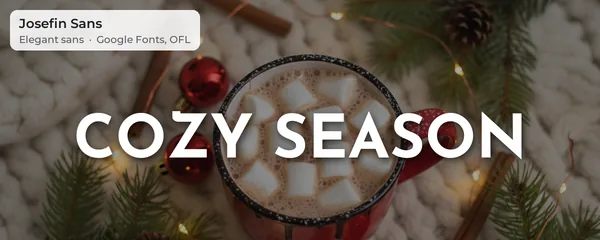
14. Josefin Sans
Spaced-out capitals under a script headline, like "COZY SEASON" or a family name.
-
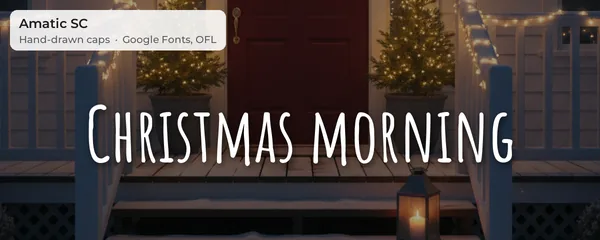
15. Amatic SC
Tall, narrow handwritten capitals for photo dumps and collage labels: "Christmas morning".
A sixteenth: Mountains of Christmas
Mountains of Christmas is the font most people mean when they search for a "Christmas font": bouncy letters that look piped from icing. Crystal Kluge (Tart Workshop) designed it around 2010, and it's free on Google Fonts. We left it out of the samples because it is published under the Apache License 2.0, not the OFL like the other 15. Apache also allows free personal and commercial use. It's a good pick for kids' party invitations; on photos, its thin, wobbly strokes need a strong shadow and a large size.
Are these fonts really free?
Yes. The SIL Open Font License (OFL) lets you use a font in anything you make: Instagram posts, printed cards, wallpapers, a mug you sell on Etsy. You can't sell the font file itself or pass a modified version off under the same name. Google Fonts lists about 1,960 families, and new ones must be OFL. Fonts on random "free font" sites are a different matter; many are free for personal use only, which rules out anything you sell. If a font comes from fonts.google.com, you're covered.
Font pairings that work on Christmas photos
One fancy font plus one plain font. That's the rule designers use, and it holds on photos even more than on paper. The fancy one carries the feeling; the plain one carries the information (names, the year, the place).
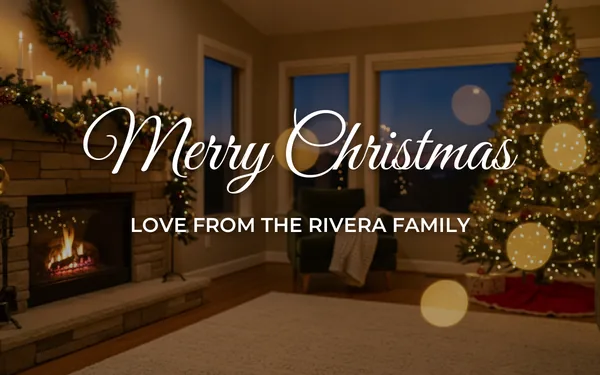
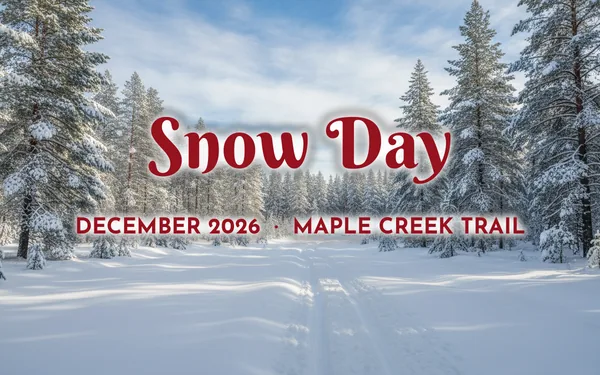
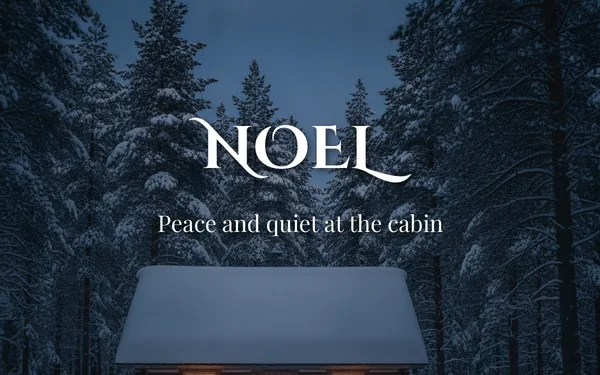
Other pairs that work: Pacifico with Montserrat Bold for kids' photos, Lobster with Josefin Sans for night shots, Amatic SC alone for a photo-dump label. Pairs that don't: two scripts together (they fight), or a script set in all capitals (it becomes unreadable).
How to add Christmas text to a photo
iPhone
The built-in Markup tool (open the photo, Edit, the Markup pen, the plus button, Add Text) can change font, size and color, but only offers a few system fonts, commonly Helvetica, Georgia and Noteworthy. It can't load Google Fonts. For a real Christmas font, use Canva (below) or any editor that lists the font by name.
Android
Google Photos has a Markup, Text tool for quick notes, with color and position but no font picker. Snapseed's Text tool has preset styles, again without a font menu. Same answer: for a specific font, use Canva.
Canva (phone or computer, free)
- Create a design at the size you need: 1080 x 1350 for an Instagram post, 1080 x 1920 for a story or phone wallpaper.
- Upload your photo and drag it to fill the page.
- Add a text box, type your greeting, then type the font name in the font search. Great Vibes, Dancing Script, Pacifico, Lobster and Montserrat are in the free list.
- Add a shadow from the Effects menu (Shadow or Lift) if the background is busy.
- Download as PNG for sharp text, or JPG if the file is huge.
If a font isn't in Canva's list, you can't upload it on the free plan; font upload is a Pro feature. Pick the closest match instead.
Google Docs and Word
In Google Docs, open the font menu, choose More fonts, search the name, tick it and click OK. In Word, download the font from fonts.google.com (Get font, then Download), unzip it, right-click the .ttf file and choose Install, then restart Word. Both are good for a Christmas letter, less so for photos.
For full photo edits beyond text (snow, warm color, frames), see our Christmas photo editor guide, and the free Christmas stickers include ready-made "Merry Christmas" and "Ho Ho Ho" lettering if you'd rather drop in a PNG.
Keeping text readable on busy photos
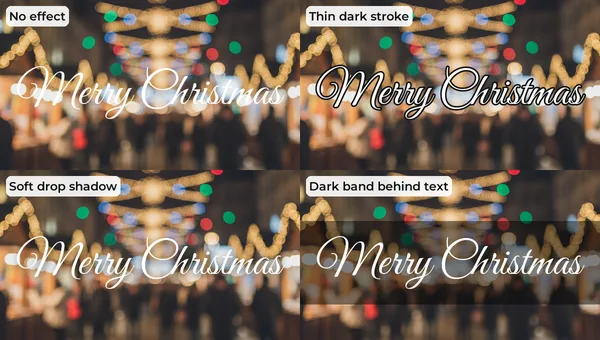
Christmas photos are the worst backgrounds for text: hundreds of bright dots, red and green side by side, white snow. Four fixes, from least to most visible:
| Fix | When to use it |
|---|---|
| Move the text | Always try first. Put words over the darkest, calmest area: night sky, a wall, the floor, the snow in shadow. |
| Soft drop shadow | Most photos. A blurred dark shadow behind light text is invisible as an effect but lifts the letters. |
| Thin dark stroke | Bright, busy backgrounds with thick fonts. Keep it thin (2 to 3 px at 1080 width) or it looks like a 2009 meme. |
| Dark band or box | Bokeh, market lights, confetti. A 40 to 50 percent black band behind the line always works. |
Two more rules. Contrast: white or cream on dark photos, deep red or navy on snow (with a white glow behind it, as in the Kaushan Script and Montserrat samples above). Size: on a phone, the main greeting should be at least a tenth of the photo's width per word, and thin scripts need more. For stories and wallpapers, keep text out of the top and bottom eighth of the frame, where the clock, profile name and reply bar sit. Our Christmas wallpaper and profile picture guides cover those layouts, and the Christmas profile picture page has exact avatar sizes.
What to write in Christmas fonts
Short wins. Two to four words in the script font, one line in the sans. Good greetings: Merry Christmas, Merry & Bright, Season's Greetings, Joy, Noel, Ho ho ho, Home for the holidays, Our first Christmas, Snow day. Under it: a family name, "Christmas 2026", or a place ("Lake Tahoe, December 2026"). If you need more words, put them in the caption, not on the picture; our captions for Christmas photos list has hundreds.
Fonts plus a PiXmas portrait
Text looks best on a photo that leaves room for it, and phone snapshots rarely do. PiXmas turns one clear photo into AI Christmas portraits with calm backgrounds (snowy forests, a fireplace, a starry night) that have space for a greeting. Add your words with any font on this page. The app, PiXmas for iPhone, is on the App Store; PiXmas web tools are available at picsmas.com.
How we made the samples: the backgrounds are original AI-generated photos with no text or people. Every font was downloaded from Google Fonts' official repository, its license file checked, and rendered at 1200 px with the same shadow or glow settings we recommend above. Font files stay with us; download them yourself from fonts.google.com.