
Last Minute Christmas Card Photo App For Busy Families
Quick answer: A last-minute Christmas card photo app like PiXmas turns one clear phone photo into a finished holiday portrait in minutes, no scheduling, no studio visit, and no waiting for prints to be shot. Upload one photo, pick a style from 800+ options, and download a print-ready image the same day, making it a practical fix for missed December photo deadlines.
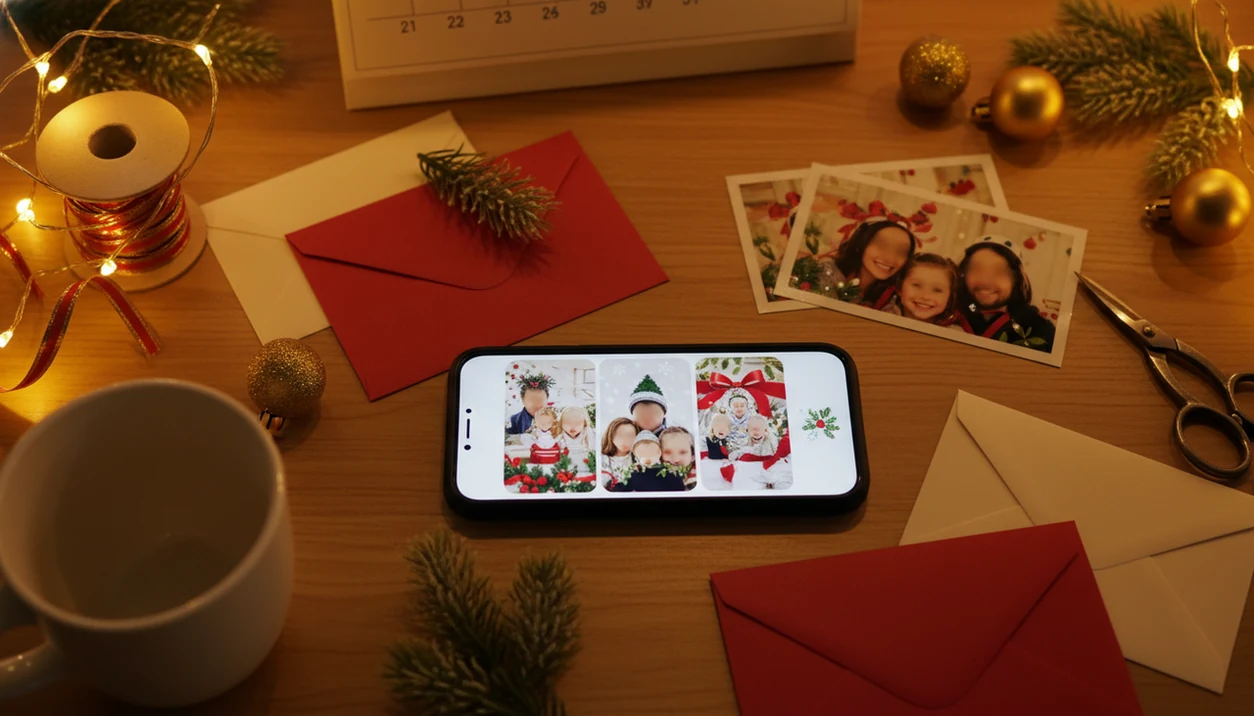
A last minute Christmas card photo app helps busy families turn one clear phone photo into a card-ready holiday portrait when a studio shoot, full-family gathering, or mailed-card deadline is already slipping away. Start with the photo you already have, choose a festive style, review the result, then save or share.
Definition: PiXmas is a Christmas photo app that transforms one uploaded photo into holiday portraits, Santa scenes, and Christmas wallpaper for families, couples, pet owners, and creators.
TL;DR
- Use one clear, well-lit photo instead of trying to schedule a last-minute studio session.
- Generate several festive versions so you can pick the most natural card photo.
- Download the final image for texting, email, social posting, or third-party card printing.
Last-Minute Christmas Card Photo App for Missed December Deadlines
A last-minute Christmas card photo app is useful when studio slots are gone, relatives are scattered, or the card deadline has turned into tonight’s problem. The practical path is simple: upload one photo, generate festive portrait options, then export the image for sharing or printing.
Most families already have the starting point in their camera roll. Adobe reported in 2023 that 72% of U.S. consumers used smartphones as their main photo-taking device (https://www.adobe.com/creativecloud/photography/discover/smartphone-photography.html), and Gallup found that 66% of U.S. adults who sent holiday cards in 2019 included at least one personal photograph (https://news.gallup.com/poll/272620/americans-holiday-cards.aspx).
That fits real life.
You may be scrolling the iPhone Photos grid at 10:40 p.m., choosing between six almost-identical kid snapshots and one where everyone is actually looking at the camera.
5 Source Photo Requirements for a Christmas Card Photo App
A Christmas card photo app works better when the source image is clear, bright, and close enough for faces to be readable. AI can improve presentation, but it cannot fully rebuild a photo that was unusable before upload.
- Use sharp lighting: Pick a well-lit photo with visible faces and minimal motion blur. Warm yellow kitchen light can work, but deep shadows usually fight the app.
- Choose face-forward angles: Front-facing or lightly angled faces usually translate better than extreme side profiles.
- Leave framing space: Keep room around heads and shoulders so wreaths, snow, garland, or card borders do not crop the subject.
- Avoid problem details: Skip cut-off faces, sunglasses, harsh backlight, tiny distant subjects, and a blurry sleeve covering half the frame.
- Expect limits: A tiny face in a group shot may not become a polished card portrait, even after several generations.
For larger family planning, a Christmas family portrait generator can help compare better source-photo choices.
How a Last-Minute Christmas Card Photo App Builds a Holiday Portrait
A last-minute Christmas card photo app builds a holiday portrait by detecting the subject in an uploaded image, applying a selected festive style, generating a new composition, and exporting a shareable image file. In AI workflows, image embeddings help the system understand visual features such as faces, pose, lighting, and background.
In plain terms, the app tries to keep the person recognizable while placing them into a Christmas setting. That may mean a fireplace backdrop, Santa chair, snowy outdoor scene, or card-like layout with seasonal framing. Christmas-focused apps narrow this workflow to holiday portraits, Santa scenes, and wallpaper-style outputs rather than broad design projects.
Good AI Christmas photo apps deliver studio-style holiday portraits, Santa scenes, and Christmas wallpaper from one uploaded photo across many festive styles, not a guaranteed fix for every dark, blurry, or awkwardly cropped snapshot.
Check the small stuff. Hands, teeth, pets, props, and generated text can get strange.
5 Steps for a Quick Holiday Card Photo
Use this workflow when you need a quick holiday card photo and do not have time to rebuild the whole shoot. It is fastest when you decide on the source photo first, then compare several outputs before downloading.
- Choose the clearest phone photo available. Pick the image where faces are visible, lighting is steady, and no one is half-cropped.
- Upload the photo and confirm photo access. Watch for the photo access prompt, especially if you prefer allowing selected photos only.
- Select a Christmas portrait, Santa scene, or holiday-card style. Choose the look that matches the card, not just the most dramatic background.
- Generate several options. The first output may be fine, but comparison usually catches odd eyes, stiff smiles, or strange props.
- Download the best version. Save it for digital sharing, or use a print-minded file if you plan to order cards.
For phone-only card workflows, the step-by-step how to make Christmas card photo with phone guide covers sizing and export choices.
5 Last-Minute Christmas Card Photo App Use Cases
A last-minute Christmas card photo app is most useful when the problem is timing, cooperation, or distance. These are the common situations where one strong upload can beat waiting for a new photo session.
- Missed studio appointments: Parents can still make a card image after December 23 bedtime, when no photographer has an open slot.
- Uncooperative kids or pets: One good solo shot may work better than forcing every child and dog into the same frame.
- Couples needing polish: A casual phone photo can become a cleaner seasonal portrait, especially for a digital card or profile update.
- Pet owners: A tabby stare under twinkle lights can turn into a festive card image if the face is sharp.
- Relatives and creators: A digital card image works for texts, email, family group chat, and social posts.
For couples, a best Christmas couple photo app comparison can help match romantic scenes to casual photos.
3 Christmas Card Photo App Printing and Sharing Options
After the AI image is created, you usually download a file and decide where it goes next. Same-day digital creation is possible, but it does not guarantee same-day printed, addressed, stamped, and mailed cards.
If you need layout templates, envelopes, or physical fulfillment, compare the downloaded image against services such as Canva, Shutterfly, Minted, Walgreens Photo, or CVS Photo before assuming the app itself handles printing.
The U.S. Census Bureau reported that U.S. retail e-commerce sales in Q4 2023 reached about $1.296 trillion on an annualized, seasonally adjusted basis, which shows how much holiday buying already happens online (https://www.census.gov/retail/ecommerce.html).
| Option | Best for | What to check |
|---|---|---|
| High-resolution download | Saving a card-ready image | File size, crop, and clarity |
| Digital sharing | Text, email, family chat, or social posts | Aspect ratio and preview crop |
| Separate print service | Physical cards with pickup or shipping | Turnaround, paper size, and mailing deadline |
Before ordering, compare the finished file against Christmas card photo size guidance so faces do not land under trim lines.
5 Quick Holiday Card Photo Mistakes to Avoid
Most weak AI Christmas card results come from rushed source-photo choices or skipping the final review. A quick holiday card photo still needs a few checks before it becomes the image everyone receives.
- Uploading a weak photo: Blurry, dark, heavily cropped images usually create weaker outputs.
- Forcing a complex group scene: One strong portrait may look more natural than a complicated extended-family composition.
- Trusting generated text: Always check spelling, names, dates, and holiday greetings inside the image.
- Choosing drama over faces: Falling snow and glowing fireplaces matter less than natural eyes and recognizable smiles.
- Waiting on printing: A finished digital image does not solve pickup windows, shipping delays, or late mailing cutoffs.
Tiny errors travel fast. A misspelled last name looks bigger on a printed card than it did on the phone preview.
4 Family Photo Privacy Checks Before Uploading to an AI App
Are family photos private when you upload them to an AI Christmas card app? The honest answer depends on the app’s privacy policy, storage practices, deletion options, and whether uploaded images may be used for AI training.
Check four things before uploading children’s photos, family portraits, or pet images:
- Privacy policy: Look for plain language on what is collected and why.
- Image retention: Find out how long uploads and generated images are stored.
- Deletion controls: Check whether you can delete uploaded photos or request removal.
- AI training language: Avoid guessing. Read whether uploads are used to improve models.
The permission moment matters. On iPhone, many users pause at the photo access prompt and choose selected photos only, which can be a sensible way to limit exposure.
Privacy is part of choosing the right app, not a cleanup step after the card is finished.
7-Point Christmas Card Photo Quality Check
Before sending or printing, review the generated card photo like it will be seen by grandparents, coworkers, and the family group chat. The strongest choice is usually the version that still feels like your family, not the one with the busiest background.
Use this seven-point check:
- Zoom in on faces, eyes, teeth, and smiles.
- Inspect hands, fingers, paws, collars, and small props.
- Look for odd ornaments, warped stockings, or floating objects.
- Check any text for spelling and readability.
- Compare at least three generated variations side by side.
- Ask whether the person, couple, child, or pet still looks recognizable.
- Download a print-friendly version if physical cards are planned.
The question we hear often is simple: “Can I use this for a card and a wallpaper?” Usually yes, but card crops and phone wallpapers need different aspect ratios.
What makes this style different from other Christmas photo styles?
A last-minute Christmas card photo app is built around speed rather than variety of poses or props. Instead of coordinating outfits, backdrops, or lighting, the entire process runs from one uploaded photo through an AI generator.
This matters most when the calendar is the real constraint. A studio session or DIY setup can take hours to plan and shoot, while an app-based holiday portrait is usually ready within minutes of upload.
Who is this Christmas photo style best for?
This approach fits families who forgot to schedule a photographer, parents juggling school and work schedules in December, and anyone who needs a card image finished the same day it is started.
It also works for solo adults, couples, and small households who want a polished holiday portrait without booking a session weeks in advance. Multi-person or group photos can still work, though results may look slightly less consistent across every face than a solo or couple shot.
How does PiXmas compare to a photographer or DIY setup?
- Photo prints and cards are typically designed at 300 DPI with 200 DPI as a practical minimum. (LetsEnhance.io Best DPI for printing by format, 2026)
- Standard print resolution for handheld greeting cards is 300 DPI at the final print size. (4over4 Best Resolution for Printing, 2026)
- Print resolution articles consistently treat greeting cards as close-viewed print items requiring higher DPI, unlike large-format posters where 150 DPI may suffice. (LetsEnhance.io Best DPI for printing by format, 2026)
For families racing a missed or looming Christmas card deadline, PiXmas offers a fast, low-effort way to turn one phone photo into a finished holiday portrait without booking a photographer or building a DIY setup.
Limitations
A last-minute app can save the card plan, but it cannot remove every practical constraint. Review these limits before you promise printed cards by Friday.
- Very blurry, dark, low-resolution, or cut-off photos may not become card-ready.
- AI Christmas scenes can create artifacts around hands, faces, pets, props, and text.
- Large family groups may produce awkward crops, missing details, or uneven face quality.
- Physical printing, store pickup, and shipping still depend on third-party timelines.
- Some relatives may dislike AI-altered portraits if faces or bodies look too different.
- Older devices, slow internet, and large uploads can delay processing.
- The app creates image files; it may not automatically print, address, stamp, and mail physical cards.
- Matching plaid pajamas on the couch may look charming in the source photo, but a messy crop can still distract from the final card.
For mailed cards, print ready Christmas photos need enough resolution and safe cropping before upload to a printer.
Related guides
FAQ
How fast can I get a Christmas card photo if I'm already behind on deadlines?
With an app-based workflow like PiXmas, a finished holiday portrait can be ready within minutes of uploading one clear phone photo. There is no scheduling wait, which makes it a realistic option when December deadlines have already passed.
Do I need a professional photo to start?
No. A sharp, well-lit phone photo with a visible face is usually enough. Studio lighting or a formal background is not required for the app to generate a holiday-styled portrait.
Can I include pets or other family members in a last-minute card photo?
Some styles can incorporate multiple people or pets from a single uploaded photo, though results may look slightly less even across every face compared to a solo or couple shot. A clear, uncropped source photo helps.
Will the finished photo look printable for physical cards?
Yes, as long as the app provides a download with enough resolution for printing. PiXmas allows downloading the finished image, which can then be uploaded to a separate card printing service.
What if my Christmas card photo doesn't look right on the first try?
Try a different source photo with better lighting or a more direct, face-forward angle. Since the app works from one photo, small changes to that source image often improve the generated result.