Babies & Kids Magic Christmas Pictures
Babies, toddlers, and children as the main subject; newborn and whimsical child setups
Babies & kids magic Christmas pictures turn a clear photo of a newborn, toddler, or young child into a stylized holiday portrait with nursery light, cozy knits, snowy scenes, or Santa-inspired settings. Upload a front-facing image with the child’s face visible, then choose a look that suits a card, keepsake, wallpaper, or seasonal post. Results are AI-generated, so review facial features, hands, clothing edges, and small props before using the image.
Browse Babies & Kids Magic Christmas Styles
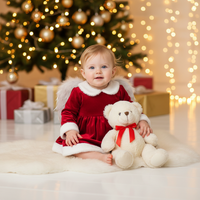
Angel Baby – Soft Light Holiday
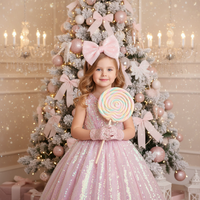
Candy Dream – Pastel Princess
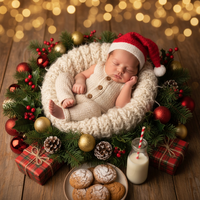
Christmas Cradle Magic
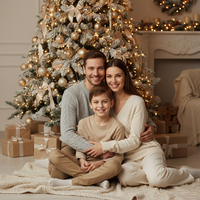
Christmas Harmony – Together at Home
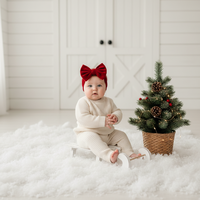
Cream Knit on Sled – Cozy Minimal Studio
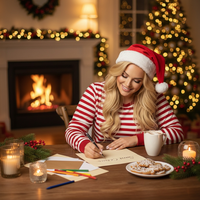
Dear Santa
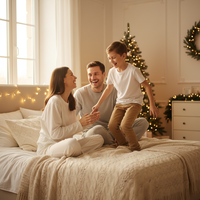
Flying Moments – Cozy Christmas Morning
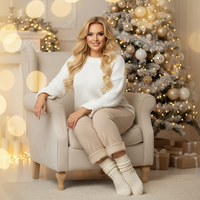
Golden Light – Gentle Holiday Glow
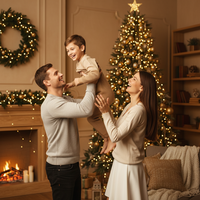
Lift of Joy – Holiday Air
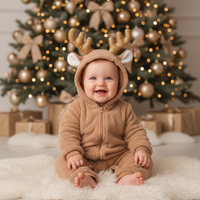
Little Reindeer – Holiday Fantasy
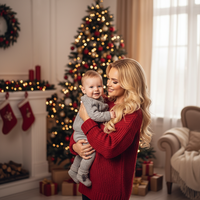
Our Dapper Little Gentleman
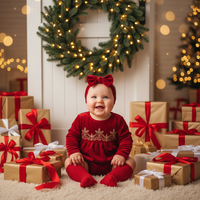
Red Velvet Joy – Gifts & Christmas Magic
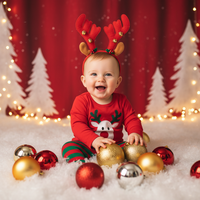
Red Wonderland – Playful Holiday Set
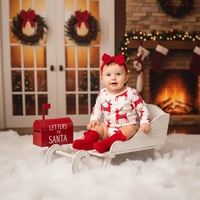
Santa’s Letter – White Sleigh & Fireplace Magic

Santa’s Workshop – Baby & Toys
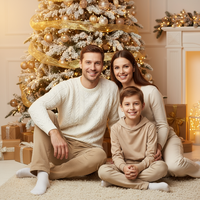
Silent Joy – Family by the Tree

Snowy Christmas Baby Dream
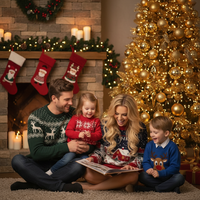
Sweater Storybook Illustrated
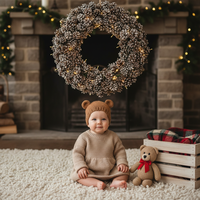
Teddy Warmth – Wreath & Plush Companion
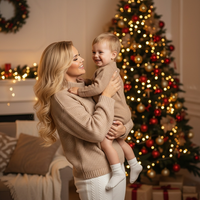
Warm Embrace – Christmas Connection
Create Stunning Babies & Kids Magic Christmas Pictures
Transform your holiday moments into magical Christmas pictures with our babies & kids magic collection. Babies, toddlers, and children as the main subject; newborn and whimsical child setups Our AI-powered Christmas app makes it easy to create professional-quality Christmas photos and Christmas wallpapers that capture the magic of the season.. Download our app: Christmas Pictures.
Why Choose PiXmas for Your Babies & Kids Magic Christmas Photos?
Whether you're creating Christmas wallpapers for your phone, printing holiday cards, or sharing festive pictures on social media, our AI technology ensures every photo looks professionally crafted.
Our babies & kids magic collection features carefully curated Christmas themes that bring your holiday photos to life. From warm lighting to festive decorations, every style is designed to create authentic Christmas memories you'll treasure forever.
Perfect Christmas Pictures in Seconds
Creating beautiful Christmas photos has never been easier. Simply upload your photo, choose from our babies & kids magic styles, and watch as our AI transforms it into a stunning Christmas picture.
Our Christmas wallpapers feature is perfect for personalizing your devices with holiday cheer. Create custom festive pictures that showcase your family, pets, or favorite moments in beautifully designed babies & kids magic settings.
Share Your Holiday Joy
Once you've created your perfect Christmas pictures, share them instantly with family and friends. Our Christmas app makes it easy to download high-resolution Christmas photos for printing, social media, or creating Christmas wallpapers.
Explore More Christmas Picture Categories
Warm holiday interiors like living rooms, fireplaces, bedrooms, kitchens, and porches with soft ligh...
⭐ Outdoor Snow & NatureWinter nature settings such as forests, lakes, mountains, snowy paths, cabins, and decorated doorste...
⭐ Urban & City LightsCity streets, markets, plazas, rooftops, and balconies adorned with festive lighting and seasonal de...
⭐ Studio Minimal & ModernClean studio or staged setups with minimal backdrops, bokeh, and elegant props...
⭐ High-Fashion & EditorialCouture and editorial glam portraits with gowns, sequins, and styled looks...
⭐ Rustic Cabin & WoodLog cabins, wooden interiors/exteriors, wreaths, lanterns, and rustic textures...
⭐ Santa & Workshop EncountersSanta Claus appearances, workshops, letters to Santa, and Santa hats or motifs...
⭐ Family & Group PortraitsMulti-person family or group compositions and classic posed portraits...
⭐ Couples & RomancePair-focused scenes with hugs, kisses, dances, and intimate moments...
⭐ Pets & Animal CompanionsPets like dogs and cats featured prominently; includes animal encounters (e.g., reindeer, huskies)...
⭐ Tree Decorating & GiftsTrimming trees, wreath crafting, tying bows, exchanging/unwrapping presents, and ornament moments...
⭐ Pajamas, Morning & BedtimePajama scenes, morning coffee/cocoa, bed or cozy lounge moments in soft light...
⭐ Candy, Pink & Pastel PlayCandy canes, sweets, pink/pastel palettes, and playful whimsical sets...
⭐ Gold & Emerald LuxuryGold/emerald palettes, metallic decor, luxe interiors, and chic glam styling...
⭐ Red Velvet & Crimson ClassicsRed-themed styling, velvet/satin textures, and classic crimson holiday scenes...
⭐ White, Silver & FrostedWhite/silver/icy palettes, frosted trees, snow sparkle, and winter elegance...
⭐ New Year’s Eve & FireworksNYE countdowns, 2026 typography, fireworks, rooftop and balcony celebrations...
⭐ Confetti, Disco & Neon PartyConfetti bursts, disco balls, neon/cyberpunk clubs, and energetic party vibes...
⭐ Vehicles & Vintage PropsCars, trucks, sleighs, bicycles, and other transport or large prop-centered scenes...
What makes this style different from other Christmas photo styles?
Most PiXmas categories are built around adult portraits, couples, or full families in matching outfits. The Babies & Kids Magic collection is composed specifically for small subjects, so lighting, framing, and props are scaled down: soft window light for newborns, gentle pastel backdrops, and simple cozy textures like knit sweaters or plush teddy bears instead of busy adult wardrobe details.
What photo should you upload for the best result?
Use a clear, well-lit photo where your child's face is fully visible and not turned away from the camera. A calm expression works better than mid-motion shots, since the AI needs a stable reference for facial features. Solo photos of one baby or child tend to produce the most consistent likeness across styles like Angel Baby or Christmas Cradle Magic.
Who is this Christmas photo style best for?
This collection is built for parents wanting a keepsake of a newborn's first Christmas, a toddler's playful holiday portrait, or a young child dressed up for a Santa-themed picture. Styles like Little Reindeer or Our Dapper Little Gentleman work well for single children, while Christmas Harmony and Silent Joy are suited to a parent-and-child pairing. It is less suited to large sibling groups in one frame, since multiple young faces uploaded together may render less precisely than a single child.
How does PiXmas compare to a photographer or DIY setup?
- A general guide to using Google Trends recommends setting multi‑year ranges to spot seasonality, noting that Christmas‑related terms consistently show seasonal spikes that can guide when to publish holiday photo content. (Cemoh – How to Use Google Trends: A Complete Guide, 2026)
- Photography educators using Google Trends report that searches for terms like “Christmas card photos” remain fairly constant through much of the year, then trend upward from September or October and spike in December. (Tech Photo Guy – Google Trends for Photographers, 2018)
- Google’s Holiday Trends reports that many Christmas‑related queries in the US, including decorating and baking topics, spike each December, illustrating that demand for Christmas imagery and content concentrates late in the year. (Google – Holiday Trends (Year in Search 2025), 2025)
Limitations
Results are AI-generated stylized images, not physical photos from an actual studio or newborn photography set. Fine details like fingers, fabric texture, or background props can occasionally look slightly off, which is common with AI image generation. Photos with more than one child's face, or where a baby's face is partially obscured by a blanket or hand, may render less consistently than a single clear portrait.
PiXmas is a practical option when you want a magical Christmas keepsake of your baby or child without scheduling a studio session or sourcing seasonal props at home.
For parents wanting a quick, magical Christmas portrait of a baby or young child without a studio session, PiXmas's Babies & Kids Magic collection turns one clear photo into a themed holiday keepsake in minutes.
When to Prepare Holiday Pictures
If these images are intended for holiday cards or gifts, start choosing source photos before seasonal demand peaks. Photography educators using Google Trends found that interest in “Christmas card photos” stays fairly steady through much of the year, begins rising in September or October, and spikes in December (Tech Photo Guy – Google Trends for Photographers, 2018).
Preparing earlier gives you time to compare styles, review facial details, and choose a result without rushing. Save the original upload and inspect the finished image closely before sharing or printing, especially around hands, eyes, hair, and small holiday props.
Frequently asked questions
What photo should I use for a child’s Christmas picture?
For the most consistent result, use a sharp, well-lit photo where the child’s face is fully visible and not cropped. A neutral expression or natural smile usually gives the generator clearer facial information. Avoid heavy filters, motion blur, deep shadows, and objects covering the eyes, nose, or mouth.
Can a baby keep a pacifier or blanket in the photo?
A pacifier or blanket can remain in the upload, but anything covering facial features may reduce likeness or create odd edges. If possible, choose an image with the face unobstructed. When a comfort item matters to the memory, generate the image and inspect the mouth, cheeks, hands, and fabric before keeping it.
Can I make a Christmas picture with siblings?
Yes, a shared source photo can be used for a sibling portrait, but multiple faces are harder to preserve consistently than a solo subject. Use a clear image in which each child faces the camera and is well lit. Check each face and the way arms, hands, and clothing overlap before sharing the result.
Do children need holiday outfits or props?
No special props or holiday outfit are required because the selected style supplies the wardrobe, background, and seasonal details. A plain, well-fitting outfit in the source photo can make the child’s outline easier to read. Generated clothing and props may still show artifacts, so inspect cuffs, fingers, hats, and toy edges.
What ages work for magic Christmas pictures?
This collection is intended for newborns, babies, toddlers, and young children. Choose a style that matches the child’s age and the mood you want, such as soft nursery light for an infant or a playful workshop scene for an older child. The age appearance can shift slightly in an AI-generated result.
Will an AI Christmas picture look like a professional photo?
No, an AI Christmas picture is not the same as a professional photo session. It can create a studio-inspired setting from an existing photo, but it does not replace a photographer’s posing, lighting, safety practices, or detailed retouching. Use a photographer when exact likeness, controlled print quality, or a documented real-life moment is essential.
Can I print AI Christmas pictures on holiday cards?
Yes, but check the exported file before ordering cards or prints. Review resolution, crop, aspect ratio, facial detail, and any printer warnings at the intended print size. AI artifacts that seem minor on a phone screen can become more noticeable in print, especially around eyes, hands, text, and fine decorations.
Will the generated picture preserve my child’s likeness?
AI-generated portraits can preserve a recognizable face, but they cannot guarantee an exact likeness. Source-photo quality, pose, lighting, obstructions, and the chosen style all affect the result. Compare several outputs and look closely at eye shape, teeth, hairline, ears, and face proportions before selecting an image.