Pets & Animal Companions Christmas Pictures
Pets like dogs and cats featured prominently; includes animal encounters (e.g., reindeer, huskies)
Pet Christmas pictures transform a clear photo of your dog, cat, or other animal into a festive holiday portrait. Choose from cozy indoor settings, snowy adventures, pet-and-owner scenes, or imaginative animal encounters, then review the result closely because generated details such as markings, paws, and accessories can vary.
When to Make Pet Christmas Pictures
Search interest for “Christmas card photos” stays fairly steady through much of the year, rises around September or October, and peaks in December (Tech Photo Guy – Google Trends for Photographers, 2018). That pattern makes early fall a practical time to prepare a pet portrait for cards, gifts, or seasonal posts. Start with a clear source photo and test styles before holiday schedules become crowded. Creating drafts early also leaves time to compare backgrounds, check coat markings and facial details, select a favorite image, and arrange printing if you want a physical card.
Browse Pets & Animal Companions Christmas Styles
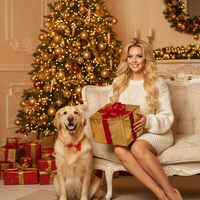
A Very Golden Christmas
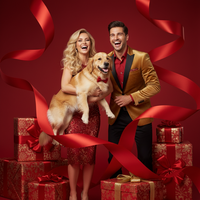
Bursting with Christmas Joy
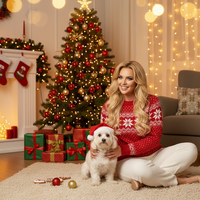
Cozy Christmas with My Pet
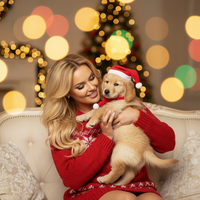
Cozy Companions – Holiday Pet Moment
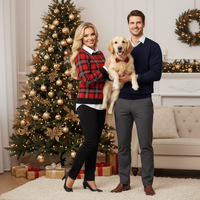
Dapper Little Gentleman
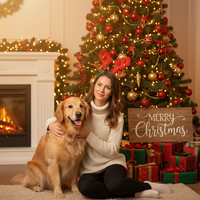
Golden Companions – Christmas Together
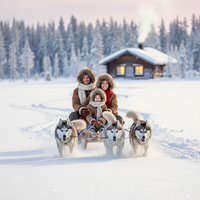
Husky Ride in Lapland
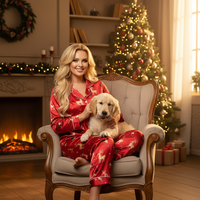
Pajama Joy – Holiday Morning with Pet
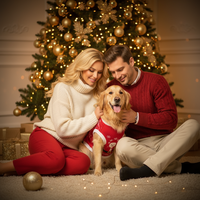
Pawsitively Festive
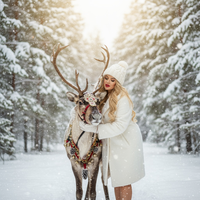
Reindeer Hug in the Snow
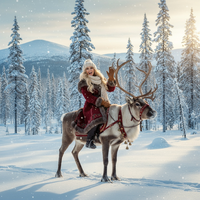
Reindeer Ride Adventure
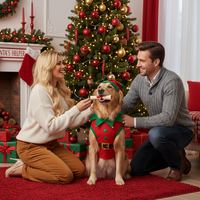
Reporting for Duty
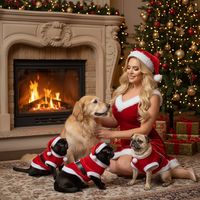
Santa Paws – Fireplace Companions
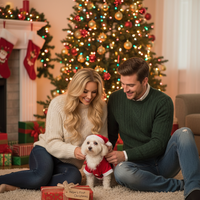
Santa’s Helper – In Training
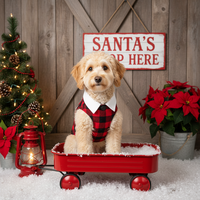
Santa’s Stop – Festive Pet Portrait
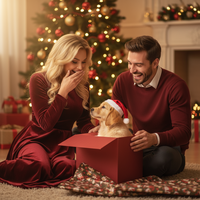
The Best Gift of All
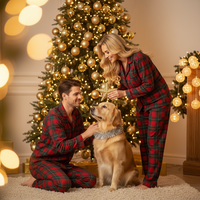
The Star of Our Christmas Tree
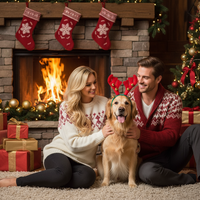
Very Golden Christmas
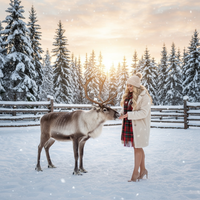
Winter Reindeer Encounter
Create Stunning Pets & Animal Companions Christmas Pictures
Transform your holiday moments into magical Christmas pictures with our pets & animal companions collection. Pets like dogs and cats featured prominently; includes animal encounters (e.g., reindeer, huskies) Our AI-powered Christmas app makes it easy to create professional-quality Christmas photos and Christmas wallpapers that capture the magic of the season.. Download our app: Christmas App.
Why Choose PiXmas for Your Pets & Animal Companions Christmas Photos?
Whether you're creating Christmas wallpapers for your phone, printing holiday cards, or sharing festive pictures on social media, our AI technology ensures every photo looks professionally crafted.
Our pets & animal companions collection features carefully curated Christmas themes that bring your holiday photos to life. From warm lighting to festive decorations, every style is designed to create authentic Christmas memories you'll treasure forever.
Perfect Christmas Pictures in Seconds
Creating beautiful Christmas photos has never been easier. Simply upload your photo, choose from our pets & animal companions styles, and watch as our AI transforms it into a stunning Christmas picture.
Our Christmas wallpapers feature is perfect for personalizing your devices with holiday cheer. Create custom festive pictures that showcase your family, pets, or favorite moments in beautifully designed pets & animal companions settings.
Share Your Holiday Joy
Once you've created your perfect Christmas pictures, share them instantly with family and friends. Our Christmas app makes it easy to download high-resolution Christmas photos for printing, social media, or creating Christmas wallpapers.
Our pets & animal companions collection is constantly updated with new styles, ensuring you always have fresh options for creating memorable Christmas pictures.
Explore More Christmas Picture Categories
Warm holiday interiors like living rooms, fireplaces, bedrooms, kitchens, and porches with soft ligh...
⭐ Outdoor Snow & NatureWinter nature settings such as forests, lakes, mountains, snowy paths, cabins, and decorated doorste...
⭐ Urban & City LightsCity streets, markets, plazas, rooftops, and balconies adorned with festive lighting and seasonal de...
⭐ Studio Minimal & ModernClean studio or staged setups with minimal backdrops, bokeh, and elegant props...
⭐ High-Fashion & EditorialCouture and editorial glam portraits with gowns, sequins, and styled looks...
⭐ Rustic Cabin & WoodLog cabins, wooden interiors/exteriors, wreaths, lanterns, and rustic textures...
⭐ Santa & Workshop EncountersSanta Claus appearances, workshops, letters to Santa, and Santa hats or motifs...
⭐ Family & Group PortraitsMulti-person family or group compositions and classic posed portraits...
⭐ Couples & RomancePair-focused scenes with hugs, kisses, dances, and intimate moments...
⭐ Babies & Kids MagicBabies, toddlers, and children as the main subject; newborn and whimsical child setups...
⭐ Tree Decorating & GiftsTrimming trees, wreath crafting, tying bows, exchanging/unwrapping presents, and ornament moments...
⭐ Pajamas, Morning & BedtimePajama scenes, morning coffee/cocoa, bed or cozy lounge moments in soft light...
⭐ Candy, Pink & Pastel PlayCandy canes, sweets, pink/pastel palettes, and playful whimsical sets...
⭐ Gold & Emerald LuxuryGold/emerald palettes, metallic decor, luxe interiors, and chic glam styling...
⭐ Red Velvet & Crimson ClassicsRed-themed styling, velvet/satin textures, and classic crimson holiday scenes...
⭐ White, Silver & FrostedWhite/silver/icy palettes, frosted trees, snow sparkle, and winter elegance...
⭐ New Year’s Eve & FireworksNYE countdowns, 2026 typography, fireworks, rooftop and balcony celebrations...
⭐ Confetti, Disco & Neon PartyConfetti bursts, disco balls, neon/cyberpunk clubs, and energetic party vibes...
⭐ Vehicles & Vintage PropsCars, trucks, sleighs, bicycles, and other transport or large prop-centered scenes...
Explore this PiXmas Christmas picture style.
What makes this style different from other Christmas photo styles?
This category centers the pet, not just the human. Scenes like Husky Ride in Lapland, Reindeer Hug in the Snow, and Santa Paws pair your animal with festive backdrops and, where relevant, holiday-dressed animal companions like reindeer.
Some styles include the pet owner too, such as Cozy Christmas with My Pet or Pajama Joy, so the picture reads as a shared holiday moment rather than a solo pet photo.
What photo should you upload for the best result?
Choose a clear, well-lit photo where your pet's face and fur pattern are visible and not obscured by shadows or motion blur. A front-facing or slight angle shot usually works better than a photo taken from far away.
If a style includes you with your pet, upload a photo where both of you are visible and reasonably close together in the frame.
Who is this Christmas photo style best for?
This collection suits dog and cat owners who want a holiday keepsake featuring their pet, as well as anyone who wants a whimsical animal-encounter scene like a reindeer or husky moment without traveling anywhere.
It also works well for families who want a pet included in their holiday card lineup alongside portraits of people.
How does PiXmas compare to a photographer or DIY setup?
- Google’s Holiday Trends reports that many Christmas‑related queries in the US, including decorating and baking topics, spike each December, illustrating that demand for Christmas imagery and content concentrates late in the year. (Google – Holiday Trends (Year in Search 2025), 2025)
- A general guide to using Google Trends recommends setting multi‑year ranges to spot seasonality, noting that Christmas‑related terms consistently show seasonal spikes that can guide when to publish holiday photo content. (Cemoh – How to Use Google Trends: A Complete Guide, 2026)
- Photography educators using Google Trends report that searches for terms like “Christmas card photos” remain fairly constant through much of the year, then trend upward from September or October and spike in December. (Tech Photo Guy – Google Trends for Photographers, 2018)
Limitations
These are AI-generated stylized images, not physical photos taken at a real photo shoot with your pet. Fur texture, collar details, or background elements may render slightly differently than in real life.
Photos with multiple pets or a pet plus multiple people may look less consistent than a single-pet or single-person upload, since the AI has more subjects to interpret at once.
For pet owners who want a festive, shareable portrait of their dog, cat, or holiday animal encounter without a studio visit, PiXmas turns one uploaded photo into a styled Christmas picture in minutes, making it a practical pick for this category.
Frequently asked questions
What photo works best for a pet Christmas picture?
Use a sharp, well-lit image where your pet’s face, eyes, coat markings, and body outline are easy to distinguish. A natural pose and uncluttered background give the image generator clearer visual information. Avoid heavy shadows, motion blur, filters, costumes that cover the face, or distant shots where the pet appears very small.
Can AI make a Christmas picture from a group of pets?
Yes, a group pet photo can work when every animal is clearly visible and their faces do not overlap. Results may be less consistent because similar fur, crossed bodies, or hidden features can be confused during generation. Choose a simple composition and check the finished image carefully for swapped markings, altered paws, or merged outlines.
Can I create a Christmas portrait without being in the photo?
Yes, pet-only photos are suitable for Christmas portraits, so the owner does not need to appear. A centered image with a visible face and recognizable coat usually provides a cleaner starting point. Select a style designed around an animal subject rather than a pet-and-owner composition to reduce layout mismatches.
Can AI keep my pet’s markings accurate?
AI can preserve recognizable features, but exact coat patterns, eye color, whiskers, paws, and small accessories are not guaranteed. Accuracy depends heavily on how clearly those details appear in the source image. Review the finished portrait at full size, especially if your pet has distinctive patches or markings that matter to the likeness.
Will a dark or blurry pet photo work?
A dark or blurry photo may produce a usable result, but important facial and coat details can be lost or changed. Better lighting and sharp focus give the generator clearer information to interpret. If possible, choose another image rather than relying on editing to recover features that were not captured clearly.
Can I print an AI pet Christmas picture as a card?
Yes, a generated pet portrait can be saved and sent to a printing service, subject to the service’s file and image-quality requirements. PiXmas creates the digital picture but does not replace a card printer. Inspect fine details, confirm the crop, and use the largest available saved image before ordering.
Does my pet need to wear a Christmas costume?
No, your pet does not need to wear seasonal clothing in the source photo. A plain collar or no accessory often leaves the face and body easier to interpret. The selected style can add festive surroundings or clothing, although generated hats, antlers, bows, and costume edges should be checked for visual errors.