Christmas Photoshoot Ideas for Solo in the Snow
Updated 2026-09-16 · PiXmas Editorial Team
Quick answer: Solo snow Christmas photos work best with warm layers, a plaid scarf, and a cup of cocoa as a prop against a white backdrop. Try walking-away shots, twirling poses, or sitting on a wooden bench under string lights. If real snow or a photographer is not available, PiXmas turns one phone photo into realistic snowy Christmas portraits without stepping outside.
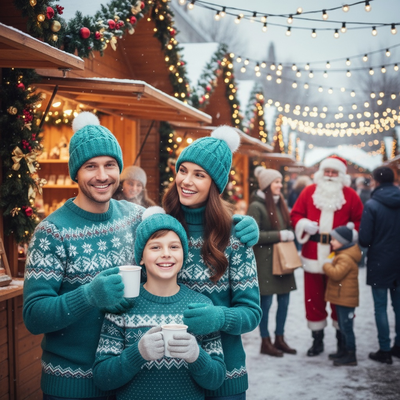
A solo snow photoshoot can look effortless with the right setup, even if you have never modeled before.
What should I wear for a solo snow Christmas shoot?
Layer a wool coat over a knit sweater in cream, red, or forest green.
Add a plaid scarf, mittens, and a beanie for texture and warmth in the frame.
Boots with a slight heel photograph better than bulky snow boots.
What poses work well alone in the snow?
Try these five poses for natural-looking solo shots.
- Walk away from the camera holding a lantern or hot drink.
- Sit on a wooden crate or bench with legs crossed.
- Toss a handful of snow gently upward for a candid moment.
- Lean against a snow-covered tree with hands in pockets.
- Twirl slowly in a coat to capture movement and fabric flow.
What props add a festive touch?
A vintage sled, string lights wrapped around your arm, or a small Christmas tree branch all work well.
Thermoses, wrapped gifts, and paper lanterns give hands something natural to hold.
How can I get these photos without real snow?
Not everyone lives near snow or has time for an outdoor shoot in freezing temperatures.
PiXmas lets you upload one phone photo and generates realistic snowy Christmas portraits, complete with falling snow, string lights, and cabin backdrops.
The app offers over 800 styles, so you can preview several solo snow scenes without leaving your couch.
DIY snow shoot vs AI-generated snow photos
| Factor | DIY Solo Snow Shoot | PiXmas AI Photos |
|---|---|---|
| Weather dependency | Requires actual snow and clear skies | None, works from any phone photo |
| Time needed | 1-3 hours including setup and travel | Minutes per style |
| Cold exposure | High, especially for longer sessions | None |
| Style variety | Limited to one location and outfit | 800+ styles available instantly |
| Editing needed | Manual retouching often required | AI generates polished portraits |
Limitations
Real outdoor shoots capture genuine light and texture that AI cannot fully replicate.
PiXmas results depend on the quality of the uploaded photo, so a clear, well-lit selfie works best.
The native app is available on iOS, and the web version works on Android browsers, with a native Android app in development.
Which option should you choose?
If you enjoy outdoor shoots and live near snow, a DIY solo session can be a fun holiday tradition.
If you want fast, consistent, snow-themed Christmas portraits without the cold or planning, PiXmas AI Christmas photos are the simpler choice.
For solo snow photoshoots, real outdoor sessions offer authentic texture, but PiXmas provides a faster, weather-proof alternative that turns one phone photo into polished Christmas portraits in minutes.
Frequently asked questions
How do I take a good solo Christmas photo in the snow?
Choose warm layered clothing, pick a simple backdrop like trees or a cabin, and use a tripod or timer. Poses like walking away, sitting, or twirling look natural. Golden hour light around sunset adds warmth to the scene.
What if I do not have a photographer for a solo shoot?
A tripod with a phone timer, a friend snapping a few shots, or a remote shutter app all work. Alternatively, PiXmas removes the need for a photographer entirely by generating portraits from a single selfie.
How much does an at-home Christmas photoshoot cost?
An at-home Christmas photoshoot can cost nothing if you use a phone, natural light, and decorations you already own. Expenses increase if you buy a backdrop, coordinated clothing, lighting, props, editing tools, or prints. Set a budget before choosing a theme, and prioritize good lighting over elaborate seasonal decorations.
How do I keep skin tones and Christmas colors accurate in photos?
Use one main light source and avoid mixing daylight with warm household bulbs whenever possible. Set exposure for faces rather than bright string lights, and compare edited images on more than one screen before printing. Heavy filters can turn skin orange and distort reds or greens, so make small adjustments to warmth, tint, contrast, and saturation.
What can I use as a Christmas photo backdrop at home?
A plain wall, curtain, bedspread, fireplace, decorated tree, porch, or neatly made bed can work as a Christmas photo backdrop. Add only a few intentional elements, such as greenery, wrapped boxes, paper stars, or a textured blanket. Check the frame for cords, outlets, clutter, and objects that appear to grow from someone’s head.
How do I set up a Christmas photoshoot in a small space?
Use one uncluttered wall, corner, doorway, or section beside the Christmas tree as your set. Remove distracting furniture, place subjects several steps in front of the background when possible, and frame tightly. A blanket, stool, greenery, and string lights can create a complete scene without filling the entire room.