Christmas Photo Ideas XL for Big Families and Groups
Updated 2026-09-16 · PiXmas Editorial Team
Christmas photo ideas XL are coordinated concepts for large families, multigenerational gatherings, and other big groups. Use a shared color palette, a simple backdrop, and tiered poses that keep every face visible. If gathering everyone is impractical, separately created portraits in the same holiday style can provide a coordinated set, though they will not reproduce a true group photo.
When Should You Plan a Large Christmas Photo?
Plan a large Christmas photo during early fall so relatives have time to confirm schedules, clothing, and the location. Photography educators report that interest in Christmas card photos remains fairly steady through much of the year, begins rising around September or October, and peaks in December (Tech Photo Guy, 2018). Before sending invitations, decide whether the result will be a traditional group portrait, a collage, or a set of coordinated individual images. Confirm the backdrop and general color palette, then share clear clothing guidance without requiring identical outfits. If the gathering depends on weather, choose an indoor fallback. The goal is to settle visual decisions before holiday schedules become crowded.
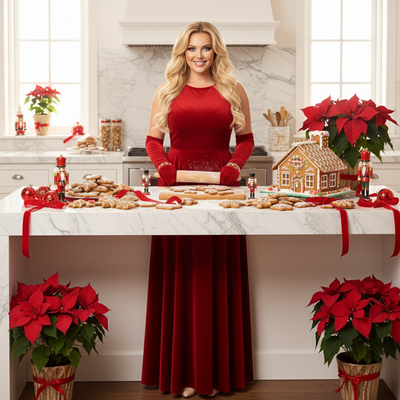
What Does XL Mean in Christmas Photo Ideas?
XL in this context usually refers to extra-large groups, big families, multi-generation gatherings, or oversized print formats.
The core challenge is the same either way: getting many people to look good, coordinated, and happy in one frame.
What Are the Best XL Christmas Photo Ideas?
Here are formats that work well for larger families and friend groups.
- Matching pajama sets against a plain wall or staircase
- Tiered poses on outdoor steps with everyone in red and green
- A big blanket fort scene with kids in front and adults behind
- Group shot by a large tree with string lights as the backdrop
- Separate close-up portraits later combined into one grid or collage
How Do You Coordinate a Big Group Photo?
- Pick one color palette everyone can follow loosely
- Choose a single background so lighting stays consistent
- Shoot in early morning or late afternoon light
- Take more frames than you think you need
- Assign one person to check everyone's eyes are open each shot
Why Do XL Group Shoots Usually Fail?
Scheduling everyone at once is hard, especially across households.
Kids get tired, outfits clash, and weather changes plans last minute.
Many families end up with one usable photo out of fifty attempts.
Is There an Easier Way to Get a Coordinated Christmas Look?
Yes. Instead of one group shoot, each person can upload a single phone photo to an app and get an individually styled Christmas portrait in a matching theme.
This avoids scheduling conflicts, outfit mismatches, and the stress of managing a big group in front of a camera.
Traditional XL Shoot vs AI Individual Portraits
| Factor | Traditional Group Shoot | PiXmas Individual Portraits |
|---|---|---|
| Scheduling | Everyone must be present at once | No shared schedule needed |
| Outfit matching | Manual coordination required | Style consistency built into the theme |
| Cost for large groups | Rises per person or per hour | Priced per photo, scales simply |
| Weather dependency | High for outdoor shoots | None, done from any phone photo |
| Retakes | Hard once everyone leaves | Easy, just regenerate |
How Does PiXmas Work for Big Families?
- Each family member uploads one clear phone photo
- Everyone selects the same or a matching Christmas style
- The AI generates individual portraits, Santa scenes, or wallpapers
- Portraits download in minutes for cards, group chats, or printing
Limitations
PiXmas will not physically assemble people into a single combined frame; each portrait is generated individually.
Very low-quality or heavily obscured source photos can lower result quality.
Exact outfit matching across all family members is not guaranteed unless the same style and prompt details are used.
Frequently asked questions
What are good Christmas photo ideas for a large family?
Good large-family Christmas photos use a simple setting, a loose color palette, and poses that keep every face visible. Try a staircase, porch, couch, or decorated tree, with taller relatives behind seated or younger family members. Choose comfort over exact outfit matching so everyone can hold the pose naturally.
How do you pose a big group for a Christmas photo?
Arrange the group in tiers rather than a straight line. Seat some people, place others behind them, and use steps or sturdy furniture to vary height. Keep faces in open gaps instead of directly behind other heads. Ask everyone to turn slightly toward the center, then check the frame edges before shooting.
How do you coordinate outfits for a family Christmas photo?
Choose a small color family and let each person select comfortable clothing within it. Mixing solids with subtle patterns usually looks more natural than requiring identical outfits. Avoid prominent logos and competing prints, and compare clothing choices with the planned backdrop so people do not blend into it or create distracting color clashes.
What makes a good Christmas group chat photo?
A good Christmas group chat photo remains recognizable when cropped into a small circle or square. Use a close composition, clear faces, simple colors, and an uncluttered background. Avoid placing important details near the edges because messaging apps may crop them. A collage can work, but tiny faces may become difficult to identify.
What can I use as a Christmas photo backdrop at home?
A plain wall, curtain, fireplace, porch, neatly made bed, or decorated tree can serve as a home Christmas backdrop. Add a few intentional seasonal elements, such as greenery, wrapped boxes, paper stars, or a textured blanket. Remove cords, labels, and clutter, and check that decorations do not appear to extend from anyone’s head.
How do I take professional-looking Christmas photos with a phone?
Use soft window light, clean the lens, and stabilize the phone on a tripod or secure surface. Tap the main subject’s face to set focus and exposure, and avoid digital zoom. Leave enough space around the group for later cropping. Phone cameras still struggle with dim rooms, movement, and strong mixed lighting.
Can separate Christmas portraits replace a group photo?
Separate portraits can create a coordinated holiday set, but they do not fully replace a photograph of everyone together. Matching backgrounds, colors, framing, and lighting can make the images feel related for cards or collages. Differences in pose and generated details may remain, especially when portraits are created independently.
How can I protect my family’s privacy when sharing Christmas photos?
Share only images and details that everyone pictured is comfortable making visible. Check the background for addresses, school names, house numbers, documents, shipping labels, and travel information. Review audience settings and remove location metadata when appropriate. Private galleries, direct messages, and printed cards provide more control than public social posts.