Christmas Photo Ideas for Xbox Gamers
Updated 2026-09-16 · PiXmas Editorial Team
Quick answer: Good Xbox-themed Christmas photo ideas mix gaming gear with holiday decor: pose with a controller under the tree, wrap a console in ribbon, use TV screen glow as lighting, or dress an Elf on the Shelf as a tiny gamer. For a faster option, PiXmas turns one phone photo into AI Christmas portraits, including festive gamer-styled looks, without setting up props or lighting.
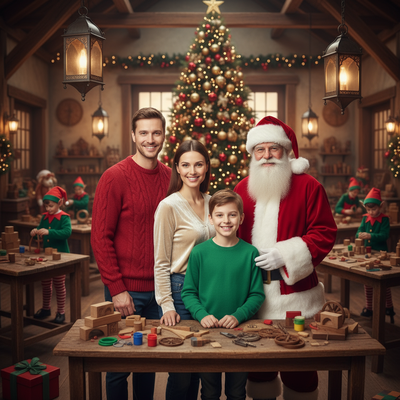
What are good Christmas photo ideas for Xbox gamers?
Gamer Christmas photos work best when holiday decor meets gaming gear.
Think string lights wrapped around a controller, a stocking hung on the TV stand, or a family photo with everyone holding their favorite gaming accessory.
How do you set up a gamer-themed Christmas photo?
Start with your existing setup and add holiday touches rather than buying new props.
- Drape fairy lights around the TV or monitor frame.
- Prop a wrapped Xbox controller under the tree like a gift.
- Turn off room lights and let the console or screen glow light the shot.
- Dress an Elf on the Shelf with a tiny headset for a funny detail shot.
- Pose the whole family holding controllers in matching pajamas.
- Use a Santa hat on the Xbox itself for a quick still-life photo.
- Stack wrapped games as "gift towers" for a festive background.
- Take a close-up of hands on the controller with a blurred tree in the background.
- Photograph the achievement screen on the TV with a Santa hat sticker added.
- Snap a candid of gameplay with holiday lights reflected in the screen.
Can AI create Xbox-style Christmas portraits without a photoshoot?
Yes. AI photo apps can turn a single selfie into a styled Christmas portrait without props, lighting setup, or editing skills.
PiXmas is built for this. Upload one phone photo and it generates AI Christmas portraits, Santa scenes, and festive wallpapers from more than 800 styles, including playful gamer and cozy indoor looks.
It runs as a native iOS app and a web version that works on Android browsers, with a native Android app coming soon.
DIY Gamer Photoshoot vs AI Christmas Portraits
| Factor | DIY Gamer Photoshoot | PiXmas AI Portraits |
|---|---|---|
| Setup time | 30 to 60 minutes for lights and props | Under 5 minutes from one photo |
| Equipment needed | Console, lights, camera, tripod | Just a phone photo |
| Style variety | Limited to what you can stage | 800+ styles to choose from |
| Editing skill required | Some, for lighting and cropping | None, AI handles the styling |
| Best for | Real memories with your own gear | Fast, polished holiday cards or wallpapers |
Limitations
AI-generated portraits are stylized images, not literal photos of your room or console.
If you want a genuine photo of your actual Xbox setup decorated for Christmas, a real photoshoot is still the better choice.
PiXmas works best for portrait-style Christmas images of people, not detailed product or room photography.
For an authentic gamer Christmas photo, decorate your real setup with lights and a wrapped controller and shoot it yourself. For fast, styled AI Christmas portraits with zero setup, PiXmas turns one phone photo into festive looks in minutes.
Frequently asked questions
What background works best for an Xbox Christmas photo?
A lit Christmas tree, a string-light backdrop, or the glow of the TV screen all work well. Keep the room slightly dim so the lights and screen stand out as the main light source in the shot.
Do I need a professional camera for gamer Christmas photos?
No. A phone camera works fine for these setups, especially in low light with string lights or screen glow. Focus on steady framing and let the ambient lights create the festive mood.
Can I combine real gaming photos with AI Christmas portraits?
Yes. Many people take a real photo of their Xbox setup for authenticity, then use PiXmas separately to create a stylized AI Christmas portrait for cards or wallpapers, giving two different festive results.
What if I only have one photo to work with?
That is all PiXmas needs. The app is designed around a single phone photo as input, then generates a full range of Christmas-themed portrait styles from that one image.
How should I prepare Christmas photos for printing?
Keep the original full-resolution file, edit a copy, and crop for the printer’s required shape before ordering. Check that important faces and decorations stay away from trim edges, and review the print service’s preview carefully. Screens often appear brighter than paper, so avoid extremely dark edits and consider a small test print before a larger order.
What should we wear for a Christmas photoshoot?
Wear coordinated colors and textures rather than identical outfits. Neutral shades, deep green, burgundy, navy, cream, denim, and subtle plaid photograph well in holiday settings. Avoid tiny patterns, large logos, reflective fabrics, and uncomfortable clothing. Match the formality of the location, and let one outfit provide the strongest seasonal accent.