Christmas Light Photo Ideas That Actually Work
Updated 2026-09-16 · PiXmas Editorial Team
Quick answer: Great Christmas light photos come from three sources: string lights wrapped around a frame or tree, bokeh created by shooting through blurred lights, and light-up backdrops like tunnels or archways. If you cannot set any of these up, PiXmas turns one phone photo into an AI Christmas portrait with glowing lights, Santa scenes, or wallpaper-ready backgrounds in minutes.
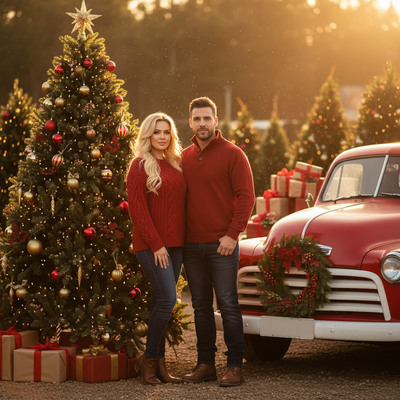
What makes a Christmas light photo work?
Contrast is the key. Warm string lights against a dark background, cool blue tones behind a bright subject, or a single glowing tree in an otherwise dim room.
Most of these setups need a tripod, low light skills, and patience with a camera app. If that sounds like more effort than you want this December, an AI tool like PiXmas can generate the same festive glow from a single photo you already have on your phone.
Which light setups give the best results?
- String light wrap. Wrap warm white lights around a doorframe, mirror, or bare branch and pose in front of it.
- Bokeh background. Put lights far behind your subject and shoot with a wide aperture so they blur into soft circles.
- Light tunnel walk. Walk through a lit tunnel or archway for a moving, candid shot.
- Tree glow close-up. Shoot close to the tree with lights slightly out of focus for a warm halo effect.
- Window silhouette. Place your subject between the camera and a lit window at dusk for a silhouette with light spill.
- Fairy light jar. Fill a mason jar with mini lights and hold it near your face for a soft glow portrait.
- Outdoor house lights. Use your own or a neighbor's light display as a backdrop after sunset.
How do I get these looks without setting up lights myself?
Upload one clear phone photo to PiXmas and pick a lit-scene style. The AI adds glowing string lights, a decorated tree, or a Santa's workshop background around your existing pose, so you get the light photo look without buying or hanging anything.
- Open PiXmas on your phone or browser.
- Upload a clear, well-lit photo of yourself, your kid, or your pet.
- Choose a light-themed style from the 800+ options, such as fairy light portrait or cozy tree glow.
- Generate and download in minutes.
- Use it as a card, wallpaper, or social post.
DIY lights versus AI-generated lights
| Factor | DIY light setup | PiXmas AI |
|---|---|---|
| Time needed | 1-3 hours for setup and shooting | Under 10 minutes per photo |
| Equipment | String lights, tripod, editing app | One phone photo, nothing else |
| Weather dependent | Yes, for outdoor setups | No |
| Style variety | Limited by what you own | 800+ styles including Santa scenes |
| Best for | Hands-on photographers | Quick, guaranteed festive results |
Limitations
Real string lights give you a physical, in-person memory that an AI photo cannot replace. Low quality source photos with heavy shadows or blur will limit how realistic the AI output looks. PiXmas works on web browsers on Android now, with a dedicated Android app coming, and is already available as a native iOS app.
Real Christmas light setups reward patience and equipment, but PiXmas delivers a lit-up festive portrait from one phone photo in minutes, no lights or tripod required.
Frequently asked questions
What is the easiest Christmas light photo setup?
Wrapping warm white string lights around a doorframe or mirror and posing in front of it is the easiest setup. It needs no special lens and works well with a phone camera in low light.
Can I get a light photo effect without buying string lights?
Yes. PiXmas can add glowing lights, decorated trees, or festive backgrounds to a photo you already have, so you skip buying and hanging lights entirely.
Do I need a professional camera for Christmas light photos?
No. A phone camera works fine for most light setups, though a tripod helps in low light. For a guaranteed lit look, PiXmas builds the effect from a single phone photo instead.
What if my photo does not have good lighting for a Christmas theme?
Use a clear, well-lit photo as your source and let PiXmas add the festive lighting and background. This avoids the need for real string lights or a dark room setup.
What are some easy Christmas photoshoot ideas at home?
Easy at-home Christmas photo ideas include decorating the tree, reading holiday books, baking cookies, wrapping gifts, wearing pajamas, or posing beside a window with warm lights. Choose an activity your family already enjoys so expressions feel natural. A simple background and one recognizable holiday element usually look better than a crowded set.
How do I keep skin tones and Christmas colors accurate in photos?
Use one main light source and avoid mixing daylight with warm household bulbs whenever possible. Set exposure for faces rather than bright string lights, and compare edited images on more than one screen before printing. Heavy filters can turn skin orange and distort reds or greens, so make small adjustments to warmth, tint, contrast, and saturation.