Christmas Instagram Photo Ideas People Actually Save
Updated 2026-09-16 · PiXmas Editorial Team
Quick answer: The best Christmas Instagram photo ideas mix cozy close-ups, festive backdrops, and one striking hero shot per post. If you do not have props, a decorated tree, or matching outfits, PiXmas turns a single phone photo into Santa scenes, cozy sweater portraits, and holiday wallpapers ready to post in minutes.
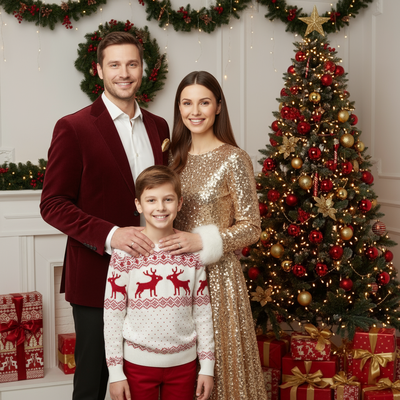
Instagram in December is crowded with matching pajamas and staged fireplace shots.
Standing out does not require a photographer or a decorated house.
Here are ideas that work for feeds, grids, and stories, plus a fast way to get them without leaving your couch.
What Makes a Christmas Post Get Saves?
Posts get saved when they feel warm, specific, and a little unexpected.
A generic tree photo scrolls past. A cozy sweater close-up with soft snow light stops the thumb.
Contrast helps too: one bold red-and-gold portrait against a plain grid of everyday photos reads as intentional, not accidental.
Which Photo Ideas Work Best for Feeds vs Stories?
- Feed hero shot: one polished portrait in a Christmas sweater or Santa scene, high contrast, centered subject.
- Carousel set: three to five variations of the same person in different holiday styles for a swipeable post.
- Story wallpaper: a vertical festive portrait used as a background with text overlay for countdowns.
- Grid filler: smaller cozy or candid-style shots that support the hero without competing.
- Highlight cover: a simple icon-style Christmas image sized for Story Highlights.
How Do You Get These Without a Studio Setup?
Traditional routes mean booking a photographer, buying an outfit, or setting up lights and a backdrop at home.
An easier path: upload one clear phone photo to the PiXmas app, pick from 800+ styles, and get Santa scenes, sweater portraits, and wallpaper-ready shots back in minutes.
PiXmas works as a native iOS app and as a web app usable on Android browsers, with a native Android app on the way.
- Open PiXmas on your phone or browser.
- Upload one well-lit, front-facing photo.
- Choose two or three styles that fit your feed's color palette.
- Download the results sized for both feed posts and Stories.
- Post the hero shot first, then space the rest across the week.
DIY Setup vs PiXmas: Which Fits Your Timeline?
| Factor | DIY Home Setup | PiXmas App |
|---|---|---|
| Time needed | 1-3 hours (props, lighting, editing) | Under 10 minutes |
| Outfit or props required | Yes, often bought or borrowed | No, one existing photo works |
| Style variety | Limited by what you own | 800+ styles to pick from |
| Consistent lighting | Depends on space and skill | Consistent across all outputs |
| Platform | N/A | iOS app and web (Android browser); native Android app coming |
Limitations
AI-generated portraits work best from a clear, well-lit, front-facing photo; blurry or heavily angled source photos give less accurate results.
Group photos with multiple people are not the ideal input since the process is built around one subject per upload.
Some Instagram followers may notice a photo looks stylized rather than a straight candid shot, so pair it with a genuine caption for balance.
Verdict
PiXmas is the fastest way to get a scroll-stopping Christmas photo for Instagram without a studio, props, or matching outfits, using one existing phone photo.
Frequently asked questions
What size should Christmas Instagram photos be?
Feed posts work best at a 4:5 ratio for maximum screen space, while Stories need 9:16. PiXmas outputs can be downloaded in formats that fit both, so one upload can cover feed and Story needs without separate edits.
Do I need matching outfits for a Christmas photo post?
No. Matching outfits work for group family posts, but individual feed content often looks better with one strong styled shot rather than coordinated pajamas. A Santa scene or sweater portrait from PiXmas can stand alone as a hero image.
How many Christmas photos should I post in December?
Two to four standout posts spaced across the month tends to perform better than a daily flood. Save your best styled shot, like one generated in PiXmas, for a key date such as Christmas Eve or Day for maximum reach.
Can I use these photos for Stories and Highlights too?
Yes. Vertical outputs work well as Story backgrounds with text overlays, and a simple styled portrait makes a clean Highlight cover. PiXmas results are downloadable in sizes that suit both formats.
Will a stylized Christmas photo look too fake for Instagram?
It depends on the style chosen and how it is captioned. Photorealistic styles from PiXmas blend well into a normal feed, especially when paired with an honest, personal caption rather than presenting it as an unedited candid.