Christmas Card Maker Online Free With Photo
Updated 2026-09-16 · PiXmas Editorial Team
Quick answer: Free online Christmas card makers let you drop a photo into a template, add text, and download or print it. Basic tools just decorate your original photo with borders and snow. For a more polished result, AI Both routes are free to start.
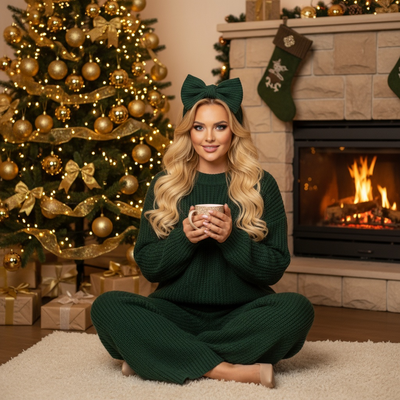
What is a free online Christmas card maker with photo?
A free online Christmas card maker with photo lets you upload a picture and place it inside a holiday template.
Most tools add borders, snowflakes, or text like "Merry Christmas" around your existing photo.
The photo itself stays unchanged. You are decorating around it, not transforming it.
How do you make a Christmas card with a photo online?
- Choose a free card maker or template site.
- Upload a clear photo from your phone or computer.
- Pick a Christmas layout, border, or frame.
- Add a greeting and any names you want included.
- Download the card as an image or PDF, or send it directly.
This works fine for a quick, simple card using a photo you already like.
What if you want the photo itself to look more festive?
Basic card makers cannot change lighting, backgrounds, or outfits in your photo.
If your photo was taken indoors on a plain wall, the card will still show that plain wall, just with a border around it.
To get a photo that already looks like a professional Christmas portrait, an AI app is a better starting point.
PiXmas uses one phone photo to generate AI Christmas portraits, Santa scenes, and wallpapers with festive backgrounds and lighting already built in.
You then use that AI-generated image inside any card maker, or send it as-is.
How does PiXmas fit into making a Christmas card?
PiXmas is not a card layout tool. It focuses on the photo itself.
- Upload one phone photo to PiXmas.
- Choose a Christmas portrait or Santa scene style from over 800 options.
- Download the finished AI photo.
- Drop that photo into any free online card maker or print service.
The result is a card built around a photo that already looks like a styled holiday shoot, not a snapshot with a sticker frame.
Free card maker vs AI photo app: which do you need?
| Need | Free Card Maker | PiXmas AI App |
|---|---|---|
| Add text and borders to an existing photo | Yes, built for this | Not the focus |
| Transform lighting, background, outfit | No | Yes, from one photo |
| Multiple Christmas styles from one photo | No | 800+ styles |
| Works on phone with no design skill | Usually yes | Yes |
| Best used for | Layout and greeting text | The photo itself |
Many people use both: PiXmas for the photo, a free card maker for the layout and message.
Limitations
Free online card makers often add watermarks unless you pay for a premium tier.
Some template sites limit downloads per day or restrict high resolution exports on the free plan.
PiXmas focuses on generating the photo, not on card layouts, text, or envelope printing services.
Results from AI photo generation can vary between attempts, so trying a couple of styles usually gives better options to pick from.
Verdict
Use a free online card maker for quick layouts, and start with PiXmas when you want the photo itself to look like a styled Christmas portrait before adding it to a card.
Frequently asked questions
Is there a truly free way to make a Christmas card with a photo?
Yes. Many online card makers let you upload a photo, add a template, and download a basic card for free. Watermarks or resolution limits sometimes apply on the free tier, so check before printing anything important.
Do I need design skills to use these tools?
No. Free card makers use drag and drop templates, and PiXmas only asks for one phone photo and a style choice. Neither tool requires editing experience or design software.
Can I print the card after making it online?
Yes. Most free card makers export a PDF or high resolution image you can print at home or send to a print shop. If you used PiXmas first, download that image and upload it into the card maker before exporting.
What photo works best for a Christmas card?
A clear, well lit photo with your face visible works best, whether you use a template card maker or PiXmas. For PiXmas, one straightforward phone photo is enough since the app rebuilds the background and styling.
What should I wear for an AI Christmas photo?
Wear solid colors, simple necklines, and clothing that contrasts with your current background. Clear garment edges help an app separate you from the scene, while reflective fabrics, intricate patterns, loose hair, and fuzzy accessories may produce artifacts. If the tool changes outfits automatically, inspect collars, sleeves, hands, and jewelry carefully.
Why did my free AI photo credits run out?
Free AI credits run out because each generated image, regeneration, enhancement, or background replacement may consume part of the allowance. Testing several styles can therefore exhaust access quickly. Check whether failed generations count, whether credits refresh, and whether the app starts a subscription automatically when you request additional processing.