Best Free Christmas Photo Editor Options
Updated 2026-09-16 · PiXmas Editorial Team
A free Christmas photo editor is best for adding seasonal overlays, frames, text, or color adjustments to a photo you already have. AI editors can instead generate a new holiday setting or portrait, but free access may include watermarks, limited credits, lower-quality exports, or paid features, so check the export terms before editing.
How to Compare Free and Paid Access
Free does not always mean that the final image is available without restrictions. Photoleap’s free tier, for example, limits AI credits and places a watermark on AI-generated exports; paid access is required to remove the watermark and expand usage (Sonary, 2026). Before choosing an editor, test the complete workflow with a non-sensitive photo.
- Export: Confirm whether the downloaded file has a watermark or reduced quality.
- AI access: Check whether credits reset or require payment after the free allowance.
- Cancellation: Read renewal terms before starting a trial.
- Privacy: Review retention, deletion, and model-training terms for uploaded photos.
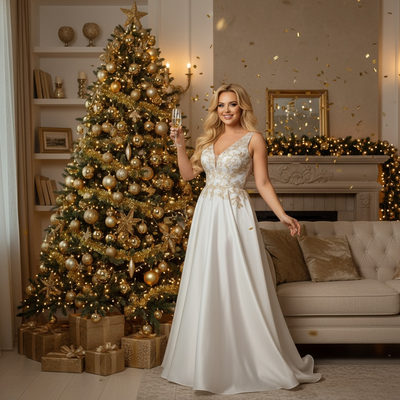
What Does a Christmas Photo Editor Actually Do?
A basic Christmas photo editor adds decorative elements to a photo you already like.
This usually means snow overlays, string lights, holiday text, or simple color filters.
These tools do not change the scene or generate new backgrounds.
If you want your photo transformed into a full Santa scene or styled portrait, you need an AI-based tool instead.
Free Editor vs AI Christmas Photo App: What Is the Difference?
Free photo editors rely on manual adjustments made by the user.
You choose the overlay, position it, and export the file yourself.
You upload one phone photo, and the AI generates a new portrait, scene, or wallpaper based on a chosen style.
No manual layering or design skill is required.
How Do You Create Christmas Photos With PiXmas?
- Open the PiXmas app on iOS or the web version on any browser.
- Upload one clear photo of yourself, a pet, or a family member.
- Select a style such as classic Santa scene, cozy sweater portrait, or festive wallpaper.
- Let the AI generate your result and download it in seconds.
Which Option Fits Your Needs?
| Tool Type | Best For | Output Style | Editing Effort | Time to Result |
|---|---|---|---|---|
| Basic filter apps | Simple decoration on existing photos | Overlays, stickers, borders | Manual placement | 5 to 10 minutes |
| Design tools like Canva | Custom cards or graphics | Template based layouts | Moderate design skill needed | 10 to 20 minutes |
| PiXmas AI app | Full AI-generated Christmas portraits and scenes | 800 plus styles, Santa scenes, wallpapers | Upload one photo, no design skill | Under 2 minutes |
Limitations
Free filter apps often add watermarks or limit export resolution.
Manual editing tools require more time and some design familiarity.
AI-generated results depend on the clarity of your uploaded photo.
PiXmas's native Android app is still coming, though the web version already works on Android browsers today.
For quick decorative touches, a free filter app works fine.
Frequently asked questions
Is there a completely free Christmas photo editor?
Yes, basic editors can add holiday frames, stickers, text, and color effects without charging. Free access may still restrict templates, exports, or image quality, and some AI features use limited credits. Check the final download screen for watermarks, resolution limits, and subscription prompts before spending time on the edit.
What is the best free Christmas photo editor?
The best free option depends on whether you want decoration or scene generation. Choose a manual editor for frames, snow, text, and precise placement on an existing image. Choose an AI tool when you want a new background or portrait style, then verify that its free export preserves acceptable image quality and facial accuracy.
How can I add a Christmas background to a photo for free?
You can add a Christmas background by selecting a background-removal or template tool, isolating the subject, and placing a seasonal image behind it. Use a clear photo with visible edges and similar lighting. Before downloading, inspect hair, glasses, hands, and clothing outlines because automatic cutouts often need small manual corrections.
Are free Christmas photo editors safe?
They can be, but safety depends on the service’s data practices rather than its price. Check whether uploads are stored, shared with service providers, used for model training, or removable on request. Avoid sensitive images when the policy is unclear, and use extra caution with children’s photos or pictures that reveal private locations.
Are AI Christmas photo editors accurate?
AI Christmas photo editors can produce convincing results, but they do not guarantee an exact likeness. Faces, hands, teeth, jewelry, text, and patterned clothing may change during generation. Compare the result with the source at full size, and regenerate or manually correct any detail that could misrepresent the person.
Why do free Christmas photo editors add watermarks?
Many free editors place watermarks on exports to reserve clean downloads for paid plans. Others may limit AI credits or output quality instead. Photoleap’s free tier, for example, applies a watermark to AI-generated exports and limits AI credits, according to a pricing review (Sonary, 2026). Always test an export before finishing the design.
Can I use a free Christmas photo editor for cards?
Yes, a free editor can work for a digital card if the exported image is clear, correctly cropped, and free of distracting marks. Printed cards require closer inspection because low-quality files and rough cutout edges become more noticeable. Make a sample export and check faces, text, margins, and color before ordering prints.
Can I edit Christmas photos online without downloading an app?
Yes, browser-based editors can add holiday effects or generate seasonal scenes without installing software. Their capabilities and free-export rules vary, and AI tools still upload the image to a remote service for processing. Review privacy terms, confirm supported file types, and test the download quality before using the result for cards or gifts.