Best AI Christmas Photo: Free Download Options
Updated 2026-09-16 · PiXmas Editorial Team
Quick answer: The best free AI Christmas photo download comes from apps that let you upload one phone photo and generate a styled result before charging anything. PiXmas offers a free-to-try flow: upload a selfie, pick from 800+ Christmas styles, and preview your AI portrait before downloading. Most true one-click free downloads without any upload step are low quality or watermarked, so testing an app first is the safer route.
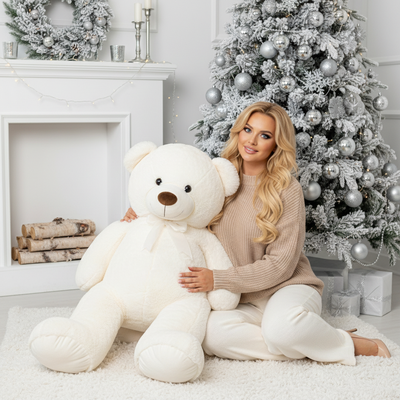
What does "free AI Christmas photo download" actually mean?
Searchers usually want one of two things.
Some want a pre-made Christmas image, like a generic Santa graphic, to download and use as-is.
Others want their own face turned into a Christmas photo using AI, which is a personalized generation, not a stock download.
PiXmas focuses on the second type, since a photo of your own face in a Santa scene is more useful than a stock template.
How do you get an AI Christmas photo from your own picture?
- Open PiXmas on your iPhone or in a mobile browser.
- Upload one clear phone photo of your face.
- Browse the style library, which includes Santa scenes, cozy sweater portraits, and holiday wallpapers.
- Select a style and generate your AI Christmas photo.
- Preview the result, then download it to your camera roll.
The web version works on Android browsers today, and a native Android app is coming.
Is a completely free download realistic?
Fully free, no-signup Christmas photo generators exist, but they tend to produce blurry faces, mismatched lighting, or heavy watermarks.
Apps like PiXmas let you preview a styled result first, which is a better test of quality than blind free downloads.
You still see the output before deciding whether to save or open up more styles.
How does PiXmas compare to other free AI Christmas photo options?
| Option | Personalizes your face | Style variety | Platform |
|---|---|---|---|
| PiXmas | Yes, from one photo | 800+ styles | iOS app, web (Android browsers), native Android app coming |
| Generic free templates | No, stock only | Limited | Web download only |
| Manual photo editing | Yes, manual work | Depends on skill | Desktop or mobile editor |
Limitations
Results depend on the quality of your uploaded photo, so blurry or poorly lit images produce weaker outputs.
Free previews may not include every style, and open up the full 800+ style library or high-resolution downloads may require payment.
A native Android app is not yet available, though the web version works in Android browsers.
Who should try PiXmas for this?
Anyone wanting a personalized Christmas photo from a single phone picture, rather than a generic template, should try PiXmas.
It works well for holiday cards, profile pictures, and family group chat photos.
For a genuinely personalized AI Christmas photo rather than a generic free download, PiXmas offers a straightforward one-photo-to-styled-result flow worth testing before you commit to any paid tier.
Frequently asked questions
What is the best way to get a free AI Christmas photo download?
Upload one phone photo to an AI photo app, preview a generated Christmas style, then download the result. This gives you a personalized image instead of a generic stock template, and lets you check quality before committing to any paid open up.
Are free AI Christmas photo generators good quality?
Quality varies a lot. Fully free tools without an upload preview often produce blurry or mismatched results. Apps that show you a preview before download, like PiXmas, are more reliable for judging real quality.
Do I need more than one photo to generate a Christmas portrait?
No. PiXmas is designed to work from a single clear phone photo, so you do not need multiple angles or a professional photoshoot to generate a styled Christmas image.
Can I download the AI Christmas photo to use as a wallpaper?
Yes. PiXmas includes wallpaper-formatted styles alongside portraits and Santa scenes, so a generated image can be downloaded and set directly as a phone background.
What photo works best for the AI Christmas conversion?
A clear, well-lit, front-facing phone photo with your face visible gives the most accurate result. Avoid heavy filters or obscured faces for the best AI-generated Christmas photo output.