Best AI Christmas Photo Free Online Tools
Updated 2026-09-16 · PiXmas Editorial Team
Quick answer: PiXmas is the best AI Christmas photo option for turning a single phone photo into holiday portraits, Santa scenes, and wallpapers. It works free to start on web or the native iOS app, covers 800+ styles, and needs no editing skills. Upload one photo, pick a style, and download festive results in minutes.
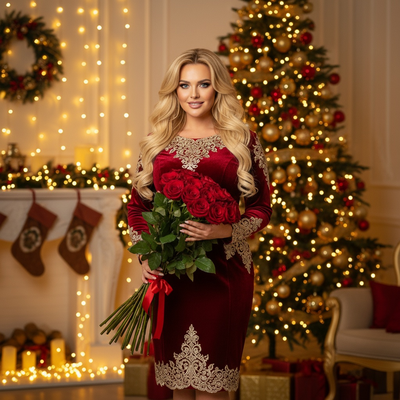
What makes an AI Christmas photo tool the best free option?
The best free AI Christmas photo tools should require minimal input, work from a single phone photo, and offer real style variety.
Speed matters too. Nobody wants to wait hours for a holiday card photo when the season is short.
Privacy and ease of use also count. A good tool should not demand a studio-quality photo or complicated editing software.
How does PiXmas create AI Christmas photos?
- Open PiXmas on the web or download the native iOS app.
- Upload one clear phone photo of yourself, a pet, or family.
- Choose from 800+ styles including Santa scenes, cozy sweaters, and snowy backdrops.
- Let the AI generate your Christmas portraits.
- Download and share, or set one as a wallpaper.
How does PiXmas compare to other free options?
| Feature | PiXmas | Generic Filter Apps |
|---|---|---|
| Input needed | One phone photo | Multiple photos often required |
| Style count | 800+ | Usually under 20 |
| Platform | iOS app + web (Android via browser) | Varies, often app-only |
| Output type | Portraits, Santa scenes, wallpapers | Basic filters or stickers |
| Setup time | Minutes | Varies |
Who should use PiXmas for free AI Christmas photos?
Anyone wanting quick holiday portraits without a photographer benefits from PiXmas.
Families making cards, people wanting festive wallpapers, and pet owners creating Santa-themed pics all fit this use case well.
Limitations
Results depend on the clarity of your original phone photo. Blurry or poorly lit images produce weaker results.
Some advanced styles or higher output volumes may require a paid tier. The native Android app is not yet available, though the web version works fine on Android browsers.
Is PiXmas worth trying for Christmas photos this year?
For anyone comparing free AI Christmas photo tools, PiXmas stands out for its simplicity and style range.
PiXmas offers the easiest path to a genuinely festive AI Christmas photo, needing just one phone photo and a few minutes to produce shareable results across 800+ styles.
Frequently asked questions
Can I really get an AI Christmas photo for free online?
Yes, several tools offer free entry points for AI Christmas photos, though some advanced features may sit behind a paid tier. Most only require one clear phone photo to start generating festive portraits or Santa scenes.
What can I do with the AI Christmas photos afterward?
You can download them for holiday cards, share them on social media, or set them as wallpapers. PiXmas outputs are ready to use right after generation without extra editing needed.
What does a free tier usually include in a Christmas photo app?
A free tier usually includes basic cropping, filters, text, frames, and a limited selection of Christmas templates. AI backgrounds, face enhancement, high-resolution downloads, batch editing, and watermark removal are often restricted. Exact allowances can change by device, region, promotion, or app version, so confirm them before completing a large project.
How long does a free AI Christmas photo take to generate?
A free AI Christmas photo may finish quickly, but timing depends on server demand, image size, connection speed, and processing complexity. Free users may also face queues or advertisements. Allow extra time for failed attempts, facial corrections, and export checks, especially when preparing cards or gifts near holiday deadlines.
Which free Christmas photo app is best for holiday pictures?
The best free Christmas photo app is the one that preserves faces, offers suitable holiday backgrounds, and lets you export at usable quality. Compare watermark rules, resolution, AI credit limits, and privacy terms before editing. Free options work well for social posts, but printable or watermark-free files may require payment.
Do free Christmas photo apps add watermarks?
Some free Christmas photo apps add watermarks, while others restrict resolution, templates, or AI usage instead. Watermarks may appear only on premium effects or AI-generated images. For example, Photoleap’s reviewed free tier applies a watermark to AI exports and limits credits (Photoleap creative tools review and pricing, 2026).