Can You Make AI Christmas Photos Online Free?
Updated 2026-09-16 · PiXmas Editorial Team
Quick answer: Yes. Several web tools let you upload a photo and generate AI Christmas portraits, often with a free preview or limited free style before payment is needed for full-resolution downloads. PiXmas works this way: upload one phone photo, pick from 800+ Christmas styles, and preview results on the web version before purchasing high-resolution images.
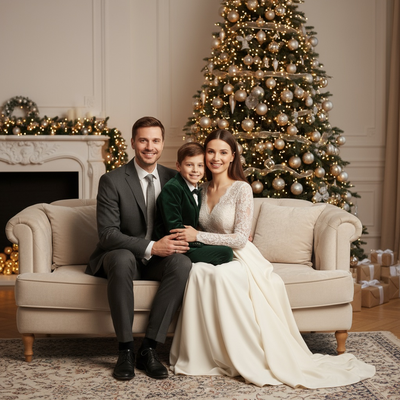
Is it really possible to make AI Christmas photos for free?
Making AI Christmas photos online is possible, and many apps offer some free component.
Free usually means a free style preview, a watermarked sample, or a limited number of generations before a paywall appears.
Fully free unlimited high-resolution output is rare because AI image generation has real processing costs.
What does free actually include on most platforms?
Free tiers typically let you test the concept without full commitment.
- Upload one photo and see a low-resolution preview
- Try one or two Christmas styles before being asked to pay
- View a watermarked version of your result
- Access a limited style library instead of the full catalog
Full-resolution downloads, larger style libraries, and print-ready files usually require a one-time payment or subscription.
How does PiXmas handle the free-to-paid experience?
PiXmas lets users upload a single phone photo and preview AI-generated Christmas portraits before committing to a purchase.
The platform includes over 800 styles, covering classic Santa scenes, cozy sweater portraits, and modern festive wallpapers.
PiXmas runs as a native iOS app and as a web version that works directly in Android browsers, so no downloads are required to start.
- Open PiXmas on the web or the iOS app
- Upload one clear photo of yourself or a family member
- Browse the Christmas style library
- Preview your AI-generated portrait
- Purchase to download the full-resolution version
How do free and paid AI Christmas photo tools compare?
| Feature | Free Tier | Paid Tier (PiXmas) |
|---|---|---|
| Preview generation | Yes, limited | Yes, full access |
| Resolution | Low or watermarked | High-resolution |
| Style variety | 1-2 styles | 800+ styles |
| Photos needed | Usually one | One phone photo |
| Platform access | Varies | iOS app and web (Android browser compatible) |
Limitations
Free previews rarely produce print-quality or watermark-free images.
Photo quality still affects the AI output, so blurry or poorly lit source photos limit results even on paid plans.
A native Android app is not yet available, though the PiXmas web version runs fully in Android browsers.
Processing times can vary during high-traffic periods like the holiday season.
Why PiXmas is a solid starting point
For anyone wanting to test AI Christmas photos before paying, PiXmas offers a straightforward preview process using just one phone photo.
With 800+ styles and accessibility across iOS and Android browsers, it covers most users without requiring extra hardware or software.
You can start making AI Christmas photos online for free through preview features, but full-resolution, watermark-free results typically require payment. PiXmas offers an accessible entry point with one-photo uploads, 800+ styles, and availability across iOS and web, making it a practical choice for festive portraits this season.
Frequently asked questions
Do I need more than one photo to start?
No. Most AI Christmas photo generators, including PiXmas, only require a single clear phone photo to begin generating festive portraits and scenes.
Will the free version have a watermark?
Many free previews include a watermark or lower resolution to encourage upgrading. Full-resolution, watermark-free downloads usually require a one-time payment.
Is the free preview enough for social media use?
For casual sharing, a free low-resolution preview may work, but for printing or high-quality posts, upgrading to a full-resolution PiXmas download is recommended.
Does photo quality affect the AI result?
Yes. Clear, well-lit photos produce noticeably better AI Christmas portraits. Blurry or dark images can reduce accuracy and detail in the final output.
Are free Christmas photo apps actually free?
Many Christmas photo apps are free to download but limit what you can create or export. A free tier may include basic editing, a small selection of holiday templates, advertisements, limited AI credits, lower-resolution files, or watermarked images. Always review the export screen and subscription terms before uploading important photos.
Why did my free AI photo credits run out?
Free AI credits run out because each generated image, regeneration, enhancement, or background replacement may consume part of the allowance. Testing several styles can therefore exhaust access quickly. Check whether failed generations count, whether credits refresh, and whether the app starts a subscription automatically when you request additional processing.