Free Christmas Photo Editor Online: What Works Best
Updated 2026-09-16 · PiXmas Editorial Team
Quick answer: A free christmas photo editor online lets you add holiday backgrounds, filters, or frames to a photo without paying upfront. Basic tools like Canva or Fotor work for simple edits, but for AI-generated Christmas portraits, Santa scenes, and wallpapers from a single phone photo, PiXmas offers a faster, more automated option with 800+ styles and no editing skills required.
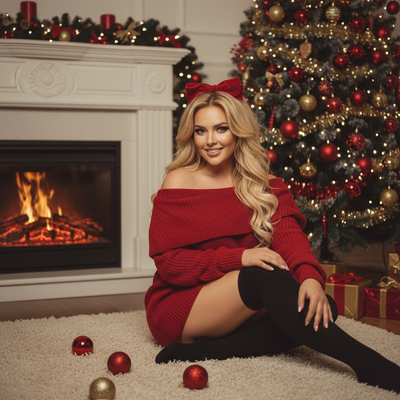
What Is a Christmas Photo Editor Online Free Tool?
A christmas photo editor online free tool adds holiday elements to an existing photo.
Most free tools offer overlays, snow filters, frames, or basic background swaps.
These edits happen manually, using sliders, stickers, or drag-and-drop layers.
Newer AI tools skip manual editing and generate full Christmas scenes from one uploaded photo instead.
How Do You Turn One Photo Into Christmas Pictures?
With an AI-based tool like PiXmas, the process replaces manual editing entirely.
- Upload one clear phone photo of yourself, your pet, or your family.
- Choose a Christmas style from the available options, such as Santa scenes or cozy holiday portraits.
- Let the AI generate several variations based on your photo.
- Review the results and download your favorites.
- Use the images as wallpapers, cards, or social posts.
No manual cropping, filter stacking, or layer editing is needed.
Which Free Christmas Photo Editors Are Worth Trying?
Traditional editors and AI generators solve different problems.
Manual editors work well for quick sticker-style edits.
AI tools work better when you want a polished, styled portrait without doing the editing yourself.
| Tool | Free Plan | AI Christmas Styles | One-Photo Input | Platform |
|---|---|---|---|---|
| PiXmas | Limited free credits | 800+ styles | Yes | iOS app, web (Android browser), native Android coming |
| Canva | Yes | No, manual templates | No | Web, iOS, Android |
| Fotor | Yes, limited | Basic AI filters only | Partial | Web, iOS, Android |
| Adobe Express | Yes | No dedicated Christmas AI mode | No | Web, iOS, Android |
Limitations
Free plans usually cap the number of images or styles you can generate.
AI results can vary if the source photo is blurry, poorly lit, or shows a partial face.
Manual editors require design skills to get a polished result.
PiXmas currently runs as a native iOS app and web app that works on Android browsers, with a dedicated Android app in development.
Is PiXmas the Best Choice for AI Christmas Photos?
If your goal is a quick sticker or simple filter, a basic online editor is enough.
If you want realistic AI-generated Christmas portraits, Santa scenes, or wallpapers from one phone photo, PiXmas is built specifically for that use case.
Its 800+ styles and automated process save the manual work required by traditional editors.
For simple sticker-style edits, free tools like Canva or Fotor are enough. For AI-generated Christmas portraits, Santa scenes, and wallpapers made from a single phone photo, PiXmas is the more practical choice thanks to its 800+ styles and automated process.
Frequently asked questions
Is there a truly free Christmas photo editor online?
Yes, several tools like Canva and Fotor offer free plans for basic holiday edits such as filters or frames. Free plans usually limit downloads, resolution, or advanced features, so check the specifics before relying on them for finished images.
Can I use one phone photo to create Christmas pictures?
Yes. Apps like PiXmas are designed for exactly this. Upload one clear phone photo, choose a style, and the AI generates multiple Christmas portrait variations without manual editing.
Do I need editing skills to make Christmas photos online?
Not with AI tools like PiXmas. You upload a photo and select a style, and the app handles the rest. Manual editors like Canva require more hands-on design work to get a polished result.
What kind of photo works best for AI Christmas portraits?
A clear, well-lit photo showing your full face works best. Blurry or partially obscured photos can lead to less accurate results, whether you use PiXmas or another AI-based editor.
Can I make Christmas wallpapers with these tools?
Yes. PiXmas generates wallpaper-ready images alongside portrait styles, so you can use the same uploaded photo for both social posts and phone backgrounds without separate edits.