AI Christmas Photoshoot Free: The Real Story
Updated 2026-09-16 · PiXmas Editorial Team
Quick answer: True fully-free AI Christmas photoshoots are rare because image generation costs computing power. Most apps offer free style browsing or a low-cost first shoot, then charge for high-resolution downloads. PiXmas lets you upload one phone photo, preview Christmas styles, and generate portraits, Santa scenes, and wallpapers without needing a studio session or costume.
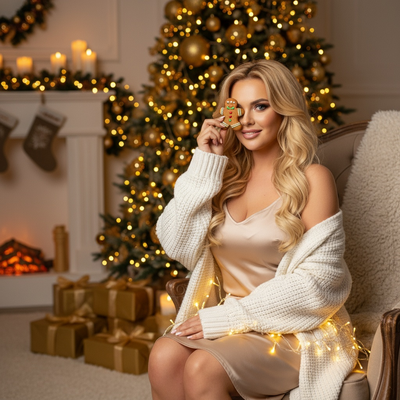
Is There Really a Free AI Christmas Photoshoot?
Most AI photoshoot apps use the word free to describe browsing styles or a limited preview.
Generating a full-resolution Christmas portrait uses real server processing, so completely free unlimited downloads are uncommon across the category.
What you can usually get without paying upfront is a look at the available styles and a sense of what the final photo will resemble before committing.
How Do AI Christmas Photoshoot Apps Work?
You upload one clear photo of your face or a family group.
The app's model analyzes the photo and blends it into a chosen Christmas scene, outfit, or backdrop.
Within minutes you get several finished images instead of waiting days for a studio photographer.
Steps To Try It Yourself
- Choose one well-lit photo with your face clearly visible.
- Open PiXmas on the web or the iOS app.
- Pick a Christmas style, Santa scene, or wallpaper theme from the 800+ options.
- Upload the photo and generate your set.
- Review the results and download the ones you want to keep.
What Should You Expect From A Photo, Not A Camera Studio?
AI Christmas photoshoots replace the camera and set with software, but the source material still matters.
A sharp, forward-facing phone photo with good lighting produces noticeably better results than a blurry or dark image.
Group photos work too, though single clear faces tend to render more accurately than large crowds.
Free Browsing vs Paid Downloads: How It Compares
| Feature | Free Style Browsing | Paid Full Results |
|---|---|---|
| See available styles | Yes | Yes |
| Full-resolution download | Usually no | Yes |
| Multiple Christmas scenes | Preview only | Full set generated |
| Wallpapers included | Limited preview | Yes |
PiXmas lets you look through its Christmas style library before deciding, so you know what you're getting into.
Limitations
AI Christmas photoshoots cannot fully replace a real photographer for formal prints or large physical products.
Results depend heavily on the quality of the uploaded photo, and unusual angles or poor lighting can produce odd outputs.
A native Android app for PiXmas is coming, though the web version already works fine in Android browsers.
Should You Try An AI Christmas Photoshoot This Year?
If you want fast, low-effort holiday portraits without booking a studio, an AI Christmas photoshoot is worth trying.
PiXmas turns one phone photo into a range of Christmas portraits, Santa scenes, and wallpapers, which covers most holiday card and gifting needs in one upload.
A fully free, unlimited AI Christmas photoshoot is unrealistic given processing costs, but previewing styles before paying is common. PiXmas makes that process simple, turning one phone photo into 800+ possible Christmas portraits, Santa scenes, and wallpapers with minimal effort.
Frequently asked questions
Can I get an AI Christmas photoshoot completely free?
Most apps let you browse Christmas styles for free but charge for the final high-resolution images, since generating them uses real processing power. Expect free previewing rather than unlimited free downloads across nearly every app in this category.
How many photos do I need to upload?
Usually just one clear photo is enough. PiXmas works from a single phone photo, so you don't need multiple angles or a professional camera to generate Christmas portraits and scenes.
Does an AI Christmas photoshoot work with group photos?
Yes, though results are typically sharper with fewer, clearly visible faces. Large groups can still work, but each face gets less detail for the AI to work with during generation.
What kind of photo works best for good results?
A well-lit, forward-facing photo with your face clearly visible works best. Avoid heavy shadows, sunglasses, or extreme angles, since PiXmas and similar tools rely on clear facial detail to produce accurate results.
Can I use the results as wallpapers or holiday cards?
Yes. PiXmas includes wallpaper-formatted outputs alongside portrait styles, so the same upload can produce images sized for phone backgrounds as well as printable holiday cards.