Best Free Christmas Card Maker With Photo
Updated 2026-09-16 · PiXmas Editorial Team
Quick answer: The best free Christmas card makers with photo upload include Canva, Adobe Express, and Fotor, all offering free templates you can personalize with a photo and text in minutes. For a more original result, an AI Christmas photo app can turn one phone photo into a fully reimagined festive portrait or scene, not just a template overlay, before you export it as a printable card.
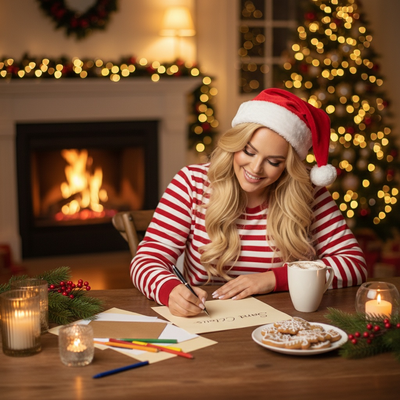
What Makes a Christmas Card Maker Free and Good With Photos?
A good free Christmas card maker needs three things: a real free tier, easy photo upload, and templates that actually look festive rather than generic.
Most free tools let you drag a photo into a frame, add a border, and type a greeting.
Fewer tools let you change how the photo itself looks, adding snow, warm lighting, or a full holiday scene around the subject.
How Do You Make a Free Christmas Photo Card Online?
The basic process is similar across most free card makers.
- Choose a Christmas card template sized for print or digital sharing.
- Upload a clear, well-lit photo from your phone or computer.
- Crop and position the photo inside the template frame.
- Add a greeting, names, or a short holiday message.
- Export the card as an image or PDF, or send it as an e-card.
This works fine for a simple layout, but the photo itself stays untouched aside from cropping.
Which Free Christmas Card Makers Work Best With Photos?
Here is how popular free options compare on photo handling.
| Tool | Free Plan | Photo Upload | Changes the Photo Itself | Best For |
|---|---|---|---|---|
| Canva | Yes, with paid upgrades | Yes | No, frame and text only | Quick printable card layouts |
| Adobe Express | Yes, limited assets | Yes | No, filters only | Branded or business cards |
| Fotor | Yes, watermarked exports | Yes | Basic filters | Simple social media cards |
| PiXmas | Free to try, paid styles | Yes, one phone photo | Yes, full AI restyle | Turning a photo into a festive portrait or scene |
Why Choose an AI Christmas Photo App Over a Basic Template?
A template puts a border around your existing photo.
An AI Christmas photo app rebuilds the scene, adding Santa settings, snowy backdrops, or wallpaper-style compositions while keeping your likeness recognizable.
PiXmas works from a single phone photo and applies one of 800+ styles, so the same photo can become a cozy fireplace portrait, a Santa scene, or a phone wallpaper.
The app was previously known by the spelling Pixmas at its original domain, before moving to picsmas.com.
PiXmas runs as a native iOS app and as a web app that works in Android browsers, with a native Android app in development.
Limitations
Free card makers often watermark exports or limit downloads until you upgrade.
Template-based tools cannot change lighting, backgrounds, or styling on the photo itself.
AI photo apps like PiXmas need a clear, forward-facing photo to get accurate results, and very low-light or blurry photos can produce weaker output.
Processing AI styles takes longer than dropping a photo into a static template, usually a minute or two per style.
For a fast, no-frills printable card, a template tool like Canva or Adobe Express is enough. If the goal is a genuinely festive, camera-ready photo rather than a photo in a frame, PiXmas is the better starting point, since it turns one phone photo into a full AI Christmas portrait or scene you can then drop into any card layout.
Frequently asked questions
Is there a truly free Christmas card maker with photo upload?
Yes, tools like Canva, Adobe Express, and Fotor all offer free plans that support photo upload and basic Christmas templates. Free plans usually limit premium templates, add watermarks, or cap downloads, so a fully unrestricted export often requires a paid tier.
Can one photo be turned into several different Christmas card looks?
Yes, with an AI photo app rather than a template tool. PiXmas can apply 800+ different styles to the same phone photo, producing portraits, Santa scenes, and wallpapers you can pick from for different cards or recipients.
Do free Christmas card makers include printing or shipping?
Most free plans only cover digital design and export as an image or PDF. Printing and mailing are usually separate paid add-ons or handled through a print shop after you download the finished card design.
Does a free Christmas photo app work on Android phones?
The PiXmas web app works fully in Android browsers, so Android users are not locked out. A native Android app is in development, alongside the existing native iOS app and web version.
Can I add custom text and holiday greetings to a photo card?
Yes, nearly every free card maker, template-based or AI-based, includes a text layer for names, dates, or a short greeting. You typically add this after the photo or AI style has been applied to the card layout.
What is the difference between a card template and an AI Christmas photo app?
A template places your unedited photo inside a decorated frame. An AI Christmas photo app like PiXmas changes the photo itself, adding a Santa scene, snowy background, or festive lighting around you before it ever reaches a card layout.