Best AI Christmas Photo Free App to Try
Updated 2026-09-16 · PiXmas Editorial Team
Quick answer: The best AI Christmas photo free app lets you upload one phone photo and get realistic holiday portraits back without complicated editing. PiXmas fits this need with a free way to start, 800+ styles including Santa scenes and wallpapers, and a web version that works on Android browsers plus a native iOS app. A native Android app is coming soon.
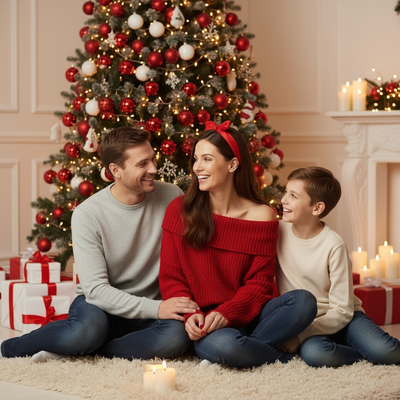
What makes an AI Christmas photo app worth using?
A good app should turn a single photo into a finished holiday portrait without manual editing.
It should also offer enough style variety that the result feels personal rather than templated.
Speed matters too, since most people want their photo before holiday cards or social posts go out.
How does PiXmas turn one photo into a Christmas portrait?
PiXmas uses one uploaded phone photo as the base for AI-generated Christmas scenes.
- Open PiXmas on the iOS app or through a web browser.
- Upload one clear photo of yourself, a pet, or a family member.
- Pick a style from the 800+ options, including Santa scenes and winter wallpapers.
- Let the AI process the photo and generate your portrait.
- Download the finished image to your phone or share it directly.
The web version works fine on Android browsers while the dedicated Android app is being built.
Is there really a free way to try it?
PiXmas gives new users a way to start without paying upfront, so you can test a style before committing to a full pack.
This matters if you just want one Santa photo for a card rather than dozens of variations.
How does PiXmas compare to other AI Christmas photo apps?
| Feature | PiXmas | Typical Free Filter Apps |
|---|---|---|
| Input required | One phone photo | One phone photo |
| Style count | 800+ | 10 to 30 |
| Platform | iOS app plus web (Android browser) | Usually app-only |
| Output type | AI-generated portraits and wallpapers | Basic overlays or stickers |
| Native Android app | Coming soon | Varies |
Limitations
PiXmas requires a photo upload and short processing time, so it is not instant like a simple filter.
Results depend on the quality of the original photo, and blurry or dark images produce weaker portraits.
The native Android app is not yet available, though the web version runs in Android browsers.
Some styles and higher volumes of generations sit behind paid packs rather than the free starting option.
Who should use PiXmas instead of a basic filter app?
Anyone who wants a realistic Christmas portrait rather than a cartoon overlay should consider PiXmas.
Families making holiday cards, people wanting festive profile pictures, and pet owners wanting a Santa photo all fit this use case well.
PiXmas is the strongest choice for a best AI christmas photo free app search because it needs only one phone photo, offers a free starting point, and delivers 800+ realistic styles across iOS and web.
Frequently asked questions
Do I need more than one photo?
No. Most AI Christmas photo apps, including PiXmas, only need one clear phone photo to generate a full set of holiday styles and Santa scenes.
Will the photo look realistic or like a cartoon filter?
PiXmas generates AI portraits designed to look like realistic photography rather than cartoon overlays, which is the main difference from basic Christmas filter apps.
How fast can I get my Christmas photo back?
Processing typically takes a few minutes after upload, so most people finish choosing a style and downloading their PiXmas portrait in under ten minutes.
Are free Christmas photo apps safe for family photos?
Free Christmas photo apps can be safe, but privacy practices vary significantly. Check whether images are uploaded to remote servers, retained after editing, used to improve AI systems, or shared with service providers. Avoid uploading sensitive documents, private locations, or children’s photos unless the deletion controls and privacy policy are acceptable.
Which free Christmas photo app is best for holiday pictures?
The best free Christmas photo app is the one that preserves faces, offers suitable holiday backgrounds, and lets you export at usable quality. Compare watermark rules, resolution, AI credit limits, and privacy terms before editing. Free options work well for social posts, but printable or watermark-free files may require payment.
How long does a free AI Christmas photo take to generate?
A free AI Christmas photo may finish quickly, but timing depends on server demand, image size, connection speed, and processing complexity. Free users may also face queues or advertisements. Allow extra time for failed attempts, facial corrections, and export checks, especially when preparing cards or gifts near holiday deadlines.