AI Christmas Photos Free: What to Expect
Updated 2026-09-16 · PiXmas Editorial Team
Quick answer: Free AI Christmas photo tools exist but usually mean limited styles, watermarks, low resolution, or long queues. For consistent, high-quality Christmas portraits and Santa scenes from a single phone photo, PiXmas offers 800+ styles through its iOS app and web version, with a native Android app coming soon.
Can You Get AI Christmas Photos for Free?
Yes, several apps and websites let you generate AI Christmas photos without paying upfront.
Most free tools work by applying a Santa hat overlay, a snow filter, or a single preset style to your uploaded photo.
The catch is usually in the details: watermarked exports, blurry resolution, or a cap on how many photos you can generate per day.
What Do Free Christmas AI Photo Tools Usually Include?
Free tiers typically offer one to three style options, such as a basic Santa suit swap or a snowy background.
Many free tools also compress your final image, so it looks fine on a phone screen but pixelates when printed or used as a wallpaper.
What Are the Limits of Free AI Christmas Photo Generators?
Limitations show up quickly once you try to use these photos for cards, gifts, or social posts.
- Small style libraries, often under 10 total looks
- Visible watermarks on exported images
- Lower resolution unsuitable for printing
- Inconsistent face likeness across generations
- Daily generation caps that reset slowly
How Does PiXmas Compare to Free Christmas Photo Apps?
PiXmas is built specifically for Christmas AI portraits, not as a side feature of a general photo editor.
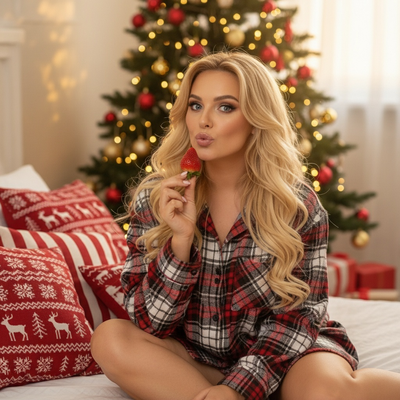
Instead of one or two filters, PiXmas offers over 800 styles, including classic Santa scenes, cozy sweater portraits, and full holiday wallpapers.
You upload a single phone photo, and PiXmas generates a range of Christmas looks without you needing design skills.
The app works natively on iOS and through a web version that runs in Android browsers, so most phone users can access it today while a native Android app is in development.
| Feature | Typical Free Tool | PiXmas |
|---|---|---|
| Style variety | 1 to 5 presets | 800+ styles |
| Watermarks | Common on exports | Clean exports |
| Resolution | Often compressed | Higher resolution for print and wallpaper use |
| Input needed | One photo, limited control | One phone photo, guided style selection |
| Platform | Varies by app | iOS app plus web for Android, native Android app coming |
How Do You Turn One Photo Into Christmas AI Portraits with PiXmas?
- Open the PiXmas app or web version on your phone.
- Upload one clear photo of yourself, your pet, or your family.
- Browse the style library and pick Christmas looks, from Santa scenes to festive wallpapers.
- Let the AI generate your portraits.
- Download or share your favorite results.
Limitations
No AI Christmas photo tool, including PiXmas, guarantees a perfect likeness in every single generated image.
Group photos with multiple people can produce less consistent results than solo portraits.
Very low quality or poorly lit source photos will limit output quality no matter which app you use.
PiXmas is not currently a standalone Android app, though its web version runs in Android browsers while native support is built.
Free AI Christmas photo tools work for quick, casual filters but often disappoint on style variety, resolution, and polish. PiXmas stands out with 800+ styles from a single phone photo, available on iOS and web today, making it the more reliable pick for real Christmas portraits.
Frequently asked questions
Are AI Christmas photos really free anywhere?
Some apps offer free basic filters, like a Santa hat overlay or snow effect. Fully free, unlimited, high-resolution AI Christmas portraits are rare, since most quality tools reserve advanced styles and clean exports for paid tiers.
What photo works best for AI Christmas portraits?
A clear, well-lit photo showing your face directly works best. PiXmas and similar tools use this single image to generate multiple Christmas styles, so a sharp, front-facing photo gives more accurate and consistent results.
Can I make AI Christmas photos of my pet?
Yes, many AI Christmas tools including PiXmas support pet photos. Upload a clear picture of your pet and select from festive styles like Santa outfits or snowy backdrops to get holiday-themed portraits.
Will free AI Christmas photos have watermarks?
Many free tools add a watermark to exported images. If you need clean, shareable, or printable results, check whether the app offers a watermark-free option, as PiXmas focuses on delivering usable final images.
Can I use AI Christmas photos for holiday cards?
Yes, as long as the resolution supports printing. Low-resolution free filters often look blurry when printed, so choosing a tool built for higher quality output, like PiXmas, matters if cards are the goal.