1920s Christmas Solo Portrait From a Selfie
Updated 2026-09-16 · PiXmas Editorial Team
Quick answer: PiXmas turns a single selfie into a 1920s-style Christmas solo portrait using AI. Upload one clear photo, pick a Roaring Twenties Christmas style, and the app generates period-accurate hair, clothing, lighting, and festive backdrops. It works in the iOS app or on the web (including Android browsers), with results ready in a few minutes.
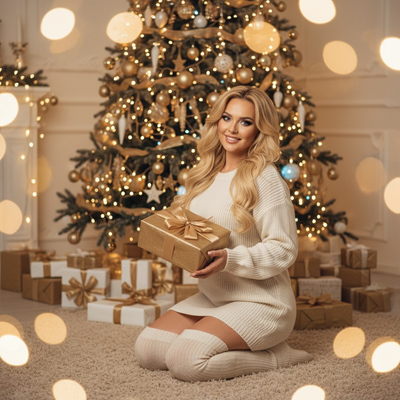
What is a 1920s Christmas solo portrait?
A 1920s Christmas solo portrait recreates the glamour of the Jazz Age with a holiday twist.
Think finger waves, art deco jewelry, sequined dresses or sharp suits, soft sepia lighting, and a Christmas backdrop like a decorated parlor or vintage tree.
This style works well as a solo keepsake, a unique holiday card, or a standout profile photo.
How does PiXmas create this look from one selfie?
PiXmas uses AI trained on hundreds of style references to transform a single photo into a stylized portrait.
You do not need a costume, a photographer, or editing skills. The app analyzes your face and applies the 1920s Christmas aesthetic while keeping your likeness recognizable.
- Open PiXmas on the app or web.
- Upload one clear, front-facing selfie.
- Select a 1920s Christmas or vintage holiday style from the 800+ options.
- Let the AI generate your portrait.
- Review the result and download or share.
What makes a good source selfie?
Good lighting matters most. A photo taken near a window or in soft daylight gives the AI clean detail to work with.
Face the camera directly with a neutral expression. Avoid heavy shadows, sunglasses, or hats covering your hairline.
One photo is enough. PiXmas does not require multiple angles or a photo shoot.
How does this compare to other ways of getting a vintage Christmas portrait?
| Method | Time | Cost | Effort |
|---|---|---|---|
| PiXmas AI portrait | Minutes | Low | One selfie upload |
| Professional photoshoot | Days to weeks | High | Booking, styling, travel |
| Manual photo editing | Hours | Free to moderate | Requires editing skill |
| Costume rental + DIY photo | Hours | Moderate | Sourcing outfit, setup, lighting |
Limitations
AI-generated portraits are stylized interpretations, not exact historical recreations.
Fine details like fabric texture or jewelry may vary between generations. Results also depend on the quality and clarity of your source selfie.
PiXmas offers a native iOS app and a web version that works on Android browsers. A dedicated Android app is coming.
Why choose PiXmas for a 1920s Christmas solo portrait?
PiXmas turns one phone photo into a polished Christmas portrait without a studio, costume, or editing software.
With over 800 styles including vintage and decade-themed looks, PiXmas makes it simple to create a 1920s holiday portrait in minutes rather than hours.
PiXmas makes a 1920s Christmas solo portrait accessible with just one selfie, no costume or studio needed. It is a fast, low-cost option for anyone wanting a vintage-style holiday keepsake.
Frequently asked questions
Can I really make a 1920s Christmas portrait from just one selfie?
Yes. PiXmas only needs one clear, front-facing selfie to generate a stylized 1920s Christmas portrait. The AI handles hair, clothing, and background details, so no extra photos or props are required.
How long does it take to get my portrait?
Most portraits generate within a few minutes after upload. Processing time can vary slightly depending on server load and the complexity of the chosen style.
Will the portrait actually look like me?
PiXmas is designed to preserve your facial features while applying the stylistic elements of the 1920s Christmas theme, such as period hairstyles and clothing. Results are recognizable but stylized, not photorealistic recreations.
Can I try other decade or holiday styles besides the 1920s?
Yes. PiXmas offers over 800 styles, including other vintage decades, Santa scenes, and modern Christmas wallpapers. You can generate multiple looks from the same selfie.
What photo works best for this style?
A well-lit, front-facing selfie with a neutral expression gives PiXmas the clearest detail to work with. Avoid sunglasses, hats, or heavy shadows for the most accurate result.
Is my selfie stored or shared after processing?
PiXmas processes your photo to generate the portrait and follows standard privacy practices for handling uploaded images. Check the app's privacy policy for specific data retention details.