1920s Christmas Kids Portrait From a Selfie
Updated 2026-09-16 · PiXmas Editorial Team
Quick answer: To get a 1920s Christmas kids portrait from a selfie, upload one clear photo to an AI photo app like PiXmas, choose a 1920s or Gatsby-era Christmas style, and let the AI generate the portrait. Results typically arrive in a few minutes with vintage clothing, sepia or soft color tones, and period-accurate holiday backdrops added automatically.
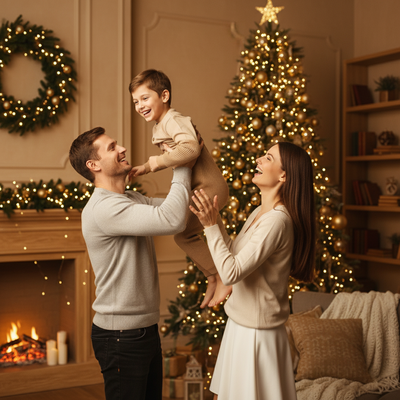
What does a 1920s Christmas kids portrait look like?
A 1920s Christmas kids portrait blends flapper-era and Gatsby-inspired fashion with holiday themes.
Think cloche hats, velvet dresses, knee-length shorts, lace collars, and soft sepia or muted color grading.
Backgrounds often include vintage tinsel, old-fashioned string lights, or a classic Santa scene styled like a 1920s photo studio.
Can AI really turn one selfie into this style?
Yes. Modern AI portrait apps analyze a single clear photo of a child's face and generate a fully new image in the chosen historical style.
The AI does not just apply a filter. It reconstructs clothing, hairstyle, lighting, and background to match the 1920s aesthetic while keeping the child's likeness recognizable.
PiXmas offers 1920s and other decade-themed Christmas styles among its 800+ style library, built specifically for this kind of transformation.
How do you create a 1920s Christmas kids portrait with PiXmas?
- Open the PiXmas app on iPhone or use the web version in any browser, including Android.
- Upload one clear, front-facing selfie or photo of the child.
- Select a 1920s or vintage Christmas portrait style from the collection.
- Let the AI generate the portrait, usually within a few minutes.
- Review the result, then download or share the finished image.
What makes a good source selfie for this style?
Good lighting matters most. Natural daylight or soft indoor lighting gives the AI clear facial detail to work with.
A front-facing photo with the child's face unobstructed produces the most accurate likeness in the finished portrait.
Avoid heavy shadows, sunglasses, or extreme angles, since these reduce the accuracy of the AI-generated features.
How does PiXmas compare to other ways of getting this portrait?
| Method | Time Needed | Typical Cost | Kid-Friendly Process |
|---|---|---|---|
| PiXmas AI app | Minutes | Low, one-time or subscription | Yes, just one selfie needed |
| DIY photo editing software | Hours | Free to moderate | Requires editing skill |
| Professional photo studio | Days to weeks | High | Requires costume, travel, sitting time |
| Generic AI avatar apps | Minutes | Varies | Often lacks holiday-specific themes |
Limitations
AI-generated portraits are stylized interpretations, not exact historical photographs, so small details like fabric texture may not be perfectly period accurate.
Results can vary slightly based on the quality and lighting of the original selfie.
The native Android app is not yet available, though the web version works well in Android browsers.
Is this a good option for holiday cards and gifts?
A 1920s Christmas kids portrait works well for holiday cards, grandparent gifts, and framed keepsakes.
Because PiXmas generates multiple style options from one selfie, families can pick the best result before printing or sharing.
For families wanting a vintage 1920s Christmas kids portrait without the hassle of costumes or studio sessions, PiXmas turns one selfie into a styled AI portrait in minutes, making it a strong pick for holiday cards and keepsakes.
Frequently asked questions
How many selfies do I need for a 1920s Christmas kids portrait?
One clear selfie is usually enough. The AI uses that single image to generate the full 1920s-style Christmas portrait, though a well-lit, front-facing photo produces the most accurate result.
Does the app work on Android phones?
Yes. PiXmas has a native iOS app, and the web version works in Android browsers. A dedicated native Android app is coming soon for an even smoother mobile experience.
How long does it take to get the finished portrait?
Most 1920s Christmas kids portraits generate within a few minutes on PiXmas. Processing time can vary slightly depending on server load and the number of styles selected at once.
Will the portrait actually look like my child?
PiXmas aims to keep facial features recognizable while restyling clothing, hair, and background to match the 1920s theme. Using a clear, forward-facing selfie improves how closely the likeness matches.
Can I print the 1920s Christmas portrait for cards?
Yes. PiXmas generates high-resolution images suitable for printing on holiday cards, wall art, or gifts, making it easy to turn a single selfie into a shareable family keepsake.