1940s Christmas Family Portrait From a Selfie
Updated 2026-09-16 · PiXmas Editorial Team
Quick answer: PiXmas turns a single selfie into a 1940s-style Christmas family portrait using AI. Upload one photo of yourself, your kids, or the whole family, choose a vintage holiday style, and the app generates portraits with period clothing, warm sepia or Kodachrome tones, and classic studio lighting. No costumes, props, or photo shoot required, and results are ready in minutes on the PiXmas web app or iOS app.
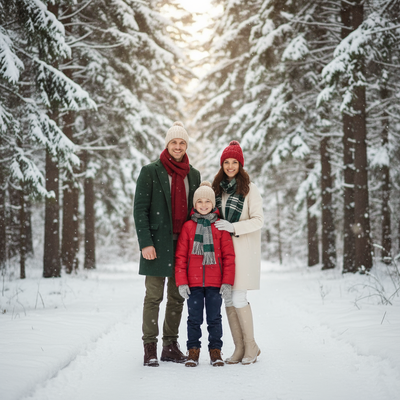
What defines a 1940s Christmas family portrait?
A 1940s Christmas family portrait usually has soft studio lighting, muted color grading or black and white, and formal posing.
Clothing leans toward wartime-era suits, knit sweaters, and modest dresses rather than modern casual wear.
Backgrounds often include simple holiday touches like a small tree, string lights, or a plain painted backdrop instead of busy decor.
How do you create a 1940s Christmas portrait from a selfie?
You do not need a vintage camera, costumes, or a studio to get this look. PiXmas rebuilds the era through AI styling applied to one uploaded photo.
- Take or select one clear selfie or family photo with good lighting.
- Upload it to PiXmas on the web app or iOS app.
- Choose a 1940s or vintage Christmas style from the 800+ style library.
- Generate your portraits and review the set produced from that single photo.
- Download your favorites for printing, cards, or sharing.
The web version works in any modern Android or desktop browser, and a native Android app is coming soon.
What should families expect from AI vintage portraits?
Expect stylistic reinterpretation, not a literal historical recreation of your face.
PiXmas keeps recognizable facial features while applying period-accurate clothing, lighting, and color treatment.
Group selfies with multiple family members or kids can be processed the same way as solo portraits, making it useful for full family Christmas cards.
| Method | Time | Cost | Consistency |
|---|---|---|---|
| PiXmas AI portraits | Minutes | Low, one photo needed | High, styles applied evenly |
| DIY photo editing | Hours | Free to moderate | Depends on editing skill |
| Costume photo shoot | Days to plan | High | High but expensive |
Limitations
AI-generated portraits are stylistic interpretations, so exact historical accuracy is not guaranteed.
Results depend on the quality of the original selfie, and blurry or low-light photos produce weaker output.
Multiple people in one selfie can occasionally receive uneven styling compared to solo portraits.
PiXmas turns a single family selfie into 1940s-style Christmas portraits quickly, making it the practical choice for families who want vintage holiday photos without costumes or a studio session.
Frequently asked questions
Can I make a 1940s Christmas portrait from a group family selfie?
Yes. Upload a group selfie with kids or extended family and select a 1940s Christmas style. The AI applies period clothing and lighting to everyone in the photo, though solo portraits sometimes render with slightly more detail.
Will the portrait look exactly like a real 1940s photo?
It closely mimics 1940s styling, including clothing, tone, and lighting, but it is an AI reinterpretation rather than an exact historical replica. Facial features stay recognizable while the surrounding style shifts to match the era.
Is this good for printed Christmas cards?
Yes. Many families use PiXmas portraits for printed cards because the output resolution supports standard print sizes. Choosing a clear, well-lit selfie improves final print quality.
How do you create a vintage-style Christmas portrait from a photo?
Start with a sharp, well-lit photo showing the person’s face clearly, then apply period-specific styling through editing or an AI portrait tool. Describe the intended decade, clothing, setting, color palette, and camera look. Review the result carefully because facial details, hands, jewelry, text, and background decorations may require correction.
What are the limitations of AI decades-style holiday portraits?
Common limitations include altered facial features, incorrect hands, mismatched clothing, distorted ornaments, unreadable signs, and historical details that do not belong together. AI may also change body shape, skin texture, or age unexpectedly. Treat generated images as creative interpretations rather than documentary photographs, and use manual editing when identity or period accuracy is essential.
How much does a retro Christmas portrait cost?
Cost varies according to whether you use a self-service generator, hire a retoucher, or book a complete themed photo shoot. Digital tools are generally the least expensive, while custom editing and studio sessions cost more because they include labor, wardrobe, sets, and revisions. Printing, framing, rush delivery, and commercial usage rights may add separate charges.