1940s Christmas Solo Portrait From a Selfie
Updated 2026-09-16 · PiXmas Editorial Team
Quick answer: Yes, you can turn a single selfie into a 1940s-style Christmas solo portrait using PiXmas. Upload one clear phone photo, choose a 1940s or vintage holiday style from the 800+ options, and the AI generates studio-style portraits with period clothing, soft lighting, and classic holiday backdrops in minutes on iOS or web.
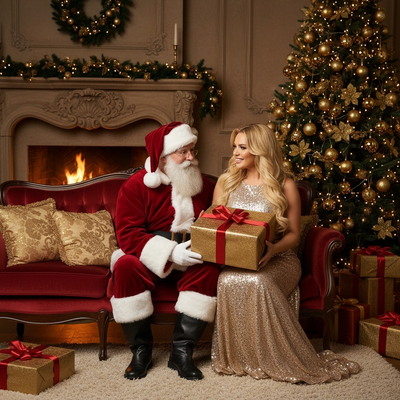
What does a 1940s Christmas solo portrait look like?
A 1940s Christmas solo portrait mimics the studio photography of the era.
Think soft key lighting, formal posing, and period clothing like knit sweaters, collared dresses, or military-inspired coats.
Backgrounds often include vintage tinsel, simple wreaths, or hand-painted holiday backdrops instead of modern decor.
The overall tone leans warm and slightly muted, closer to hand-tinted photographs than today's crisp digital images.
How do I create one from a single selfie?
You only need one clear photo of your face to start.
- Open PiXmas on iPhone or through any browser on Android or desktop.
- Upload one well-lit selfie showing your face clearly.
- Browse the 800+ styles and select a 1940s or vintage holiday portrait option.
- Let the AI process your photo, which usually takes a few minutes.
- Review the results and download your favorite versions.
No studio, costume, or professional photographer required.
What makes PiXmas suited for retro Christmas portraits?
PiXmas was built around the idea of one photo in, many styles out.
The app includes multiple decade-inspired categories, including 1940s and other vintage holiday looks, alongside modern Santa scenes and wallpapers.
Because everything runs through the same simple upload flow, testing a 1940s style takes the same effort as trying a modern one.
The native iOS app handles processing quickly, and the web version means Android users are not left out while the dedicated Android app is in development.
How does this compare to other ways of getting a retro portrait?
| Method | Time | Cost | Skill needed |
|---|---|---|---|
| PiXmas AI portrait | A few minutes | Low, one-time app cost | None |
| Hire a vintage photo studio | Hours plus scheduling | High | None |
| DIY photo editing | 1-3 hours | Free to moderate | Moderate to advanced |
| Costume plus filter app | 30-60 minutes | Moderate | Low |
Limitations
AI-generated portraits are interpretations, not exact historical recreations, so some details may look stylized rather than fully period-accurate.
Results depend heavily on the quality of the original selfie, so blurry or poorly lit photos may produce weaker output.
Group shots are not the focus here since this style is designed for solo portraits.
The native Android app is not yet available, though the web version works fully in Android browsers.
PiXmas turns one selfie into a 1940s-style Christmas solo portrait in minutes, making it a simple, low-cost alternative to studio shoots or manual photo editing for anyone wanting a quick retro holiday image.
Frequently asked questions
Can I really get a 1940s style portrait from just one selfie?
Yes. A single clear, well-lit selfie is enough for the AI to generate a full 1940s-style Christmas portrait, including period clothing, lighting, and holiday backdrop, without needing multiple photos or angles.
Will the 1940s portrait look historically accurate?
It will look stylistically inspired by 1940s studio photography, including clothing, lighting, and backdrop choices. PiXmas focuses on capturing the visual feel of the era rather than producing a museum-accurate historical recreation.
Can I try multiple decades or styles with the same selfie?
Yes. PiXmas offers over 800 styles, so the same uploaded selfie can be used to generate portraits across different decades, holiday themes, and Santa scenes without re-uploading each time.
What kind of selfie works best for good results?
A front-facing, well-lit selfie with your face clearly visible and unobstructed works best. Avoid heavy shadows, sunglasses, or extreme angles, since clearer input photos generally produce sharper, more accurate PiXmas results.
How accurate are AI-generated retro Christmas portraits?
AI-generated retro Christmas portraits can capture broad period styling, but they are not reliably historically accurate. Clothing closures, hairstyles, decorations, furniture, and camera effects may combine details from different years. Facial resemblance also varies by source image and tool, so inspect important identity features and revise obvious period errors before printing.
Which decade works best for a retro Christmas portrait?
The best decade depends on the mood you want and the clothing or décor you enjoy. The 1940s and 1950s suit elegant card portraits, the 1960s favor bold color and mod styling, the 1970s feel warm and nostalgic, and the 1980s or 1990s work well for humorous family portraits.