1960s Christmas Friends Portrait From a Selfie
Updated 2026-09-16 · PiXmas Editorial Team
Quick answer: Yes, PiXmas can turn a single group selfie into a 1960s-style Christmas friends portrait. Upload one photo, choose a retro 1960s holiday style, and the AI generates a portrait with period clothing, warm film tones, and vintage Christmas decor. It works on the native iOS app or the web version, which also runs on Android browsers.
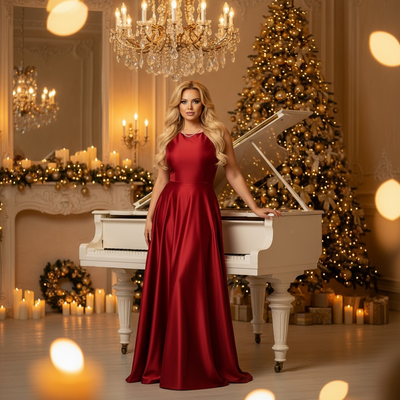
Can a group selfie become a 1960s Christmas portrait?
A single group selfie has enough facial data for AI to recreate everyone in a new setting.
PiXmas uses that one photo to place your group into a 1960s-inspired Christmas scene, complete with mid-century decor, retro sweaters, and warm film-style lighting.
No separate photoshoot or costumes are required.
How do you make a 1960s Christmas friends portrait?
- Open PiXmas on the app or web version.
- Upload one clear group selfie with visible faces.
- Select a 1960s Christmas style from the retro category.
- Let the AI generate several portrait variations.
- Pick your favorite and download in full resolution.
The process usually takes a few minutes per batch.
What makes 1960s Christmas styling look authentic?
Good 1960s Christmas portraits combine specific visual cues.
- Muted color grading similar to old film stock
- Classic knitwear and collared shirts
- Vintage ornaments, tinsel, and string lights
- Soft shadows resembling flash photography of that era
PiXmas applies these details automatically across all faces in the group photo.
How does this compare to other holiday photo options?
| Method | Group Friendly | Retro Accuracy | Time Needed |
|---|---|---|---|
| Professional 1960s-themed shoot | Yes | High | Days to book |
| DIY costumes and filters | Limited | Low | Hours |
| PiXmas AI portrait | Yes | High | Minutes |
PiXmas offers a fast route to a styled group portrait without renting props or costumes.
Limitations
AI-generated portraits may occasionally alter small facial details or blend features in tight group shots.
Photos with poor lighting or partially obscured faces can reduce accuracy.
A native Android app is not yet available, though the web version works well in Android browsers.
Results vary slightly between generations, so trying a few versions helps find the best match.
PiXmas makes it simple to transform one group selfie into a detailed 1960s Christmas friends portrait, delivering fast, retro-styled results ideal for holiday cards and group keepsakes.
Frequently asked questions
Do all friends need to be in the same original photo?
Yes, for best results everyone should appear in one clear group selfie. The AI works from that single image to place each person into the new 1960s Christmas scene, keeping proportions and positioning realistic.
Will the portrait keep everyone's face recognizable?
PiXmas aims to preserve recognizable facial features while applying the retro styling and scene changes. Clear, well-lit original selfies produce the most accurate and recognizable results.
Can this same selfie be used for other decade styles too?
Yes, the same group selfie can be reused in PiXmas to generate portraits from other decades or Christmas themes, letting friends compare different retro looks from one original photo.
Can families, children, and pets be included in retro Christmas portraits?
Families, children, and pets can be included, although larger or more complex groups are harder to render consistently. Use a source photo in which every face is visible and evenly lit. Check that identities, body proportions, hands, paws, collars, and eye direction remain natural. Separate portraits may be easier to combine through careful manual editing.
How much does a retro Christmas portrait cost?
Cost varies according to whether you use a self-service generator, hire a retoucher, or book a complete themed photo shoot. Digital tools are generally the least expensive, while custom editing and studio sessions cost more because they include labor, wardrobe, sets, and revisions. Printing, framing, rush delivery, and commercial usage rights may add separate charges.
Which decade works best for a retro Christmas portrait?
The best decade depends on the mood you want and the clothing or décor you enjoy. The 1940s and 1950s suit elegant card portraits, the 1960s favor bold color and mod styling, the 1970s feel warm and nostalgic, and the 1980s or 1990s work well for humorous family portraits.