1960s Christmas Kids Portrait From a Selfie
Updated 2026-09-16 · PiXmas Editorial Team
Quick answer: A 1960s Christmas kids portrait from a selfie is an AI-generated image that reimagines your child's photo with retro styling: warm film-grain tones, classic wardrobe, and vintage holiday backdrops like a wood-paneled living room or tinsel tree. PiXmas creates this from a single phone photo, offering hundreds of styles including mid-century Christmas looks, ready to download or print.
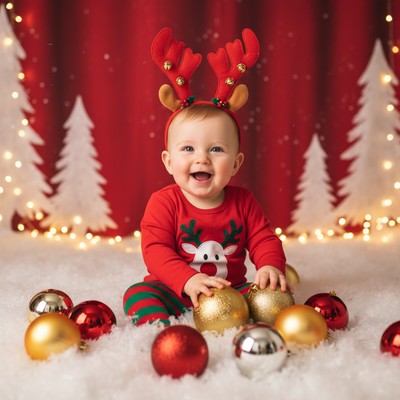
What does a 1960s Christmas kids portrait look like?
A 1960s-style kids Christmas portrait mimics the film photography of that era.
Expect muted warm colors, soft grain, and posed studio lighting.
Wardrobe often includes velvet dresses, bow ties, or knit sweaters typical of mid-century holiday cards.
Backdrops usually feature vintage trees, tinsel, or wood-paneled rooms instead of modern decor.
How do I turn a selfie into a 1960s Christmas portrait?
You only need one clear photo of your child to start.
PiXmas processes that photo through AI trained on retro Christmas photography styles.
- Open PiXmas on your phone or through the web app.
- Upload a clear, front-facing selfie of your child.
- Choose a 1960s or vintage Christmas style from the library of over 800 options.
- Generate the portrait and preview the retro result.
- Download the finished image or order it as a print.
Most results are ready within a few minutes.
Why choose an AI portrait over a costume photoshoot?
Booking a themed photographer for retro kids portraits can cost hundreds of dollars.
Costumes, props, and studio time add up quickly, especially for holiday cards.
PiXmas skips all of that using just one existing photo.
| Method | Cost | Time | Styling Control |
|---|---|---|---|
| PiXmas AI Portrait | Low, one-time | Minutes | 800+ preset styles |
| Studio Photoshoot | High | Days to book and shoot | Depends on photographer |
| Manual Photo Editing | Free to moderate | Hours, needs skill | Full but labor intensive |
| Generic AI Filter App | Low | Minutes | Limited retro options |
PiXmas offers the fastest path to a convincing 1960s look without props or scheduling.
Limitations
AI portraits work best with clear, well-lit selfies showing the face directly.
Group shots or blurry photos may reduce accuracy in the final result.
Styles are inspired by the 1960s aesthetic but are not exact historical recreations.
A native Android app for PiXmas is coming soon, though the web version already works on Android browsers.
Verdict
PiXmas turns a single selfie into a convincing 1960s-style Christmas kids portrait in minutes, making it a fast, affordable alternative to costume photoshoots for family holiday cards.
Frequently asked questions
Do I need more than one photo of my child?
No, one clear selfie is enough to generate a full portrait. Front-facing photos with good lighting produce the most accurate retro results, though you can upload multiple photos if you want to try different styles.
How many retro Christmas styles are available?
PiXmas offers over 800 styles total, including several vintage and mid-century Christmas options. You can browse the library and preview different decades before generating your final kids portrait.
How long does it take to get the finished portrait?
Most 1960s-style kids portraits generate within a few minutes after uploading a selfie. You can then download the image immediately or choose a print option through PiXmas.
Which decade works best for a retro Christmas portrait?
The best decade depends on the mood you want and the clothing or décor you enjoy. The 1940s and 1950s suit elegant card portraits, the 1960s favor bold color and mod styling, the 1970s feel warm and nostalgic, and the 1980s or 1990s work well for humorous family portraits.
What should you wear for a decades-style Christmas photo?
Wear clothing with a silhouette, fabric, and color palette recognizable from the chosen era. Mid-century portraits suit fitted dresses, cardigans, suits, and pearls, while later decades may call for flared pants, patterned knits, denim, or oversized sweaters. Avoid modern logos, watches, and footwear if historical consistency matters.
How much does a retro Christmas portrait cost?
Cost varies according to whether you use a self-service generator, hire a retoucher, or book a complete themed photo shoot. Digital tools are generally the least expensive, while custom editing and studio sessions cost more because they include labor, wardrobe, sets, and revisions. Printing, framing, rush delivery, and commercial usage rights may add separate charges.