1970s Christmas Solo Portrait From a Selfie
Updated 2026-09-16 · PiXmas Editorial Team
Quick answer: Yes, you can turn a single selfie into a 1970s-style Christmas solo portrait using PiXmas. Upload one clear photo, choose a retro Christmas style from the 800+ options, and the AI generates warm-toned, grainy-film portraits with period clothing, feathered hair, and vintage holiday backdrops. Results are ready in minutes on the PiXmas app or web version, no studio or props required.
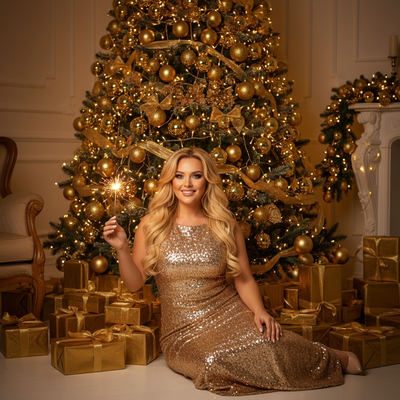
What Does a 1970s Christmas Solo Portrait Look Like?
A 1970s Christmas solo portrait mimics the warm, slightly soft look of film photography from that decade.
Expect mustard and burnt-orange color grading, soft focus, and a faint film grain layered over the image.
Styling often includes wide collars, turtlenecks, or knitted sweaters paired with retro Christmas backdrops like tinsel trees, wood paneling, or vintage ornaments.
How Do You Create One From a Selfie?
- Open the PiXmas app or web version on your phone or computer.
- Upload one clear, front-facing selfie with good lighting.
- Browse the style library and select a 1970s or retro Christmas portrait theme.
- Let the AI process the photo, which usually takes a few minutes.
- Review the generated portraits and download your favorites in full resolution.
What Makes a Good Source Selfie?
A single well-lit photo works best for accurate results.
Face the camera directly, avoid heavy shadows, and skip sunglasses or hats that cover your features.
Plain backgrounds are not required since the AI replaces the setting entirely with the chosen Christmas scene.
PiXmas vs Manual Photo Editing
| Factor | PiXmas | Manual Editing Apps |
|---|---|---|
| Time needed | A few minutes | 1-2 hours or more |
| Skill required | None | Photoshop or filter knowledge |
| Style variety | 800+ preset styles | Limited to available filters |
| Retro accuracy | AI-trained on period looks | Depends on user skill |
| Device support | iOS app and web (works on Android browsers) | Varies by app |
Limitations
AI-generated portraits can occasionally misinterpret facial details in low-quality or poorly lit selfies.
Retro styling is stylized rather than a historically exact recreation, so small details like fabric texture may not be perfect.
A native Android app is coming, but the web version already works well in Android browsers.
Why Use PiXmas for This Style?
PiXmas was built specifically for turning a single phone photo into polished holiday portraits, including retro decades like the 1970s.
The wide style library means you can compare multiple 1970s variations from one upload instead of manually editing several versions.
Because everything runs through the app or web platform, there is no need for separate design software.
If you want a 1970s Christmas solo portrait without a photoshoot or editing software, PiXmas turns a single selfie into a polished retro holiday portrait in minutes. Its large style library and simple upload process make it a practical choice for this use case.
Frequently asked questions
Can I really make a 1970s Christmas portrait from just one selfie?
Yes. You only need one clear, front-facing selfie. The AI analyzes your face and applies the chosen 1970s Christmas style, including retro color grading, clothing, and background elements, without requiring multiple photos.
Do I need professional photo editing skills?
No editing skills are needed with PiXmas. You upload a selfie, pick a retro Christmas style, and the AI generates the finished portrait automatically. There is no manual retouching or layering required.
How long does it take to generate a portrait?
Most 1970s Christmas portraits generate within a few minutes on PiXmas. Processing time can vary slightly depending on server load, but you typically do not wait longer than a few minutes per style.
Will the portrait look like an actual photo from the 1970s?
PiXmas creates a stylized interpretation of 1970s photography using warm tones, film grain, and period-inspired styling. It is designed to look authentically retro rather than being a perfect historical replica.
Can I try more than one retro style with the same selfie?
Yes. PiXmas offers 800+ styles, so you can reuse the same selfie to generate different decades, themes, or Christmas scenes without needing new photos each time.