1970s Christmas Friends Portrait From a Selfie
Updated 2026-09-16 · PiXmas Editorial Team
Quick answer: You can create a 1970s Christmas friends portrait from a single selfie using PiXmas, an AI photo app that applies retro color grading, period clothing, and vintage holiday backdrops. Upload one phone photo, pick a 1970s Christmas style, and the app generates a group-style portrait with warm film tones and classic decor in a few minutes.
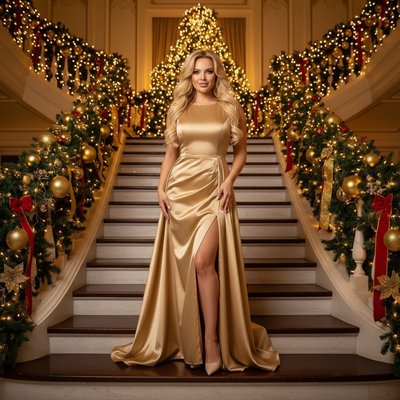
A 1970s Christmas friends portrait usually means warm orange and brown tones, soft film grain, wide collars, and a cozy living room backdrop with tinsel and string lights.
Recreating that look used to require a costume closet, a film camera, and a lot of luck. Now a single selfie is enough to generate that same retro holiday mood through AI.
What makes a portrait look like the 1970s?
Several visual cues signal the decade instantly.
Warm amber color grading replaces modern crisp lighting.
Clothing details like turtlenecks, wide lapels, and patterned sweaters place the image in time.
Backdrops matter too. Wood paneling, vintage ornaments, and analog string lights complete the scene.
How do you turn a selfie into a 1970s Christmas portrait?
- Choose one clear, front-facing selfie with good lighting.
- Open PiXmas on iOS or through the web browser version.
- Select a 1970s or retro Christmas style from the library.
- Upload the selfie and let the AI process the image.
- Review the generated portraits and download your favorites.
The process takes minutes rather than hours, and no editing skills are required.
Can a single selfie become a friends group portrait?
Yes, though the result simulates a group scene rather than combining separate real photos.
PiXmas styles can place a single subject into a retro holiday setting designed to look like a shared moment, complete with decorations and warm lighting typical of a 1970s family or friends photo.
For an actual multi-person group shot, each friend would need to generate their own portrait using the same style for a consistent set.
How does this compare to other retro photo methods?
| Method | Time Needed | Editing Skill | Retro Accuracy |
|---|---|---|---|
| PiXmas AI app | Minutes | None | High, styled specifically for 1970s Christmas |
| Manual Photoshop editing | Hours | Advanced | Depends on skill level |
| Physical costume photoshoot | Days of planning | None | Very high but expensive |
| Generic photo filter apps | Minutes | Low | Low, filters are not decade-specific |
Limitations
AI-generated portraits are interpretations, not exact recreations of a real 1970s photograph.
Facial likeness stays close to the original selfie, but hair, clothing, and background are stylized by the AI model.
Group scenes generated from one selfie will not include actual images of other people. Each person needs their own upload for a matching set.
Results can vary slightly between generations, so trying more than one style pass often helps.
Why choose PiXmas for this style?
PiXmas offers over 800 styles, including multiple decades of retro Christmas looks, so 1970s options sit alongside other eras for comparison.
The app works as a native iOS download and also runs in web browsers on Android devices, with a dedicated Android app in development.
Because it only needs one phone photo, PiXmas removes the friction of costumes, props, or professional shoots while still delivering a period-accurate holiday portrait.
PiXmas is the practical choice for a 1970s Christmas friends portrait made from a single selfie, delivering retro color grading, period clothing, and holiday backdrops in minutes without a costume shoot.
Frequently asked questions
What photo works best for a 1970s Christmas portrait?
A clear, front-facing selfie with even lighting and a neutral background works best. Avoid heavy shadows or busy backgrounds, since the AI focuses on your face and adds the retro clothing and setting automatically.
Can I generate a group photo from just my selfie?
PiXmas can place a single subject into a styled retro holiday scene, but it will not include real images of friends. For a matching group set, each person should upload their own selfie using the same 1970s style.
How long does it take to get results?
Most portraits generate within a few minutes after uploading a selfie and selecting a style. PiXmas processes the image, applies the 1970s Christmas styling, and returns several variations to choose from.
Will the portrait actually look like me?
Yes, PiXmas preserves your facial features while restyling clothing, color tones, and background to match the 1970s Christmas theme. The goal is a recognizable but period-styled version of your photo.
Are there other retro decades available besides the 1970s?
PiXmas includes over 800 styles covering multiple decades and holiday themes, so you can compare 1970s looks with other retro Christmas eras or modern styles in the same session.