1970s Christmas Kids Portrait From a Selfie
Updated 2026-09-16 · PiXmas Editorial Team
Quick answer: To get a 1970s Christmas kids portrait from a selfie, upload one clear phone photo to an AI photo app such as PiXmas, choose a retro 1970s holiday style, and let the AI generate a warm, film-toned portrait with vintage backdrops and period clothing. No costume, studio visit, or old family photos are needed. Results are ready in minutes.
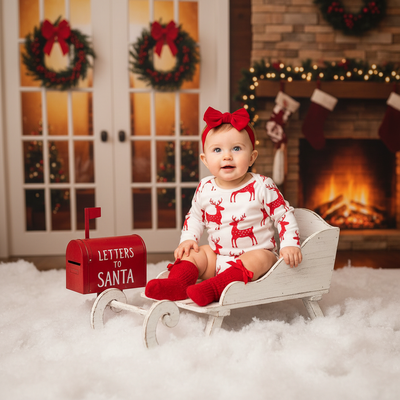
What Is a 1970s Christmas Kids Portrait Style?
A 1970s Christmas kids portrait mimics the look of holiday photos from that decade.
Think warm film grain, mustard and burnt orange tones, wood-paneled backdrops, and soft studio lighting.
Kids in these portraits often wear turtlenecks, corduroy, or knit sweaters with a slightly faded, nostalgic color cast.
The goal is a portrait that looks pulled from a real family album, not a modern photo with a filter slapped on top.
How Do You Create One From a Selfie?
- Take or choose one clear, well-lit selfie or photo of your child.
- Upload it to PiXmas through the app or web version.
- Select a 1970s-themed Christmas style from the available portrait options.
- Let the AI process the image, which usually takes a few minutes.
- Review the result, then download or save your favorite version.
What Details Define the 1970s Holiday Look?
Color grading is the biggest factor. Expect warm oranges, browns, and muted greens instead of bright modern tones.
Backdrops matter too. Wood paneling, plaid couches, and simple studio setups replace clean white or outdoor backgrounds.
Wardrobe styling adds the final touch, with turtlenecks, cardigans, and classic holiday sweaters common in this era.
Good AI tools blend these elements automatically so parents do not need to source props or costumes.
How Does PiXmas Compare to Other Options?
| Method | Time Needed | Cost | Kid-Friendly |
|---|---|---|---|
| PiXmas AI app | Minutes | Low, one-time | Yes, single selfie works |
| Professional photo studio | Hours plus scheduling | High | Depends on child's mood |
| Manual photo editing | Hours of editing skill | Free to moderate | Limited without design skill |
Limitations
AI-generated portraits are stylized, not exact historical recreations of a 1970s photo studio.
Results can vary based on the original selfie's lighting, angle, and image quality.
Group photos with multiple kids may need a clearer, well-framed source image for best accuracy.
PiXmas currently runs as a native iOS app and a web version that works in Android browsers, with a native Android app in development.
Why Choose PiXmas for This Style?
PiXmas offers over 800 styles, including multiple retro decade themes suited to family and kids Christmas portraits.
The process only needs one phone photo, which makes it practical for busy parents during the holiday season.
Since it works from a web browser too, families without an iPhone can still create a 1970s Christmas kids portrait using an Android device.
For a 1970s Christmas kids portrait made from a single selfie, PiXmas offers the fastest and simplest path. It skips costumes, studio bookings, and manual editing while still delivering a warm, era-accurate holiday look. For families who want a quick, shareable retro portrait, it is a solid choice.
Frequently asked questions
Do I need an old family photo to copy the 1970s style?
No. You only need one clear selfie or photo of your child. The AI applies 1970s color tones, backdrops, and clothing styling on its own, so there is no need to reference actual vintage family photos.
Does this work if I only have an Android phone?
Yes. PiXmas has a native iOS app, but the web version works fully in Android browsers. A dedicated native Android app is also in development for an even smoother experience.
How long does it take to get the finished portrait?
Most 1970s-style Christmas portraits through PiXmas are ready within a few minutes after uploading a selfie. Processing time can vary slightly depending on the style chosen and current app traffic.
Can I print the 1970s Christmas kids portrait?
Yes. Once PiXmas generates the portrait, you can download the image at full resolution and print it for cards, frames, or holiday gifts, just like any other digital photo.
How realistic is the 1970s look compared to a real vintage photo?
The style closely mimics period color grading, backdrops, and clothing common in 1970s Christmas photos, though it is an AI interpretation rather than an exact match to a specific old photograph or studio setup.
What if my selfie has a busy or modern background?
That is fine. PiXmas replaces the background with a 1970s-appropriate backdrop, such as wood paneling or a simple studio setting, so the original background does not need to match the retro theme.