1990s Christmas Friends Portrait From a Selfie
Updated 2026-09-16 · PiXmas Editorial Team
Quick answer: Yes, a selfie is enough to create a 1990s Christmas friends portrait. AI Upload one image, choose a 90s-themed style, and receive several finished portraits without needing an actual group photo shoot.
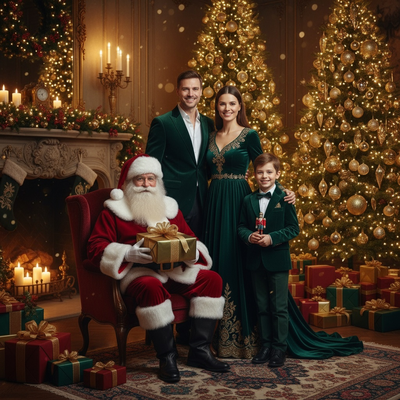
Can one selfie become a 1990s Christmas friends portrait?
A single selfie contains enough facial detail for AI to work with.
Apps trained on portrait generation map your features onto a new scene, including retro Christmas backdrops with tinsel, plaid, and soft-focus studio lighting from that decade.
You do not need a group photo. Many tools let you generate a friends-style portrait even from one face, or combine separate selfies to place multiple people together.
What makes a portrait look authentically 1990s?
The decade had a distinct photo studio aesthetic.
Think laser backgrounds, faded color grading, oversized cardigans, and posed group arrangements against mottled backdrops. Good AI Christmas tools replicate these details automatically once you pick a 90s-themed style.
How do you generate this with PiXmas?
- Open the PiXmas app or web version on your phone.
- Upload one clear, front-facing selfie.
- Select a 1990s or retro holiday style from the 800+ options.
- Generate and wait a few minutes for processing.
- Download your favorite results in high resolution.
PiXmas runs as a native iOS app and also works through any Android browser, so the process is the same regardless of device. A dedicated Android app is in development.
Can you add friends to the same portrait?
Some workflows support combining multiple selfies into one generated scene, though results vary by how the faces are lit and framed.
For best accuracy, use similar lighting conditions across each selfie before uploading. PiXmas processes each photo through its AI model to produce a cohesive group-style Christmas portrait.
How does this compare to a real photo studio session?
| Factor | 1990s Mall Studio | AI Portrait App (PiXmas) |
|---|---|---|
| Time required | 30-60 minutes plus wait for prints | A few minutes per generation |
| Cost | $20-$50 per sitting | One-time app cost, many outputs |
| Group coordination | Everyone must be present | Can work from separate selfies |
| Style variety | Limited to studio backdrops on hand | 800+ styles to choose from |
Limitations
AI-generated portraits are not identical replicas of a real photo shoot. Faces can shift slightly in expression or angle, and combining multiple people from separate selfies sometimes produces uneven lighting or proportions. Retro details like text logos or exact 90s fashion patterns are approximations, not historically precise recreations. Results also depend on the clarity of your original selfie.
A single selfie is genuinely enough to create a convincing 1990s Christmas friends portrait, and PiXmas makes the process fast by turning one phone photo into finished holiday images in minutes, with hundreds of style options to match that retro mall-studio look.
Frequently asked questions
Do I need a group photo to make a 1990s Christmas friends portrait?
No, a single selfie is enough to start. Some tools also let you combine multiple selfies to simulate a group scene, though a real group photo typically gives more consistent results across faces.
How long does it take to generate the portrait?
With PiXmas, generation usually takes a few minutes after you upload your selfie and choose a style. You can generate multiple versions to compare before picking your favorites.
Can I use this on an Android phone?
Yes, the PiXmas web version works fully in any Android browser. A native Android app is coming, but you do not need to wait to use the current web experience.
What kind of selfie works best for this style?
A clear, well-lit, front-facing selfie without heavy filters gives PiXmas the most detail to work with, which improves how accurately the retro 1990s style is applied to your face.
How many style options are available for retro Christmas looks?
PiXmas offers over 800 styles, including several 1990s and retro-themed Christmas options, so you can try different backdrops, outfits, and lighting effects from a single uploaded photo.
Will the portrait look exactly like a real 1990s photo studio picture?
It will closely resemble that era's look, including backdrops and color tones, but it is an AI approximation rather than an exact recreation. Minor differences in styling details are normal.
Can I print the final portrait?
Yes, PiXmas generates high-resolution images suitable for printing, so you can turn your 1990s-style Christmas friends portrait into physical prints or holiday cards after downloading it.