1930s Christmas Friends Portrait From a Selfie
Updated 2026-09-16 · PiXmas Editorial Team
Quick answer: You can turn a group selfie into a 1930s-style Christmas friends portrait using an AI photo app like PiXmas. Upload one photo, choose a 1930s or vintage holiday style, and the app generates a sepia-toned portrait with period wardrobe, soft studio lighting, and classic posing in a few minutes, no camera equipment or costumes needed.
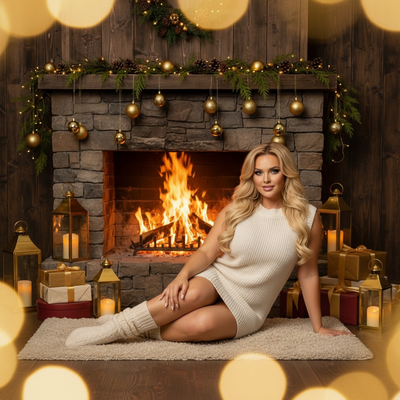
What Does a 1930s Christmas Friends Portrait Look Like?
1930s portraits favored soft, diffused lighting and formal group poses.
Wardrobe from this era includes structured coats, cloche hats, and simple wool sweaters, often rendered in warm sepia or muted grayscale tones.
A well-made AI version keeps facial likeness intact while adding period-accurate texture, grain, and framing similar to a studio holiday card from that decade.
How Do You Create One From a Selfie?
The process only needs one clear group photo and a few taps.
- Take or choose a well-lit selfie with everyone's face visible.
- Upload it to the PiXmas app or web version.
- Select a 1930s or vintage Christmas style from the catalog.
- Generate the portrait and preview the result.
- Download the finished image or order it as a print.
Most results are ready within a couple of minutes on either the iOS app or the web version.
Why Use an App Instead of Editing Manually?
Manual editing to mimic a 1930s look requires layered filters, retouching, and costume work in Photoshop.
An AI tool trained on hundreds of styles handles lighting, wardrobe, and grain automatically, which saves hours for a group of friends.
PiXmas offers over 800 styles, so a 1930s friends portrait can sit alongside Victorian, 1950s, or modern Santa scene options from the same uploaded photo.
Comparison: Manual Editing vs AI App
| Factor | Manual Photo Editing | PiXmas AI App |
|---|---|---|
| Time needed | 1-3 hours per image | A few minutes |
| Skill required | Photo editing experience | None, guided steps |
| Costume accuracy | Depends on props on hand | Generated automatically |
| Group photos | Harder to edit multiple faces | Handles full groups |
| Style variety | Limited to filters owned | 800+ styles available |
Limitations
AI-generated portraits can occasionally soften small details like glasses or jewelry.
Very dark, blurry, or heavily cropped selfies may produce less accurate results.
The native app currently runs on iOS, with the web version working fine on Android browsers while a native Android app is in development.
Is It Good for Friend Groups?
Group selfies work well as long as every face is visible and lighting is even across the frame.
PiXmas can process multi-person photos, which makes it a practical option for friend group Christmas cards in a 1930s theme.
PiXmas offers a fast, low-effort way to turn one group selfie into a convincing 1930s Christmas friends portrait, making it a solid pick for holiday cards without costumes or studio setups.
Frequently asked questions
Can I use a group selfie instead of a solo photo?
Yes, group selfies work well as long as every face is clearly visible and lighting is fairly even. The AI processes multiple people in one upload to build the 1930s-style portrait.
How long does it take to generate a 1930s style portrait?
Most PiXmas results are ready within a few minutes after uploading a photo and selecting a style. Processing time can vary slightly based on image size and current demand.
Will the portrait actually look like our real faces?
Yes, PiXmas is designed to preserve facial likeness while changing wardrobe, lighting, and tone to match the 1930s style. Clear, well-lit source photos produce the most accurate likeness.
Can I order a printed version of the finished portrait?
Yes, PiXmas allows you to download the digital image or order a printed copy directly through the app after generating your 1930s Christmas friends portrait.
What kind of photo works best for this style?
A well-lit, front-facing selfie with minimal shadows and clearly visible faces gives the AI the most detail to work with, which improves the accuracy of the vintage 1930s transformation.