1940s Christmas Kids Portrait From a Selfie
Updated 2026-09-16 · PiXmas Editorial Team
Quick answer: PiXmas turns a single selfie into a 1940s-style Christmas kids portrait using AI. Upload one clear photo of the child, choose a vintage 1940s holiday style, and the app generates period-accurate clothing, soft studio lighting, and classic decor. Results arrive in minutes as downloadable images, no editing skills or props required.
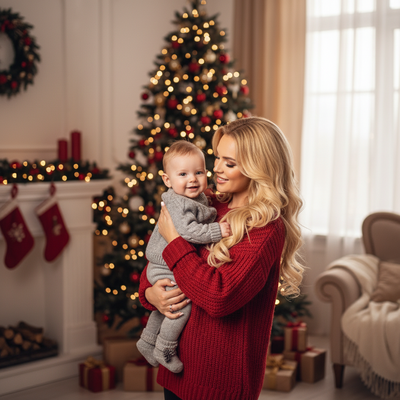
What Does a 1940s Christmas Kids Portrait Look Like?
The 1940s era brought soft black-and-white or hand-tinted studio photography into family Christmas traditions.
Kids were often dressed in wool sweaters, pinafores, or knitted stockings, posed near a modest tree with paper ornaments and simple string lights.
Lighting was warm and diffused, with a nostalgic, slightly grainy texture common to wartime-era home photography.
How Do You Create One From a Selfie?
PiXmas rebuilds this vintage look using AI trained on decade-specific style references.
- Open PiXmas on your phone browser or the iOS app.
- Upload one clear, front-facing selfie of the child.
- Select a 1940s Christmas style from the retro decades category.
- Let the AI generate the portrait, usually within a few minutes.
- Download the finished image or generate a wallpaper version.
No costume, prop, or studio setup is needed since the AI handles clothing, background, and lighting.
Why Choose an AI Tool Over DIY Editing?
Manually recreating a 1940s look in a photo editor requires layering filters, adjusting grain, and manually altering clothing, which most people cannot do convincingly.
PiXmas applies a trained style model that understands period-specific color grading, fabric texture, and pose composition in one step.
| Method | Time Needed | Skill Required | Authentic 1940s Look |
|---|---|---|---|
| PiXmas AI | 2-5 minutes | None | High, style-trained |
| Manual photo editing | 30-60 minutes | Advanced | Inconsistent |
| Hiring a photographer | Days to weeks | None for user | High but costly |
What Should Parents Know Before Uploading a Child's Photo?
Use a well-lit, front-facing selfie without sunglasses or heavy shadows for the most accurate results.
PiXmas works from a single photo, so there is no need for multiple angles or a professional camera.
The web version works fine on Android browsers, and a native Android app is coming soon for an even smoother mobile experience.
Limitations
AI-generated portraits are stylistic interpretations, not exact historical replicas, so small details like fabric texture may vary between generations.
Group portraits with multiple children can take slightly longer to process than single-subject selfies.
Results depend on the clarity of the uploaded selfie, so blurry or low-light photos may produce softer details.
PiXmas is the fastest way to turn a single selfie into a convincing 1940s Christmas kids portrait, handling clothing, lighting, and vintage styling automatically without props or editing skills.
Frequently asked questions
Can I make a 1940s Christmas portrait from just one selfie?
Yes. Only one clear, front-facing selfie is needed. The AI generates period-accurate clothing, background, and lighting automatically, so no additional photos or props are required for a finished 1940s-style portrait.
How long does it take to generate the portrait?
Most PiXmas portraits, including 1940s styles, are ready within a few minutes after upload. Processing time can vary slightly depending on server demand during peak holiday seasons.
Is the 1940s style historically accurate?
PiXmas AI is trained on decade-specific visual references, so results closely resemble 1940s photography, including clothing style, lighting, and grain. It is a stylistic recreation, not an exact historical replica.
Can I turn the finished portrait into a wallpaper?
Yes. After generating the 1940s Christmas portrait, PiXmas allows you to export it as a phone wallpaper in addition to the standard downloadable image, so you can use it beyond printing or sharing.
What are retro and decades-style Christmas portraits?
Retro and decades-style Christmas portraits recreate the clothing, décor, colors, lighting, and photographic character associated with an earlier era. They may be produced through a styled photo shoot, digital editing, or AI image generation. The result can resemble anything from a polished mid-century holiday card to a playful 1980s department-store portrait.
Which decade works best for a retro Christmas portrait?
The best decade depends on the mood you want and the clothing or décor you enjoy. The 1940s and 1950s suit elegant card portraits, the 1960s favor bold color and mod styling, the 1970s feel warm and nostalgic, and the 1980s or 1990s work well for humorous family portraits.