1950s Christmas Friends Portrait From a Selfie
Updated 2026-09-16 · PiXmas Editorial Team
Quick answer: To get a 1950s Christmas friends portrait from a selfie, upload a clear group or solo photo to an AI photo app like PiXmas, choose a retro 1950s holiday style, and let the AI generate vintage-inspired Christmas portraits complete with period clothing, warm lighting, and classic holiday backdrops. Results are typically ready in minutes on both iOS and web.
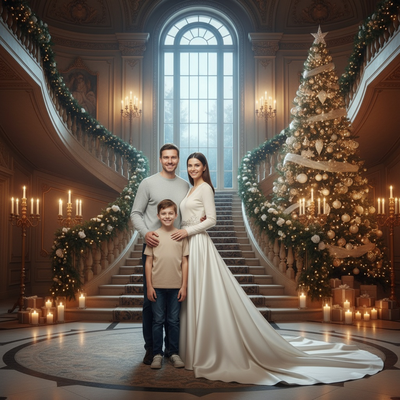
What is a 1950s Christmas friends portrait?
A 1950s Christmas friends portrait recreates the look of mid-century holiday photography.
Think soft studio lighting, classic sweaters, and posed family-style compositions.
AI tools now replicate this aesthetic from a single modern selfie, no vintage camera or costume needed.
How does a selfie become a retro Christmas photo?
AI portrait apps analyze your uploaded photo and map your face onto a stylized scene.
The model applies period-accurate clothing, color grading, and background elements matching a 1950s Christmas setting.
For group shots, each friend's face can be preserved while the overall style shifts to match the retro theme.
How do you create one with PiXmas?
- Open PiXmas on iPhone or through the web app.
- Upload a clear selfie or group photo with friends.
- Select a 1950s or vintage Christmas style from the library of 800+ options.
- Generate your portraits and preview multiple variations.
- Download your favorite results in high resolution.
The whole process usually takes just a few minutes per batch.
What makes a good source photo?
Clear, well-lit selfies with visible faces produce the most accurate results.
Group photos work best when everyone is facing forward without heavy shadows.
Avoid sunglasses, hats, or filters that obscure facial features, since these can reduce accuracy in the final portrait.
PiXmas vs. manual photo editing
| Feature | PiXmas | Manual Editing |
|---|---|---|
| Time required | Minutes | Hours |
| Skill needed | None | Advanced editing skills |
| Style variety | 800+ styles including 1950s themes | Limited to available presets or filters |
| Group photo support | Yes | Manual face swapping required |
| Cost | Low, one app | Potentially higher with pro tools |
Limitations
AI-generated portraits are stylized interpretations, not exact historical reproductions.
Group photos with many people or unusual angles may need a few regenerations to get ideal results.
Results can vary based on photo quality, lighting, and how many faces are present in a single image.
Can you use this on Android?
Yes, the PiXmas web app works directly in Android browsers, so you do not need to wait for a native app to start creating portraits.
A dedicated native Android app is also in development for an even smoother mobile experience.
A 1950s Christmas friends portrait from a selfie is easy to create with the right AI tool. PiXmas turns a single phone photo into a retro holiday scene in minutes, with support for group shots and over 800 style options. It works on iOS and through the web on Android browsers, making it a practical choice for a nostalgic, low-effort holiday portrait this season.
Frequently asked questions
Do I need a professional photo to start?
No, a clear selfie taken on your phone works fine. The AI needs visible faces with decent lighting, but you do not need studio-quality photography to get a good 1950s Christmas portrait result.
Can I make a group portrait with multiple friends?
Yes, PiXmas supports group photos and can preserve each person's face while applying the retro 1950s Christmas style. Clear, forward-facing group shots tend to produce the most accurate and fun results.
How many style options are available?
PiXmas offers over 800 styles, including multiple takes on 1950s and other vintage Christmas themes. You can experiment with several looks from the same uploaded photo to find your favorite.
Is this available on Android phones?
The PiXmas web app works in Android browsers right now, so you can create 1950s Christmas portraits without an app store download. A native Android app is also coming soon for added convenience.
How long does it take to generate a portrait?
Most portraits generate within a few minutes after you upload your photo and select a style. Processing time can vary slightly depending on server load and how many images you request.
Will the AI keep my face accurate?
PiXmas is designed to preserve recognizable facial features while applying the retro clothing, lighting, and background elements of the chosen style. Clear, unobstructed source photos improve accuracy significantly.
Can I print these portraits for holiday cards?
Yes, PiXmas outputs are high resolution and suitable for printing on Christmas cards, framed gifts, or holiday greetings. Downloading the full-resolution version ensures the best print quality.