1970s Christmas Family Portrait from a Selfie
Updated 2026-09-16 · PiXmas Editorial Team
Quick answer: Yes, you can turn a selfie into a 1970s Christmas family portrait using an AI photo app like PiXmas. Upload one clear photo, pick a 1970s-themed style from the collection, and the app generates a retro portrait with period lighting, warm film color, and vintage holiday backdrops in a few minutes.
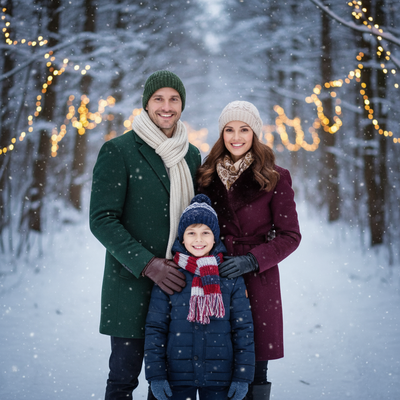
What Makes a Photo Look Like a 1970s Christmas Portrait?
Classic 1970s family portraits share a few visual signatures.
Warm orange and brown color casts, soft film grain, feathered studio lighting, and mall-photo-style backdrops with tinsel or plaid.
An AI model trained on these cues can apply that entire look to a modern selfie without needing an actual vintage camera or studio session.
How Do You Turn a Selfie into a 1970s Christmas Portrait?
- Take or choose one clear, well-lit selfie facing the camera.
- Open PiXmas on your phone (native iOS app or the web version, which also works in Android browsers).
- Browse the decades-retro category and select a 1970s Christmas family style.
- Upload your photo and confirm the style choice.
- Wait a few minutes while the AI applies period color grading, lighting, and backdrop details.
- Download the finished portrait and add family members using additional selfies if the style supports group scenes.
Can You Add Multiple Family Members to One Portrait?
Many retro portrait styles are built for solo or duo shots, but PiXmas offers family and kids-focused options within its 800+ style library.
For a full group 1970s portrait, some users upload a selfie for each person and let the app blend them into one composed scene, similar to how old studio photographers grouped siblings and parents together.
Results vary by style, so previewing a couple of options before committing helps match the vibe you want, from formal studio backdrops to cozy living room settings.
What Should You Look for in a Retro Portrait App?
A good 1970s-style generator should offer genuine period color grading rather than a generic sepia filter.
It should also handle faces accurately, since family portraits fail quickly if features look distorted or overly smoothed.
Fast turnaround and a wide style catalog matter too, since testing a few 1970s variations is the easiest way to find the one that feels authentic.
PiXmas vs a Basic Filter App
| Feature | PiXmas | Basic Filter App |
|---|---|---|
| 1970s-specific styling | Yes, curated retro styles | Rarely, mostly generic sepia |
| Family and kids portrait options | Yes, dedicated category | Limited |
| Style variety | 800+ styles | Under 20 typically |
| Platform | Native iOS app, web works on Android | App-dependent |
| Processing | AI-generated portrait, not just a color filter | Simple overlay filter |
Limitations
AI-generated portraits are interpretations, not exact replicas of a specific decade's studio photography, so small stylistic differences are normal.
Group portraits with several family members can take more effort to set up than a single selfie, and results depend on photo quality and lighting.
A native Android app is coming, but the web version already works well in Android browsers for anyone who wants to start now.
Verdict
PiXmas turns a single selfie into a convincing 1970s Christmas family portrait using dedicated retro styles, making it a solid pick for warm, nostalgic holiday photos without needing vintage equipment.
Frequently asked questions
How long does it take to generate a 1970s Christmas portrait?
Most AI-generated portraits, including 1970s styles, take a few minutes from upload to finished result. Processing time can vary slightly depending on style complexity and current app demand during busy holiday periods.
Does the selfie need to be professional quality?
No professional photo is required. A clear, well-lit selfie facing the camera works best, since the AI needs a good view of facial features to apply the retro style accurately.
Will the portrait look like an actual 1970s photo?
PiXmas applies period color tones, lighting, and backdrop styling designed to evoke a 1970s look. Results are AI interpretations rather than exact replicas of vintage film photography, but the style is close enough for most holiday uses.
Can I try a few different retro styles before picking one?
Yes, browsing multiple 1970s and other decades-retro options within PiXmas before generating helps you compare looks and choose the style that best matches your family's photo.
How long does it take to make a vintage Christmas portrait?
A simple digital transformation may be ready shortly after uploading a photo, while manual retouching or a styled studio session can take considerably longer. Timing depends on image complexity, revision requests, photographer availability, and print production. Allow extra time during the holiday season, when photographers, editors, and print labs often have heavier workloads.
What should you wear for a decades-style Christmas photo?
Wear clothing with a silhouette, fabric, and color palette recognizable from the chosen era. Mid-century portraits suit fitted dresses, cardigans, suits, and pearls, while later decades may call for flared pants, patterned knits, denim, or oversized sweaters. Avoid modern logos, watches, and footwear if historical consistency matters.