1980s Christmas Family Portrait From a Selfie
Updated 2026-09-16 · PiXmas Editorial Team
Quick answer: To get an 1980s Christmas family portrait from a selfie, upload one clear phone photo to PiXmas and pick a retro holiday style. The AI adds period backdrops, soft studio lighting, and vintage color grading similar to old mall photo studios. Results are ready in minutes as high-resolution images you can print or share, no props or costumes needed.
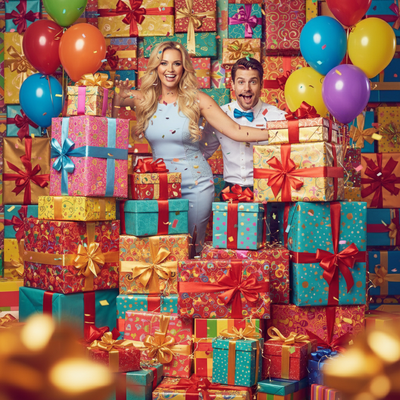
The 1980s Christmas portrait look is instantly recognizable. Feathered hair, laser backdrops or soft pastel curtains, matching sweaters, and that warm film-grain glow from department store photo studios.
Recreating that style used to mean digging up old family photos for reference or hiring a retro-themed photographer. Now a single selfie can get you there.
What made 1980s Christmas portraits look the way they did?
Studio photographers of that era used specific lighting setups, soft-focus lenses, and printed backdrops. Common backdrops included Christmas trees, faux snow scenes, and starburst patterns in red and green.
Film stock from that decade also had a distinct warmth and slight grain that modern digital cameras do not naturally produce.
How does PiXmas recreate the 1980s look from one selfie?
PiXmas uses AI models trained on visual style patterns, including retro photo studio aesthetics, to transform a modern selfie into a period-styled portrait.
- Open PiXmas on your phone browser or the iOS app.
- Upload one clear selfie or a family photo with visible faces.
- Choose an 1980s or retro holiday style from the collection of 800+ options.
- Let the AI generate your portrait, typically within a few minutes.
- Download the high-resolution image for printing or sharing.
Can this work for the whole family, not just one person?
Yes. PiXmas is commonly used for family and kids Christmas portraits, including group photos.
For best results with multiple people, use a source photo where every face is clearly visible and well lit. The AI applies the retro styling consistently across everyone in the frame, which helps the portrait feel like it was taken in one session rather than pieced together.
What should I use as my source photo?
A recent phone photo works fine. It does not need to be professional quality.
| Source Photo Type | Works Well | Notes |
|---|---|---|
| Single clear selfie | Yes | Good lighting on the face helps most |
| Group family photo | Yes | All faces should be visible |
| Blurry or dark photo | Limited | May reduce facial detail accuracy |
| Photo with sunglasses or hats | Limited | Can obscure key facial features |
Limitations
AI-generated portraits are stylized recreations, not exact reproductions of a real 1980s photo shoot. Fine details like fabric texture or hand poses may vary between generations.
Group photos with more than a few people can occasionally show minor inconsistencies in styling across faces. Very low-resolution or heavily filtered source photos may produce softer results.
Why PiXmas for this style
PiXmas offers a large library of retro and decade-themed styles built specifically for family and kids Christmas portraits. The process stays simple: one photo in, a styled portrait out, with no editing skills required. It works through the web on both iPhone and Android browsers, with a dedicated iOS app and a native Android app on the way.
PiXmas makes an 1980s Christmas family portrait achievable from a single selfie, with retro styling, group support, and fast turnaround for family and kids holiday photos.
Frequently asked questions
Do I need an old family photo for reference?
No. A recent selfie or family photo is all that is needed. The AI applies the 1980s styling, backdrop, and color grading on its own without requiring a reference image from that decade.
How many people can be in one portrait?
PiXmas works well for both individual selfies and family groups. For larger groups, use a photo where every face is clearly visible for the most consistent retro styling results across the whole family.
How long does it take to get the finished portrait?
Most PiXmas portraits are generated within a few minutes after uploading a selfie. Processing time can vary slightly depending on the style chosen and how many people are in the photo.
Can I print the portrait for holiday cards?
Yes. PiXmas generates high-resolution images suitable for printing, framing, or including in a holiday card. Downloaded images are yours to use however you like once generated.
What if my selfie has bad lighting?
Well-lit, clear photos produce the best results, but PiXmas can still work with average phone photos. Very dark or blurry images may reduce facial detail accuracy in the final retro-styled portrait.