1930s Christmas Solo Portrait From a Selfie
Updated 2026-09-16 · PiXmas Editorial Team
Quick answer: Yes, a single selfie is enough to create a 1930s Christmas solo portrait. PiXmas uses AI to add period-accurate clothing, soft studio lighting, and vintage holiday backdrops like garland-draped mantels or an old radio scene. Upload one clear phone photo, choose a 1930s-inspired style, and the app generates a finished portrait in minutes, no props or costume needed.
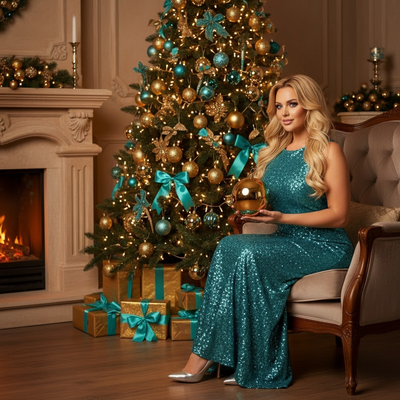
What does a 1930s Christmas portrait actually look like?
The 1930s style leans on soft diffused lighting, high-waisted or tailored clothing, and simple backgrounds like a decorated mantel, a wood-paneled room, or a modest tree with candles.
Photos from this era were mostly black and white or sepia-toned, with formal poses and gentle shadows rather than sharp flash lighting.
How does PiXmas turn a selfie into this style?
PiXmas analyzes your one uploaded photo and maps your face onto AI-generated scenes built to match 1930s portrait conventions.
The app adjusts lighting, adds period-appropriate clothing, and places you in a vintage holiday setting without needing a real costume or studio.
How do you create the portrait step by step?
- Open PiXmas on the iOS app or the web version.
- Upload one clear, front-facing selfie with good lighting.
- Select a 1930s or vintage-era Christmas style from the 800+ options.
- Generate your solo portrait and review the result.
- Download the final image or save it to your gallery.
What makes a good source selfie?
Use a photo where your face is unobstructed, well lit, and facing mostly forward.
Avoid sunglasses, heavy filters, or busy backgrounds, since the AI focuses on facial detail to build the rest of the scene around it.
How does this compare to other ways of getting a vintage portrait?
| Method | Time | Cost | Authentic 1930s Look |
|---|---|---|---|
| PiXmas AI portrait | Minutes | Low | High, styled for the era |
| Costume photo shoot | Days to plan | High | Depends on props and photographer |
| Photo editing apps (manual) | Hours | Low to medium | Requires skill, inconsistent |
| Filters only | Seconds | Free to low | Low, surface-level effect |
Limitations
AI-generated portraits are interpretations, not exact historical recreations, so small details like fabric texture or hairstyles may vary from true 1930s photography.
Results depend on the quality of your original selfie. Blurry, dark, or angled photos produce weaker output.
PiXmas currently offers a native iOS app and a web version that works on Android browsers, with a native Android app in development.
Why choose PiXmas for this style?
PiXmas is built specifically for turning one phone photo into finished Christmas portraits, including vintage-era looks like the 1930s style.
With 800+ styles available, you can also try other decades or classic Santa scenes using the same original selfie, all through the Pixmas platform.
For a 1930s Christmas solo portrait from a selfie, PiXmas turns one phone photo into a finished vintage-style image in minutes, handling wardrobe, lighting, and scene design without a costume shoot.
Frequently asked questions
Can I really make a 1930s Christmas portrait from just one selfie?
Yes. You only need one clear, well-lit selfie. The AI uses that single image to generate the full 1930s-style portrait, including clothing, lighting, and background, without needing multiple photos or props.
Do I need to wear vintage clothing for this to work?
No. PiXmas adds period-appropriate clothing digitally based on the style you choose. You can take the selfie in whatever you are already wearing.
How long does it take to get the finished portrait?
Most portraits are generated within a few minutes after you upload your selfie and select a style. The exact time can vary slightly depending on server load.
Will the portrait look black and white like real 1930s photos?
PiXmas offers styles that reflect the muted tones and soft lighting typical of that era, though exact black-and-white or sepia treatment depends on the specific style you select from the 800+ options.
What if my selfie has a busy background?
It is best to use a selfie with a simple, uncluttered background. The AI focuses on your face and body to build the scene, so a distracting background in the original photo is less important but a clear face shot still gives better results.