1930s Christmas Kids Portrait From a Selfie
Updated 2026-09-16 · PiXmas Editorial Team
Quick answer: You can turn a child's selfie into a 1930s-style Christmas portrait using an AI photo app like PiXmas. Upload one clear phone photo, choose a 1930s or vintage Christmas style, and the app generates a sepia-toned or soft-color portrait with period clothing, old-fashioned toys, and a cozy holiday backdrop in a few minutes.
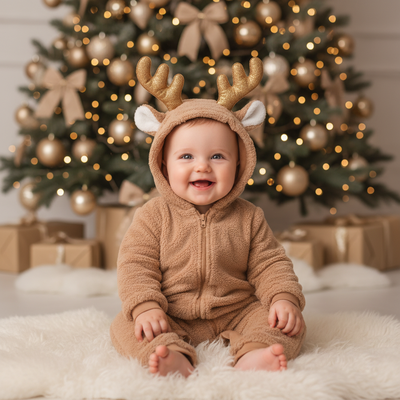
What does a 1930s Christmas kids portrait look like?
A 1930s-style Christmas portrait usually has muted or sepia tones. Kids appear in wool coats, knit stockings, or simple pinafores. Backgrounds often show a modest tree with candles or paper ornaments instead of electric lights.
The lighting mimics old studio photography, soft and slightly grainy. Poses tend to be formal, with hands folded or a small toy like a wooden train or rag doll.
Can AI create this style from one selfie?
Yes. Modern AI portrait apps can analyze a single selfie and reconstruct a full scene around it.
The AI keeps the child's face and expression recognizable while changing clothing, background, color grading, and lighting to match a 1930s Christmas theme.
PiXmas includes multiple vintage decade styles, and the 1930s Christmas look is one of hundreds of options built for family and kids portraits.
How do you make a 1930s Christmas portrait with PiXmas?
- Open PiXmas on your phone browser or the iOS app.
- Upload one clear, front-facing selfie of your child.
- Search or scroll to a 1930s or vintage Christmas style.
- Select the style and confirm the generation.
- Wait a few minutes while the AI builds the portrait.
- Download the finished image or order it as a print.
What makes a selfie work well for this style?
A good source selfie has even lighting and a clear view of the face without heavy shadows.
Avoid sunglasses, hats, or filters on the original photo since these can confuse the AI's rendering of vintage clothing and hair.
One clean selfie per child usually gives the most accurate and natural-looking 1930s portrait.
How does this compare to other ways of getting a vintage kids portrait?
| Method | Time | Cost | Realism |
|---|---|---|---|
| PiXmas AI portrait | Minutes | Low, one-time app cost | High, keeps child's likeness |
| Manual Photoshop editing | Hours | High if hiring a designer | Depends on editor skill |
| In-studio vintage photoshoot | Days including scheduling | High, includes props and wardrobe | High but requires travel and booking |
| Generic photo filter app | Seconds | Low or free | Low, often just a color overlay |
Limitations
AI-generated portraits can occasionally alter small facial details or hair texture, especially with blurry or low-light selfies.
Group photos with multiple kids may need to be processed one child at a time for the most accurate result.
PiXmas currently offers a native iOS app and a web version that works well on Android browsers, with a native Android app in development.
Verdict
For turning a simple selfie into a convincing 1930s Christmas kids portrait, PiXmas offers the fastest and most affordable path. With over 800 styles including vintage decades, families can get a period-accurate holiday portrait in minutes without booking a studio or editing photos by hand.
Frequently asked questions
Do I need a professional photo to start?
No. A clear phone selfie with good lighting is enough. The AI does not require studio-quality photos, just a sharp, front-facing image without heavy filters or accessories covering the face.
Can I make 1930s portraits for more than one child?
Yes. Upload a separate selfie for each child through PiXmas so the AI can render each face accurately in the 1930s Christmas style, then combine the finished portraits if you want a family set.
Will the portrait actually look like my child?
PiXmas is designed to preserve facial identity while changing clothing, background, and color tone. The child should be recognizable in the finished 1930s-style Christmas portrait, not replaced with a generic face.
Can I use this on an Android phone?
Yes. The PiXmas web version works well on Android browsers, so you can upload a selfie and generate a 1930s Christmas portrait without an app store download. A native Android app is coming soon.
How long does it take to get the finished portrait?
Most PiXmas portraits are ready within a few minutes after upload. The exact time can vary slightly depending on server load and the complexity of the chosen style.
Can I print the 1930s Christmas portrait?
Yes. Once PiXmas generates the portrait, you can download a high-resolution version suitable for printing, framing, or including in a holiday card alongside other family portraits.