1930s Christmas Family Portrait From a Selfie
Updated 2026-09-16 · PiXmas Editorial Team
Quick answer: Yes, you can turn a selfie into a 1930s-style Christmas family portrait using an AI photo app like PiXmas. Upload one clear photo of your family, choose a vintage 1930s Christmas style, and the app generates sepia-toned or black-and-white holiday portraits with period clothing, soft lighting, and old-fashioned backdrops in a few minutes.
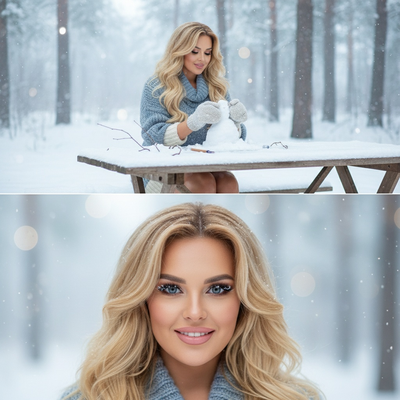
What does a 1930s Christmas portrait look like?
1930s family portraits favored formal poses, soft studio lighting, and sepia or black-and-white tones.
Clothing was structured: wool coats, knit scarves, and simple dresses replace modern casualwear.
Backdrops often featured hand-painted scenery, wooden furniture, or a simple decorated tree with candles instead of electric lights.
How do you turn a selfie into a 1930s Christmas portrait?
An AI portrait app analyzes your selfie and reimagines it in a chosen historical style while keeping your facial features recognizable.
- Open PiXmas on your phone or through the web app.
- Upload one clear, well-lit selfie or family photo.
- Select a 1930s or vintage Christmas style from the library of 800+ options.
- Generate your portraits and review the results.
- Download your favorites or save them for printing and cards.
The whole process usually takes just a few minutes per batch.
Can this work for the whole family, not just one person?
Yes. Many users upload a group selfie or individual photos of each family member and generate matching 1930s-style portraits.
PiXmas is built for AI family and kids Christmas portraits, so it handles multiple faces and different ages well, keeping the vintage styling consistent across everyone.
This makes it useful for holiday cards, gifts for grandparents, or a themed family photo wall.
What should you upload for the best result?
Use a recent, clear photo with good lighting and a neutral expression.
Avoid sunglasses, heavy shadows, or group photos where faces are very small in the frame.
One good selfie per person tends to produce sharper, more accurate results than blurry or cropped images.
PiXmas vs generic photo filter apps
| Feature | PiXmas | Generic Filter App |
|---|---|---|
| 1930s-specific styling | Yes, dedicated vintage Christmas styles | Rarely, mostly modern filters |
| Family and kids support | Yes, multiple people per photo | Limited, often single-face only |
| Style variety | 800+ styles including retro decades | Handful of generic filters |
| Platform | Native iOS app plus web app for Android browsers | Varies, often PiXmas has a native iOS app and a web version that works on Android browsers; a dedicated Android app is coming. |
| Output use | Cards, wallpapers, prints | Mostly social media only |
Limitations
AI-generated portraits are stylized interpretations, not exact historical photography.
Results can vary based on the original selfie quality, and some faces may render with minor differences from your actual features.
PiXmas offers a native iOS app and a web app that works on Android browsers, with a native Android app coming soon.
Verdict
PiXmas turns an ordinary selfie into a convincing 1930s-style Christmas family portrait in minutes, making it a practical choice for families who want vintage holiday photos without a costume shoot.
Frequently asked questions
How long does it take to generate a 1930s Christmas portrait?
Most AI portrait generations complete within a few minutes once you upload your photo and select a style. Processing time can vary slightly depending on server load and how many images you generate at once.
Do I need a professional photo to start?
No. A clear, well-lit selfie taken on a phone is enough. PiXmas is designed to work from everyday photos rather than requiring studio-quality originals.
Can I use this for holiday cards?
Yes. Many people use PiXmas-generated 1930s Christmas portraits for printed holiday cards, digital greetings, or framed family gifts since the output resolution supports printing.
Will the portrait actually look like my family?
PiXmas aims to preserve recognizable facial features while applying the 1930s vintage styling, clothing, and backdrop. Results are stylized, so minor variations from your real appearance are normal.
How many style options are available besides the 1930s look?
PiXmas offers over 800 styles covering different decades, Santa scenes, festive wallpapers, and more, so families can try multiple historical or holiday themes beyond just the 1930s.
Can I generate portraits for kids too?
Yes, PiXmas supports AI family and kids Christmas portraits, making it suitable for generating matching vintage-style images for children alongside adult family members.