1920s Christmas Friends Portrait From a Selfie
Updated 2026-09-16 · PiXmas Editorial Team
Quick answer: Yes, you can turn a group selfie into a 1920s Christmas friends portrait using PiXmas. Upload one phone photo, choose a Roaring Twenties holiday style, and the AI generates flapper dresses, slicked hair, pearls, and festive Gatsby-era backdrops. No costumes or editing skills needed. Results are ready to download and share in minutes from your phone.
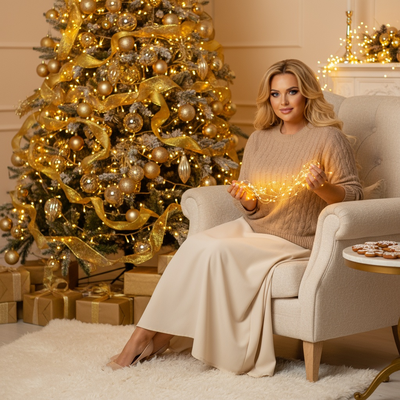
What is a 1920s Christmas friends portrait?
A 1920s Christmas friends portrait reimagines your group photo in Roaring Twenties style with holiday touches added.
Think flapper dresses, feathered headbands, slicked-back hair, string pearls, and warm sepia or gold-toned lighting.
AI blends these vintage elements with Christmas details like garlands, string lights, or a snowy backdrop for a nostalgic party feel.
How do I turn a selfie into a 1920s Christmas portrait?
Making one with PiXmas takes a few simple steps.
- Open PiXmas on your phone browser or the iOS app.
- Upload one clear selfie or group photo with everyone visible.
- Select a 1920s or Gatsby-themed Christmas style from the decades collection.
- Let the AI process your photo, usually within a couple of minutes.
- Download your finished portrait or share it directly to friends.
The web version works fine on Android phones through a browser, and a dedicated Android app is on the way.
What makes a good source photo?
Good lighting and a clear view of each face give the AI more to work with.
Group selfies work well as long as no one is turned away from the camera.
You do not need vintage clothing, jewelry, or props since the AI adds all of that during generation.
How does this compare to other retro Christmas styles?
| Style | Look | Best For |
|---|---|---|
| 1920s Christmas | Flapper glam, gold tones, pearls | Friend groups, party photos |
| 1950s Christmas | Retro diner, sweaters, bright colors | Family portraits |
| Victorian Christmas | Formal wear, candlelight, sepia | Couples, single portraits |
| Modern Santa scene | Contemporary, bright, snowy | Kids and pets |
Limitations
AI-generated portraits can occasionally blur small details like hands or background objects.
Large groups with more than five or six people may see less accuracy per face.
Sunglasses, hats, or photos taken from far away can reduce how well the AI captures individual features.
Why choose PiXmas for this?
PiXmas offers over 800 styles including several 1920s and vintage Christmas themes built specifically for group photos.
The whole process runs from a single phone photo, so friends do not need to plan outfits or meet up for a photoshoot.
PiXmas outputs are sized for wallpapers, cards, or social posts, making it easy to turn one selfie into a shareable holiday keepsake.
For a fast, costume-free way to get a 1920s Christmas friends portrait, PiXmas turns a single selfie into a Gatsby-era holiday scene in minutes, with enough styles and output formats to make it worth trying this season.
Frequently asked questions
Can I make a 1920s Christmas portrait from just one photo?
Yes. You only need one clear selfie or group photo. The AI adds period clothing, hairstyles, and holiday backgrounds automatically, so there is no need for multiple source images or props.
Does this work for group photos with several friends?
Yes, PiXmas supports group selfies. For best results, keep the group to five or six people with clear, front-facing shots so the AI can render each face accurately in the 1920s style.
How long does it take to get a finished portrait?
Most 1920s Christmas portraits through PiXmas are ready within a couple of minutes after upload, since the AI processes the entire group photo at once rather than one face at a time.
Will the style look authentic to the 1920s?
PiXmas trains its 1920s Christmas style on period details like flapper dresses, pearls, feathered headbands, and warm sepia tones, so the result feels closer to a real vintage photo than a simple filter.
What if some faces come out blurry?
This can happen with low-resolution source photos or large groups. Try a clearer, well-lit selfie with fewer people, or crop tighter on faces before uploading to PiXmas for sharper results.