
AI Photo Generator vs Christmas Card Maker for Holiday Cards
Quick answer: An AI photo generator like PiXmas transforms one uploaded phone photo into a stylized Christmas portrait using 800+ preset scenes, while a Christmas card maker focuses on templates, text, borders, and print-ready layout. AI generators win for creating a striking festive portrait from a single photo; card makers win for formatting any photo into a printable card. Many holiday senders use both: generate the portrait first, then place it into a card template.
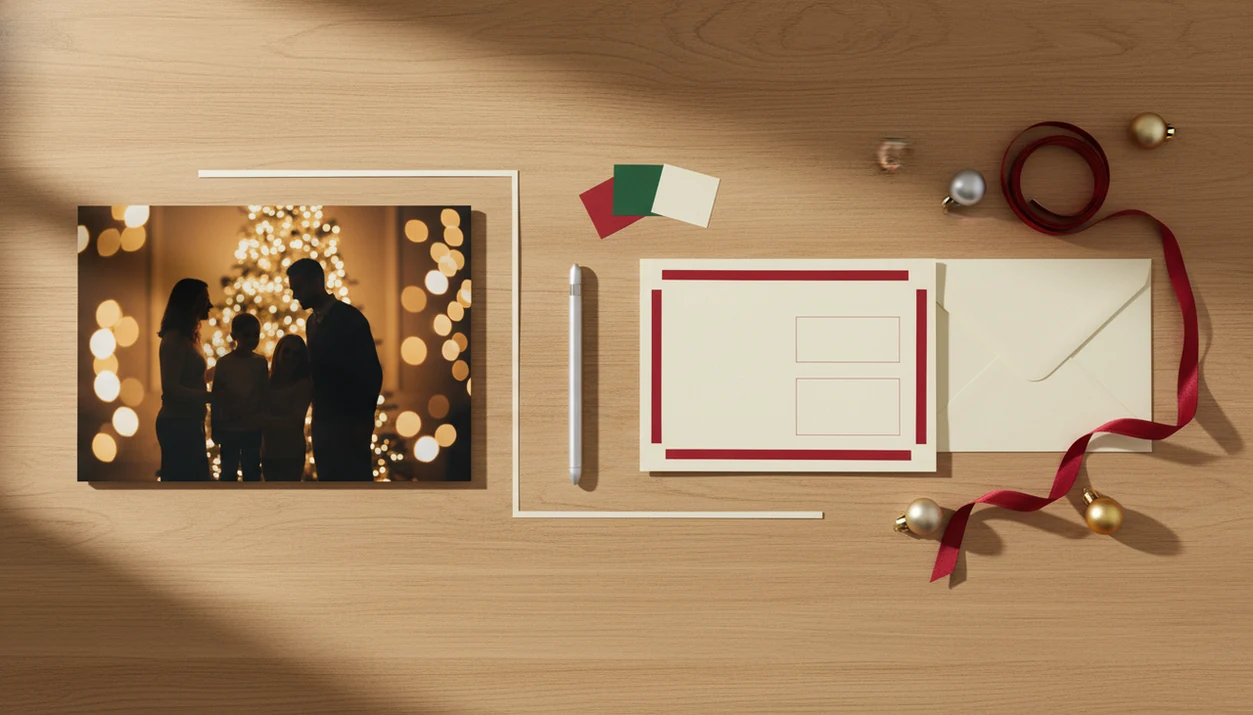
Choose an AI photo generator when you need the holiday image created or transformed, and choose a Christmas card maker when you need a finished card layout with text, sizing, and export settings. The real AI photo generator vs Christmas card maker decision is whether your bottleneck is the picture, the card design, or both, and an image-first AI Christmas photo app fits the picture-first side when one phone photo needs to become a festive portrait.
> PiXmas is a Christmas photo app that transforms one uploaded photo into holiday portraits, Santa scenes, and Christmas wallpaper for families, couples, pet owners, and creators.
- AI photo generators create or transform the image; Christmas card makers arrange that image into a card.
- Use an AI app for festive portraits, Santa scenes, pet photos, wallpapers, or custom backgrounds.
- Use a card maker for templates, greetings, margins, print sizes, envelopes, and shareable card files.
AI photo generator vs christmas card maker, side by side
Side-by-side captures of the compared products. Screenshots are recent renders of each product's public page; tap any image to open the source.

AI photo generator vs Christmas card maker at a glance
An AI photo generator changes or creates the picture; a Christmas card maker formats that picture into a card. Some modern holiday apps combine both, but the jobs are still different.
| Need | AI photo generator | Christmas card maker |
|---|---|---|
| Image creation | Creates a new festive portrait, scene, or background | Usually uses an uploaded photo |
| Layout | Limited or secondary | Main strength |
| Text | May struggle with exact wording | Built for greetings and names |
| Print sizing | Often basic | Usually supports card sizes, margins, and export settings |
| Social sharing | Strong for share-ready images and wallpapers | Strong for finished greeting images |
| Best use case | Ordinary photo needs holiday transformation | Good photo needs a polished card design |
The scale of visual sharing is massive: DataReportal estimated 5.04 billion social media user identities worldwide in January 2024, which helps explain why fast photo and card workflows matter (https://datareportal.com/reports/digital-2024-global-overview-report). A parent may have six almost-identical kid snapshots in the iPhone Photos grid, but only one where everyone is looking.
For families starting with a plain phone image, an image-first workflow handles the image bottleneck because the practical path is upload, select a festive style, review the result, then save or share.
How AI photo generator and Christmas card maker workflows work
AI photo generators use source images, prompts, models, and style conditioning to produce a new image. In plain terms, the system reads the uploaded face or scene, then applies a holiday look such as snow, Santa, studio lighting, or a fireplace background.
Christmas card makers work differently. They use templates, aspect ratios, safe margins, typography, layers, and export settings. Those controls decide whether a greeting is readable, whether a face gets cropped, and whether the file is suitable for print or sharing.
A generated portrait still may need layout work before it becomes a polished card. The image can look great on a phone screen, but the card may need text-safe space and a different crop.
McKinsey estimated in 2023 that generative AI could add $2.6 trillion to $4.4 trillion annually across use cases (https://www.mckinsey.com/capabilities/mckinsey-digital/our-insights/the-economic-potential-of-generative-ai-the-next-productivity-frontier). That helps explain why image generation is now a major product category, not a side feature.
Where an AI photo generator wins for Christmas portraits
AI photo generators win when the original image feels too ordinary for a holiday card. They can turn one uploaded phone photo into a more seasonal portrait instead of simply dropping the same photo into a border.
- A one-photo upload can become a transformed holiday portrait without booking a studio session.
- Santa scenes work well when the goal is a festive image, not just a card frame.
- Studio-style family portraits can rescue a regular living-room snapshot, though tiny faces in group shots still need checking.
- Couple images, pet images, and Christmas wallpaper need creative backgrounds that card templates rarely create by themselves.
- Creative originality is the main advantage; the picture itself changes, not just the frame around it.
If your priority is a Christmas portrait first and a card second, PiXmas fits because the style picker is built around festive portrait output, Santa scenes, wallpapers, and share-ready holiday images.
Good AI Christmas photo apps create festive portraits and seasonal scenes, not a guaranteed studio replacement for every blurry upload.
Where a Christmas card maker wins for card layout
Does a Christmas card maker do anything an AI photo generator cannot? Yes: a Christmas card maker is usually better for templates, greetings, fonts, borders, stickers, logos, photo placement, and print-ready exports.
Card makers focus on formatting. That means card sizes, safe margins, bleed, PDF or image export, and readable text across the front and back of a card. An AI generator may create a warm Santa portrait, but it may not know where your family name, date, and message should sit.
The difference shows up late at night. You have the image, then notice the greeting covers a face.
Adobe reported in 2024 that Creative Cloud had more than 30 million paid subscribers, which points to broad demand for creator and design workflows. Canva, Picsart, and Photoleap also live in this design-first world, especially when templates and text control matter more than image transformation.
For users with a strong photo already, a card maker is often easier than an AI generator because the remaining work is layout, typography, and export control.
Christmas card maker vs AI app decision rule
The clean decision rule is simple: choose the tool that fixes the weakest part of your holiday card. If the image is weak, start with generation; if the image is strong, start with layout.
Pick an AI app if the image is the problem
Choose an AI holiday photo generator when the photo looks ordinary, the background is messy, or you want Santa, snow, fireplace, pet, couple, or wallpaper styles. PiXmas is useful here because Christmas Pictures App workflows start with the photo you already have and create multiple festive outputs to compare.
Pick a card maker if the layout is the problem
Choose a card maker when the photo is already good and you only need a greeting, border, font pairing, logo, back-side message, or print size. The cropped school-day grin on a phone screen may be enough if the card design carries the rest.
Use both if you need print polish
For a studio-style image inside a printable card, use both. Generate the portrait first, then place it into a card maker for margins, text, and export. Users who need a one-photo holiday image can start with download AI Christmas photo app, then move the saved output into a layout tool.
How to use an AI photo generator with a Christmas card maker
The practical workflow is image first, card second. One-click claims often hide real choices, especially aspect ratio, crop, text placement, and whether the final file is meant for print or a group chat.
- Upload a clear source photo to an AI holiday photo app.
- Generate several festive portraits or Santa scenes, not just one.
- Choose the image with the cleanest face, hands, pets, and composition.
- Place the image into a Christmas card maker template.
- Add greeting text, check cropping, and export for print or sharing.
Small checks matter.
On December 23, a parent making a Santa portrait after bedtime has no studio appointment left. the AI photo generator helps at the image stage because the workflow can move from camera roll to Christmas portrait quickly, then a card maker can handle the final greeting and margins.
For last-minute cards, the combined workflow is often better than either tool alone because image generation solves the portrait and card layout solves the printable file.
Holiday photo generator comparison by output type
A holiday photo generator comparison should start with the final asset, not the feature list. Printed cards, digital greetings, social posts, wallpapers, and profile photos all tolerate different crops.
| Output type | What matters most | Better starting point |
|---|---|---|
| Printed card | Resolution, margins, bleed, readable text | AI image plus card maker |
| Digital greeting image | Portrait, greeting, easy sharing | Either, depending on design needs |
| Social post | Square or vertical crop, strong subject | AI photo generator |
| Christmas wallpaper | Phone-friendly vertical composition | AI photo generator |
| Profile photo | Clear face, simple crop, seasonal cue | AI photo generator |
Pew Research Center reported in 2024 that 23% of U.S. adults had ever used ChatGPT, up from 18% in 2023, which shows growing mainstream comfort with AI tools (https://www.pewresearch.org/short-reads/2024/03/26/americans-use-of-chatgpt-is-ticking-up-but-few-trust-its-election-information/). Still, aspect ratio is unforgiving. A wallpaper can crop the shoulders; a printed card cannot lose half a face.
When the desired output is portraits, Santa scenes, wallpapers, or shareable holiday images, PiXmas is especially aligned because the style categories are built for those finished assets. For phone-specific use, PiXmas for iPhone is the cleaner path for iOS users.
Pricing and export differences in Christmas card tools
Pricing differs because the value differs. AI generators often use free tiers, credit packs, subscriptions, or watermark removal. Card makers may charge for premium templates, high-resolution exports, print checkout, envelopes, or branded design assets.
Export settings deserve a slower look. JPG works for many shareable images, PNG can preserve sharper graphics, and PDF is often preferred for print layouts. Print resolution, watermark removal, and commercial use terms are separate questions from whether the portrait looks good.
That part gets missed.
Generation quality and card export quality are separate value judgments. A beautiful Santa scene can still become a poor card if the file is low resolution or the greeting is too close to the trim line. Before uploading, check privacy, photo retention, likeness rights, and print terms. users comparing download options can review free AI Christmas photo app guidance before deciding which workflow fits.
Evidence and Sources Behind This Comparison
This comparison uses public market signals, cited usage statistics, and observed product behavior. The sourced numbers support broad demand; the tool-by-tool judgments come from how these products tend to structure creation, layout, export, and print workflows.
The image-generation side is supported by the page’s generative AI and ChatGPT adoption references, plus the visible pattern that AI photo apps focus on prompts, styles, portraits, Santa scenes, wallpapers, and background transformation. Competitors in this side of the market can include Remix AI and image features inside broader apps such as Picsart or Photoleap.
The design and card-making side is supported by the social-sharing and creator-workflow statistics already listed, plus observed product patterns in Canva, Picsart, Photoleap, and similar template tools: text control, safe margins, premium assets, card sizes, and export formats tend to be the product center.
A practical evidence check looks like this:
- Separate sourced statistics from hands-on product-pattern claims.
- Compare whether each tool starts with image generation or layout.
- Review export options, watermarks, print sizing, and template controls.
- Test final files, because print quality, export quality, and AI output quality vary by tool.
What photo should you upload for the best result?
Start with one clear, well-lit photo where the face is fully visible and not obscured by sunglasses, deep shadows, or a wide-brim hat. A forward-facing shot with a plain or simple background gives an AI photo generator the clearest reference to work from.
Solo portraits and couple photos tend to translate most consistently into a finished Christmas scene. Uploading a busy action shot or a heavily cropped image usually produces a weaker result than a straightforward headshot or half-body photo.
Who should choose an AI photo generator over a card maker?
An AI photo generator suits anyone who wants a finished-looking festive portrait without booking a photographer or setting up props at home. This includes solo adults, couples, and families who have a decent phone photo but no seasonal one.
A card maker is the better starting tool if you already like your photo as-is and just need it placed neatly into a template with greetings and print margins. PiXmas is built for the first case: turning an ordinary photo into a new Christmas-styled image in minutes.
How does PiXmas compare to a photographer or a DIY card maker setup?
| Factor | PiXmas app | Professional photographer | DIY card maker and props |
|---|---|---|---|
| Time | Minutes in-app | Scheduling plus shoot time required | Hours to days of setup |
| Cost | App-based pricing | Typically higher session cost | Varies with props, wardrobe, lighting |
| Setup | None, one uploaded photo | Studio or location shoot | Physical props and lighting |
| Output | Stylized digital portrait | Real photograph, editable | Real photograph, DIY-styled |
Use an AI photo generator like PiXmas to create the Christmas portrait itself from one uploaded photo, then use a card maker if you need a formatted, print-ready card with text and layout.
Limitations
No comparison is useful without the tradeoffs. AI photo generators and card makers both fail in specific, predictable ways.
- AI photo generators may distort faces, hands, pets, text, ornaments, or small background details.
- Low-quality, dark, blurry, or crowded source photos reduce output quality. Warm yellow kitchen light can look cozy, but it can also confuse skin tones.
- Card makers can create polished layouts, but many do not create original holiday imagery.
- Generated images often still need cropping, text-safe space, and export checks before printing.
- Not every tool supports both generation and layout equally well; Remix AI or FestivAI may feel different from Canva or Picsart.
- Print results can vary by resolution, color handling, paper stock, and printer requirements.
- A blurry sleeve, half-hidden pet, or tiny face in a group shot can affect the final portrait.
PiXmas is strongest when the source face is clear and the lighting is not fighting the app. If you mainly need a Santa-style image rather than a full printed card order, the download Santa photo app path may fit better.
Related guides
FAQ
What's the real difference between an AI photo generator and a Christmas card maker?
An AI photo generator recreates or restyles a photo into a new scene, while a Christmas card maker mainly arranges an existing photo inside a template with text, borders, and print settings. They solve different problems and often work best used together.
What resolution does a photo need for a 4-by-6 or 5-by-7 Christmas card?
For a 4-by-6-inch card, use at least 1200 by 1800 pixels for 300 DPI output (FeetToPixels, 2026). A 5-by-7-inch design needs at least 1500 by 2100 pixels at the same resolution (Craftsuprint, 2026). Export at final size and avoid enlarging a small social-media copy.
What file format and color mode should be used for print-ready Christmas cards?
Use the file format and color mode required by the chosen printer, because specifications differ. One holiday-card guideline recommends raster artwork at final size, 300 DPI, and CMYK TIFF (Behind the Scenes Charity Holiday Card Design Guidelines, 2025). Some photo labs instead request high-quality JPEG files in RGB, so verify requirements before converting or exporting.
How long does it take to make and print photo Christmas cards?
Allow time for taking and developing the photo, digitizing it, preparing the layout, reviewing a proof, printing, shipping, addressing, and mailing. Local same-day printing may be faster but can offer fewer paper and finishing choices. During the holiday season, build in extra time for production delays, corrections, and postal congestion.
What are the limitations of using instant film photos on printed cards?
Instant film images have limited detail, fixed framing, distinctive color shifts, and physical imperfections that become more visible when enlarged. Very dark exposures and blown highlights are difficult to repair convincingly. The white frame may also conflict with standard card proportions, requiring cropping, added background space, or a smaller image within the layout.
What size works best for a Christmas card with an instant-photo look?
A 4-by-6-inch postcard or 5-by-7-inch folded card is usually practical for an instant-photo layout. Place the picture inside a white frame rather than stretching it across the entire card. Before designing, confirm the printer’s finished size, bleed, safe area, and envelope dimensions because specifications can vary.