AI Christmas Photo Prompt for a Cozy Living Room
Updated 2026-09-16 · PiXmas Editorial Team
Quick answer: A strong cozy living room Christmas prompt describes warm lighting, a decorated tree, a fireplace, soft knit textures, and natural posing near the window or couch. You can type this into a general AI image tool, but results rarely keep your real face. PiXmas uses this exact style built into its app, so you upload one phone photo and get a realistic cozy living room Christmas portrait without writing any prompt at all.
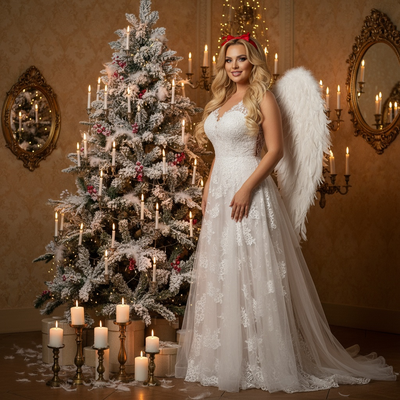
What Makes a Good Cozy Living Room Christmas Prompt?
A cozy living room Christmas prompt needs specific details, not vague words.
Good prompts mention lighting, furniture, decor, and mood together.
Here is a prompt you can use in most AI image generators:
"A warm, cozy living room at Christmas, soft golden lamp light, a decorated Christmas tree with twinkling lights in the background, a stone fireplace with stockings, knitted blanket on a couch, gentle snow visible through a window, realistic portrait style, natural warm color grading."
How Do You Use This Prompt With Your Own Photo?
- Copy the prompt above into your chosen AI image tool.
- Upload a clear photo of your face if the tool supports image input.
- Adjust wording like fireplace or tree size to match your vision.
- Generate multiple versions since results vary each time.
- Pick the closest match and refine lighting or pose details.
Why Do Generic AI Tools Struggle With This Prompt?
Most general AI image generators were not built for accurate face preservation.
They often change your facial structure, skin tone, or expression while adding the cozy room details.
You may need ten or more attempts to get one usable result, and even then the face may look slightly off.
How Does PiXmas Handle Cozy Living Room Scenes Differently?
PiXmas already includes cozy living room styles among its 800+ Christmas photo options.
You do not need to write or edit any prompt yourself.
Upload one phone photo, choose a cozy living room style, and the AI Christmas photos app builds the scene around your actual face.
The native iOS app and the web version both support this, and the web version works fine on Android phone browsers.
Prompt Tool vs PiXmas: Which Gets Better Results?
| Factor | Manual AI Prompt | PiXmas App |
|---|---|---|
| Writing required | Yes, detailed prompt needed | No, style is preset |
| Face accuracy | Often inconsistent | Built for face preservation |
| Style variety | Depends on your prompt skill | 800+ ready styles |
| Time to result | Multiple retries usually needed | One upload, fast output |
| Platform | Varies by tool | iOS app plus web on Android browsers |
Limitations
No AI tool guarantees a perfect match to your exact vision every time.
Lighting, pose, and expression from your original photo affect the final result.
A native Android app for PiXmas is coming but is not yet available, so Android users currently use the web version through their browser.
For a quick DIY test, the prompt in this guide works in general AI tools, but expect retries and inconsistent face results. For a faster, more reliable cozy living room Christmas portrait from one phone photo, PiXmas is the better choice.
Frequently asked questions
Can I use this prompt in any AI image generator?
Yes, the prompt works as a text description in most AI image tools that accept written prompts. Results vary depending on the tool, and face accuracy is not guaranteed since many generators alter facial features while adding scene details.
Do I need design skills to write a good Christmas prompt?
No, but specific details help. Mention lighting, decor, and mood clearly. If you prefer skipping prompt writing entirely, PiXmas offers preset cozy living room styles you select instead of typing anything.
Is one photo enough to generate a full scene?
Yes, PiXmas is designed around a single phone photo upload. The AI builds the full cozy living room Christmas scene, including background, lighting, and decor, from that one image.
How do I make an AI Christmas photo look photorealistic?
Ask for natural skin texture, realistic proportions, soft directional lighting, accurate fabric detail, and believable depth of field. Describe a plausible camera angle and avoid combining too many fantasy elements. Terms such as “professional holiday photography” and “subtle color grading” can help, but results still depend on the model and source photo quality.
How do I stop AI Christmas photos from creating strange hands or extra objects?
Use a simple composition and clearly state the number of people, hands, gifts, and major decorations. Add instructions such as “natural hands,” “correct anatomy,” “no duplicate objects,” and “no extra fingers” if the tool supports negative prompting. These directions can reduce errors, but they cannot guarantee anatomically perfect results in every generation.
What is an example prompt for a realistic Christmas portrait?
A useful prompt is: “Create a photorealistic Christmas portrait of an adult wearing a burgundy velvet sweater beside a decorated tree, with warm string lights, subtle snowfall outside the window, natural skin texture, soft studio lighting, shallow depth of field, and an elegant red-and-gold color palette.” Adjust clothing, setting, and mood as needed.