AI Christmas Photo Prompt for Matching Pajamas
Updated 2026-09-16 · PiXmas Editorial Team
Quick answer: Use a prompt like: 'Family in matching red and green plaid Christmas pajamas, sitting together by a decorated tree, warm string lights, cozy living room, soft golden lighting, joyful expressions, high detail portrait.'
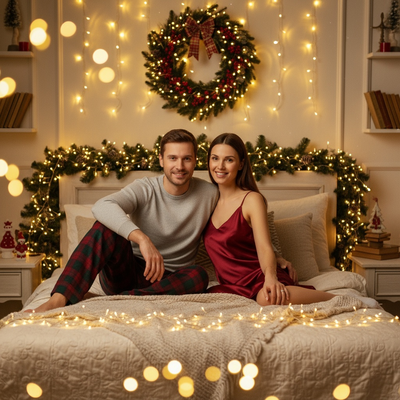
What makes a good matching pajama prompt?
A strong prompt names the pajama pattern, the color scheme, and the setting.
Specific details produce more consistent AI results than vague requests.
Words like plaid, buffalo check, or classic red and green tell the AI exactly what fabric look to generate.
What should the prompt include?
Include five elements for the best output.
- Pajama style: plaid, striped, or solid with snowflake print
- Color palette: traditional red and green, or neutral cream and forest
- Setting: living room, by the tree, near a fireplace, or outdoor snow scene
- Lighting: warm string lights, soft morning light, or candlelight glow
- Mood: joyful, cozy, relaxed, or playful with pets included
A complete example: 'Group in matching cream and red buffalo check pajamas, gathered around a lit Christmas tree, warm ambient lighting, cozy socks, natural smiles, festive portrait style.'
Do I need to write the prompt myself?
Not with PiXmas.
The PiXmas app is a Christmas Pictures App: PiXmas that already contains prompt logic built into its 800+ style library.
You upload one phone photo, pick a matching pajama style from the gallery, and the app applies the scene, lighting, and pajama pattern automatically.
This removes the need to type prompt text or understand AI phrasing at all.
How does PiXmas turn a prompt into a finished photo?
- Open PiXmas on the native iOS app or through a browser on any device
- Upload a single clear phone photo of yourself or your family
- Choose a matching pajama style from the Christmas portrait category
- Let the AI apply the prompt-based scene, lighting, and pajama pattern
- Download the finished portrait or wallpaper in a few minutes
Prompt writing vs using an app: which is faster?
| Method | Effort | Consistency | Time to result |
|---|---|---|---|
| Manual AI prompt | High, requires trial and error | Varies by tool and phrasing | 10-30 minutes |
| PiXmas app style library | Low, just pick a style | Consistent, tested styles | Under 5 minutes |
Limitations
AI-generated pajama patterns may not match pajamas you actually own.
Group photos with multiple people can sometimes blend facial details, so a clear, well-lit source photo works best.
Very unusual pajama requests, like a specific licensed character print, may not render precisely.
Verdict
If you want a matching pajama Christmas photo without learning prompt writing, PiXmas is the simplest route. Upload one phone photo, pick a pajama-themed style from the 800+ options, and get a finished portrait in minutes on web or the native iOS app.
Frequently asked questions
What is a good AI prompt for matching Christmas pajamas?
Describe the pajama pattern, color scheme, setting, and lighting together. For example: matching red and green plaid pajamas, sitting by a decorated tree, warm string lights, cozy and joyful mood. Specific detail produces more accurate and consistent AI results than a vague request.
Does the pajama pattern in my AI photo match pajamas I actually own?
Not exactly. The AI generates a pattern based on the prompt or selected style, so it approximates common looks like plaid or buffalo check rather than replicating a specific real garment you own.
Will group photos work well for a matching pajama theme?
Group photos generally work, but a clear, well-lit source image gives the best facial detail across multiple people. PiXmas handles families and groups, though very crowded or blurry photos may reduce accuracy.
Is it safe to upload a selfie for an AI Christmas photo?
Uploading a selfie carries privacy risks because facial images may be stored, processed, or used according to the provider’s policies. Check retention, deletion, training, and sharing terms before uploading. Avoid photos containing children, identification cards, addresses, school details, or visible location data unless you understand and accept how that information will be handled.
Are AI Christmas photo prompts free to use?
Prompts themselves are free to write and reuse, but the image generator may charge for credits, subscriptions, higher resolution, or additional variations. Free plans often restrict output quality, generation volume, or commercial use. Review the pricing and licensing terms before uploading photos or creating images intended for cards, advertising, merchandise, or client work.
How do I prompt an AI Christmas photo with multiple people?
Describe each person separately by position, clothing, age range, and relationship to the others. Specify an arrangement such as “two adults standing behind two children” and request consistent scale and natural interaction. Group images are harder than individual portraits, so faces, hands, and body placement may require several generations or separate editing.