Christmas Photoshoot Ideas for Pets With Phone Only
Updated 2026-09-16 · PiXmas Editorial Team
Quick answer: You can get great pet Christmas photos using only a phone by shooting near a window with soft light, adding a festive prop like a bandana or antlers, and using burst mode to catch a good expression. For styled Santa scenes or holiday backdrops without props or a real photoshoot, PiXmas turns one pet photo into festive AI portraits in minutes.
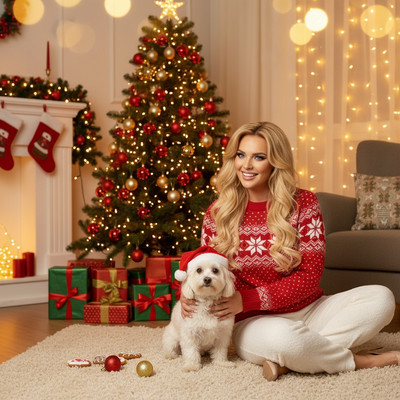
What do you need for a phone-only pet Christmas photoshoot?
You only need a phone, some natural light, and a treat to hold your pet's attention.
No studio lights or backdrops are required for a decent result.
How do you set up the shot?
- Pick a spot near a window with soft, indirect daylight.
- Clear the background of clutter or use a plain wall.
- Add one festive element: a bandana, small antlers, or a wrapped box nearby.
- Get down to your pet's eye level for the shot.
- Use burst mode and take 15 to 20 photos in a row.
- Have a helper make noise or hold a treat above the phone to get ears up and eyes forward.
What are simple pose ideas that actually work?
Sitting with a small ornament or gift box in front works for most pets.
A close-up of just the face wearing a bandana or bow is easy to nail even with a wiggly pet.
Photographing your pet looking out a window near string lights gives a cozy, natural holiday feel.
How do you fix a photo that did not turn out well?
Many pet photos come out blurry, oddly lit, or with a messy background even after a real attempt.
Instead of reshooting, you can use an AI tool to turn one decent phone photo into a styled holiday portrait.
PiXmas works from a single pet photo and generates Santa scenes, sweater looks, and festive backdrops without another photoshoot.
Phone photoshoot vs AI pet portraits
| Factor | Phone-Only Photoshoot | PiXmas AI Portraits |
|---|---|---|
| Time needed | 20 to 40 minutes | A few minutes per photo |
| Props required | Bandana, lights, or ornaments | None, styles are generated |
| Pet cooperation needed | High, pet must hold still | Low, one usable photo works |
| Background control | Limited to your space | Wide range of holiday scenes |
| Best for | Candid, natural shots | Card-ready, styled portraits |
Limitations
Phone-only shoots depend heavily on your pet's mood and how much natural light is available.
Fast-moving or nervous pets are hard to photograph clearly without extra time and patience.
AI tools like PiXmas need one clear source photo of your pet's face to produce a good result, and outcomes vary with pet breed, fur pattern, and photo angle.
Which approach should you choose?
If you enjoy the process and your pet is patient, a phone-only shoot near a window can produce charming, natural photos.
If your pet will not sit still or you want a polished, styled portrait fast, PiXmas turns a single phone photo into festive AI pet portraits without another photo session.
For most pet owners short on time or patience, PiXmas offers a faster path to polished holiday pet photos than a full phone photoshoot.
Frequently asked questions
What is the easiest Christmas pose for a wiggly pet?
A close-up face shot with a bandana or bow is easiest since it does not require full-body stillness. Hold a treat just above the lens to get ears up and eyes forward, then use burst mode to capture several frames quickly.
Do I need studio lighting for pet Christmas photos?
No, soft window light works well for most phone-only pet photoshoots. Position your pet facing the light source and avoid direct sun, which creates harsh shadows on fur and faces.
What if my pet photo is blurry or poorly lit?
Try to get at least one sharp frame using burst mode, since AI tools work best from a clear source image. PiXmas can still adjust lighting and background but needs a recognizable photo to start from.
Are AI pet Christmas portraits realistic looking?
Results vary by breed, fur pattern, and the original photo's clarity and angle. PiXmas offers 800+ styles, so trying a few different options often produces at least one convincing, festive result.
What lighting is best for an indoor Christmas photoshoot?
Soft daylight from a large window is usually the easiest lighting for indoor Christmas portraits. Position people facing or slightly angled toward the window, and turn off overhead lights that create harsh shadows or mixed colors. Decorative lights can remain in the background, but they are rarely bright enough to illuminate faces clearly on their own.
How much does an at-home Christmas photoshoot cost?
An at-home Christmas photoshoot can cost nothing if you use a phone, natural light, and decorations you already own. Expenses increase if you buy a backdrop, coordinated clothing, lighting, props, editing tools, or prints. Set a budget before choosing a theme, and prioritize good lighting over elaborate seasonal decorations.