Last-Minute Christmas Photoshoot Ideas for Pets
Updated 2026-09-16 · PiXmas Editorial Team
Quick answer: For a last-minute pet Christmas photoshoot, use natural window light, a plain blanket backdrop, and simple props like a bandana or small antlers. Shoot at your pet's eye level and use treats to hold attention. If you want polished Santa-scene or wallpaper-style results without wrangling a pet at all, PiXmas turns one phone photo into AI Christmas portraits in minutes.
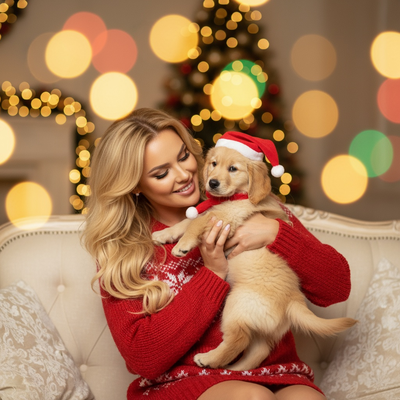
What counts as a last-minute pet Christmas photoshoot?
It means working with what you already have at home.
No studio lights, no rented backdrops, no appointment needed.
The goal is a warm, festive photo of your pet using items already in your house.
What backdrop works without buying anything?
A plain red, green, or cream blanket draped over a couch or chair works well.
A wall near a window with soft daylight is also a strong option.
Avoid busy backgrounds like cluttered shelves or patterned curtains, since they pull focus from your pet.
What props can I use in five minutes?
Grab a bandana, a small bow, or a Santa hat if your pet tolerates it.
String lights draped just outside the frame add a soft glow without touching your pet.
A wrapped empty box or a stocking placed nearby gives context without needing your pet to hold anything.
How do I get my pet to actually look at the camera?
- Use treats held near the lens, not directly in front of it.
- Have a second person make noise from behind the camera.
- Shoot in short bursts of 5 to 10 photos rather than single shots.
- Get down to your pet's eye level instead of shooting from above.
- Keep sessions under 10 minutes to avoid restlessness.
What if my pet will not sit still or pose?
This is where a live photoshoot often falls apart, especially with cats or young dogs.
An alternative is skipping the live shoot entirely and using an AI tool instead.
PiXmas lets you upload a single existing photo of your pet, even a casual snapshot, and generates polished Christmas portraits, Santa scenes, and wallpapers without any posing session.
This works well when your pet is anxious around props or when you simply do not have time to set anything up before the holidays.
Live shoot vs AI-generated pet photos
| Factor | Live Pet Photoshoot | PiXmas AI Photos |
|---|---|---|
| Time needed | 10 to 30 minutes, more with a fussy pet | A few minutes with one existing photo |
| Props required | Blanket, hat, lights, treats | None |
| Pet cooperation | Required | Not required |
| Style variety | Limited to what you set up | 800+ styles including Santa scenes |
| Best for | Calm, treat-motivated pets | Anxious pets or zero prep time |
Limitations
Live photoshoots depend heavily on your pet's mood and patience level.
AI-generated results depend on the quality and clarity of the source photo you upload.
PiXmas works from a single photo, but a blurry or poorly lit original image will limit how sharp the final portrait looks.
The web version works on Android browsers, and a native Android app is coming soon.
For calm pets with a few minutes to spare, a DIY blanket-and-treats setup can work well. For everyone else short on time or patience, PiXmas turns one existing pet photo into finished Christmas portraits without any live shoot.
Frequently asked questions
What is the fastest way to get a Christmas photo of my pet tonight?
Use a plain blanket backdrop and natural window light, then take several quick shots with treats to hold attention. If your pet will not cooperate, upload an existing photo to PiXmas and get an AI Christmas portrait in minutes instead.
Do I need professional lighting for a pet Christmas photo?
No. Soft daylight from a window is usually enough for a good result. Avoid harsh overhead lighting and direct flash, which can create shadows or red-eye effects on your pet's photo.
My cat will not sit still for holiday photos, what can I do?
Skip the live session and use a photo you already have. PiXmas generates Christmas-themed portraits from one uploaded image, which avoids the stress of trying to pose a cat for a camera.
Will a phone camera work as well as a real camera for pet photos?
Yes, most modern phone cameras capture enough detail for both a DIY holiday shoot and for uploading to PiXmas, which only needs one reasonably clear photo to generate styled Christmas portraits.
What can I use as a Christmas photo backdrop at home?
A plain wall, curtain, bedspread, fireplace, decorated tree, porch, or neatly made bed can work as a Christmas photo backdrop. Add only a few intentional elements, such as greenery, wrapped boxes, paper stars, or a textured blanket. Check the frame for cords, outlets, clutter, and objects that appear to grow from someone’s head.
When should I take Christmas photos for holiday cards?
Take Christmas card photos early enough to allow time for editing, selecting a design, printing, addressing, and mailing. Scheduling during fall can reduce last-minute pressure and may provide better outdoor weather. Search interest in Christmas photo topics rises in fall and peaks in December, showing how often families plan late (Tech Photo Guy – Google Trends for Photographers, 2018).