Christmas Photoshoot Ideas for Pets on a Budget
Updated 2026-09-16 · PiXmas Editorial Team
Quick answer: Budget pet Christmas photos work best with a plain sheet backdrop, window light, and simple props like a bandana, small ornaments, or a wrapped box. For guaranteed results without wrangling a pet, upload one photo to PiXmas and get AI-generated Santa scenes, sweaters, and festive backgrounds instantly, no props or patience required.
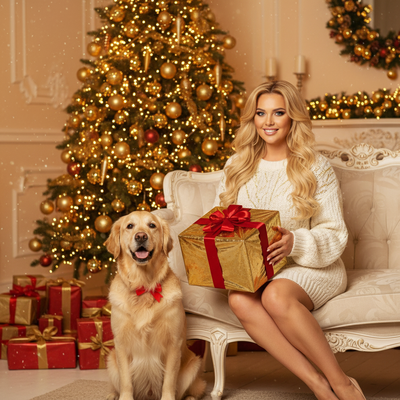
How do you photograph a pet at home for Christmas cheap?
Use natural window light instead of flash. Flash spooks most pets and creates red or green eye.
A plain bedsheet or blanket works as a backdrop. Red, white, or dark green cotton photographs well and costs nothing extra.
Shoot low, at your pet's eye level, for a more engaging frame than looking down from above.
What cheap props work for a pet Christmas photoshoot?
Small items go further than big sets.
- A festive bandana or bow tie clipped on for two minutes
- A wrapped empty box as a prop, never a real gift they can chew
- Pinecones, ornaments, or fairy lights placed just outside frame
- A knit sweater or santa hat, only if the pet tolerates it calmly
Skip anything with small parts, tinsel, or edible-looking decorations near the mouth.
How do you get a pet to sit still long enough?
- Treat-train the pose for five minutes before bringing out any props
- Have a second person hold treats just above the camera lens to lift the head and ears
- Shoot in short bursts of ten frames rather than one perfect attempt
- Keep sessions under ten minutes total, pets lose patience fast
- Reward heavily and end on a calm note, even if the shots are imperfect
What if the photos come out blurry or the pet won't cooperate?
This is the most common budget shoot problem. Even one clear, in-focus photo is enough to work with.
PiXmas turns a single decent pet photo into 800+ styled Christmas portraits using AI, including Santa scenes, sweater looks, and wallpaper-ready backgrounds. There is no need to fight with sweaters, bows, or a pet that refuses to sit still for twenty minutes.
The app is native on iOS, and the web version works fine in a mobile browser on Android. A native Android app is on the way.
DIY setup vs AI pet portraits
| Factor | DIY Home Shoot | PiXmas AI |
|---|---|---|
| Cost | Free to under $15 | One low-cost upload fee |
| Time needed | 30-60 minutes plus editing | A few minutes |
| Pet stress | Higher, props and posing required | None, one photo is enough |
| Style variety | Limited to what you own | 800+ styles and scenes |
| Consistency | Depends on pet's mood | Consistent every time |
Limitations
DIY budget shoots depend heavily on your pet's temperament and available daylight, results vary a lot between sessions. AI portraits need one clear source photo to work well, and results are stylized rather than a literal studio photograph. Neither approach replaces a professional pet photographer for print-quality wall art.
Verdict
For a truly budget pet Christmas photoshoot, natural light and simple props at home cost nothing but take patience. If the pet won't cooperate or the light is bad, PiXmas turns whatever photo you managed to get into polished, festive AI portraits in minutes.
Frequently asked questions
What backdrop works best for a budget pet Christmas photo?
A plain bedsheet in red, white, or dark green works well and photographs cleanly. Avoid busy patterns since pet fur and movement already add visual noise to the frame.
Is flash safe to use on pets for photos?
Avoid flash when possible. It can startle pets and cause red or green eye reflection. Natural window light or a soft lamp gives calmer, more flattering results.
How can I get festive photos without stressing my pet?
Keep DIY sessions short and reward-based, or skip physical props entirely. PiXmas generates AI Christmas scenes and sweaters from one existing photo, so your pet never has to wear anything or sit through a long shoot.
What props should I avoid for pet Christmas photos?
Skip tinsel, small ornaments, real wrapped gifts, and anything edible-looking near the mouth. These pose choking or ingestion risks and often end up chewed rather than photographed.
How do I keep skin tones and Christmas colors accurate in photos?
Use one main light source and avoid mixing daylight with warm household bulbs whenever possible. Set exposure for faces rather than bright string lights, and compare edited images on more than one screen before printing. Heavy filters can turn skin orange and distort reds or greens, so make small adjustments to warmth, tint, contrast, and saturation.
How do I set up a Christmas photoshoot in a small space?
Use one uncluttered wall, corner, doorway, or section beside the Christmas tree as your set. Remove distracting furniture, place subjects several steps in front of the background when possible, and frame tightly. A blanket, stool, greenery, and string lights can create a complete scene without filling the entire room.