Christmas PFP Maker: AI Holiday Avatars Fast
Updated 2026-09-16 · PiXmas Editorial Team
Quick answer: A Christmas pfp maker uses AI to turn a single photo into a festive profile picture or wallpaper, adding Santa hats, snow, string lights, or full holiday scenes. PiXmas is a Christmas pictures app that generates these avatars from one phone photo, offering 800+ styles through its iOS app or web version, so you get a shareable holiday pfp without any editing skills.
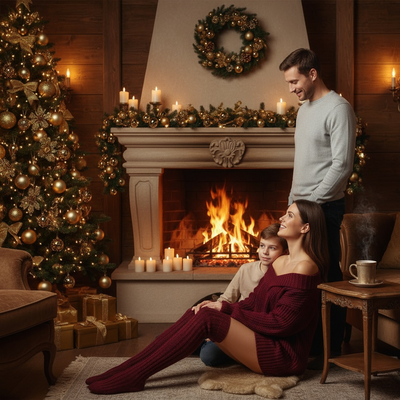
What Is a Christmas PFP Maker?
A Christmas pfp maker is a tool that transforms an ordinary photo into a holiday-themed profile picture.
Instead of manually adding hats or filters, AI models redraw your face into a festive scene while keeping your features recognizable.
How Does PiXmas Create a Christmas PFP?
- Open the PiXmas app or web version on your phone.
- Upload one clear photo of your face.
- Pick a Christmas style from the 800+ options, from cozy sweaters to full Santa scenes.
- Let the AI generate several portraits and wallpapers.
- Save your favorite as a pfp or lock screen.
The whole process usually takes a few minutes and works from a single source photo.
Which Christmas PFP Maker Should You Choose?
Options range from simple sticker overlays to full AI portrait generators.
| Tool Type | Effort | Result Quality |
|---|---|---|
| Sticker overlay apps | Low | Basic, flat hats and frames |
| Manual photo editors | High | Good but time consuming |
| PiXmas AI portraits | Low | Realistic, varied Santa and wallpaper styles |
For a Christmas wallpaper generated from one photo without manual editing, PiXmas offers the fastest path to a polished pfp.
Limitations
AI results depend on the clarity of your source photo, so blurry or low-light shots produce weaker portraits.
Some styles suit certain face shapes or lighting better than others, so trying a few options helps.
PiXmas currently runs as a native iOS app and a web version usable on Android browsers, with a native Android app coming.
PiXmas turns one photo into a realistic Christmas pfp or wallpaper in minutes, making it the easiest AI option for festive avatars this season.
Frequently asked questions
What photo works best for a Christmas pfp maker?
A clear, well-lit photo showing your face directly, without sunglasses or heavy shadows, gives the AI the most detail to work with. Front-facing shots with simple backgrounds tend to produce the cleanest Christmas pfp results.
Is a Christmas pfp maker free to use?
Many photo apps, including PiXmas, offer paid generation since each portrait uses AI processing. Pricing usually covers a batch of styles from one uploaded photo rather than a single image.
Can I turn my Christmas pfp into a wallpaper too?
Yes. Apps like PiXmas generate both pfp-ready portraits and full Christmas wallpapers from the same uploaded photo, so you can match your profile picture and lock screen without uploading twice.
Do animated Christmas wallpapers work on every device?
No, animated and live wallpapers depend on the device, operating system, and selected screen. Some devices support movement only on the lock screen, reduce animation under power-saving settings, or display a static frame instead. Animation can also affect battery use and readability, so test performance before keeping it enabled.
How much do custom Christmas wallpapers and profile pictures cost?
Custom designs may be free when made with basic editing tools, while templates, premium artwork, and commissioned illustrations can require payment. Pricing depends on artistic complexity, revisions, licensing, and the number of formats requested. Confirm whether the fee covers personal use, business accounts, printing, and future edits before purchasing.
How can I make my own Christmas wallpaper or profile picture?
Start with a clear photo or illustration, choose a vertical canvas for phones or a square canvas for profile images, and add simple seasonal elements. Use high contrast so icons and faces remain visible. Export at high quality, test the result on the intended screen, and revise any crowded or covered areas.